Admin areaPromotions & discounts
Edit a cart discount or switch it on and off
Change an existing cart discount or pause it with the switch.
What it is for
You change a cart discount when the amount or conditions should change. If you only want to suspend it for a while, you switch it off instead of deleting it.
What changes
- Switch off: the discount is kept but does not apply. It no longer shows "Aktiv" (active).
- Edit: after saving, the changed discount applies.
- The web shop and the app take this over without publishing.
Requirements
You are signed in to the admin area as the owner, and there is a cart discount, see Create a cart discount.
Step by step
Use the switch or the pencil
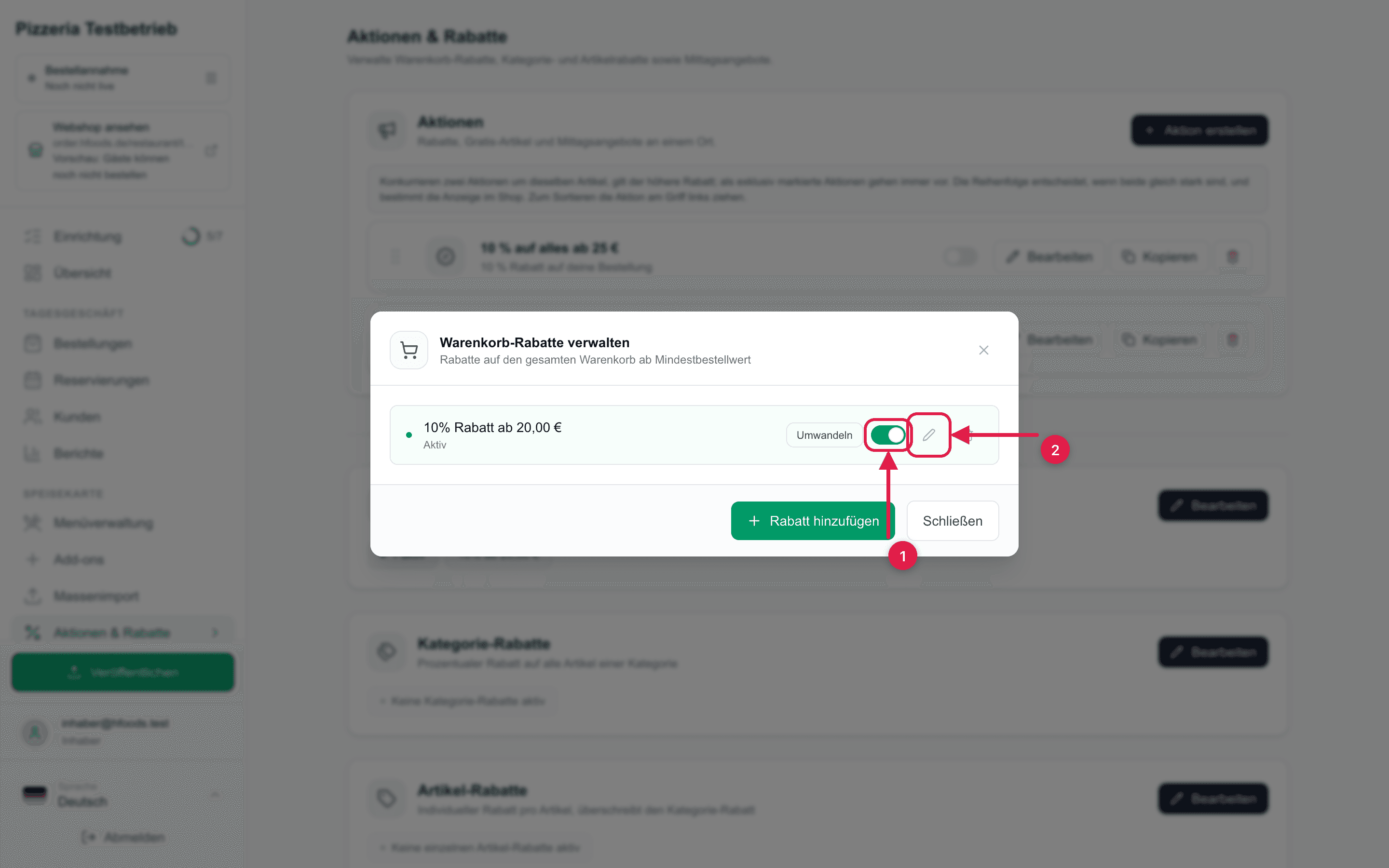
In the sidebar on the left, click Aktionen & Rabatte and then Bearbeiten (edit) on Warenkorb-Rabatt. The list shows each discount, for example "10% Rabatt ab 20,00 €".
- The switch turns the discount on or off.
- The pencil opens the discount for editing. Change the minimum order value, discount, validity or exceptions and click Speichern (save).
Result
The discount applies with the new details or is paused.