Admin areaPromotions & discounts
Switch a promotion on or off
Start or pause a promotion with the switch in the list without deleting it.
What it is for
With the switch on each promotion you start or pause it. That way you can prepare a promotion and only switch it on on the day, or pause it without losing it.
What changes
- Switched on: the promotion is visible to guests and is applied.
- Switched off: the promotion keeps all its settings but does not apply.
- The web shop and the app take this over without publishing.
Requirements
You are signed in to the admin area as the owner, and the promotion exists.
Step by step
Flip the switch
In the sidebar on the left, click Aktionen & Rabatte. Each promotion has a switch to the left of Bearbeiten (edit). One click switches it on or off.
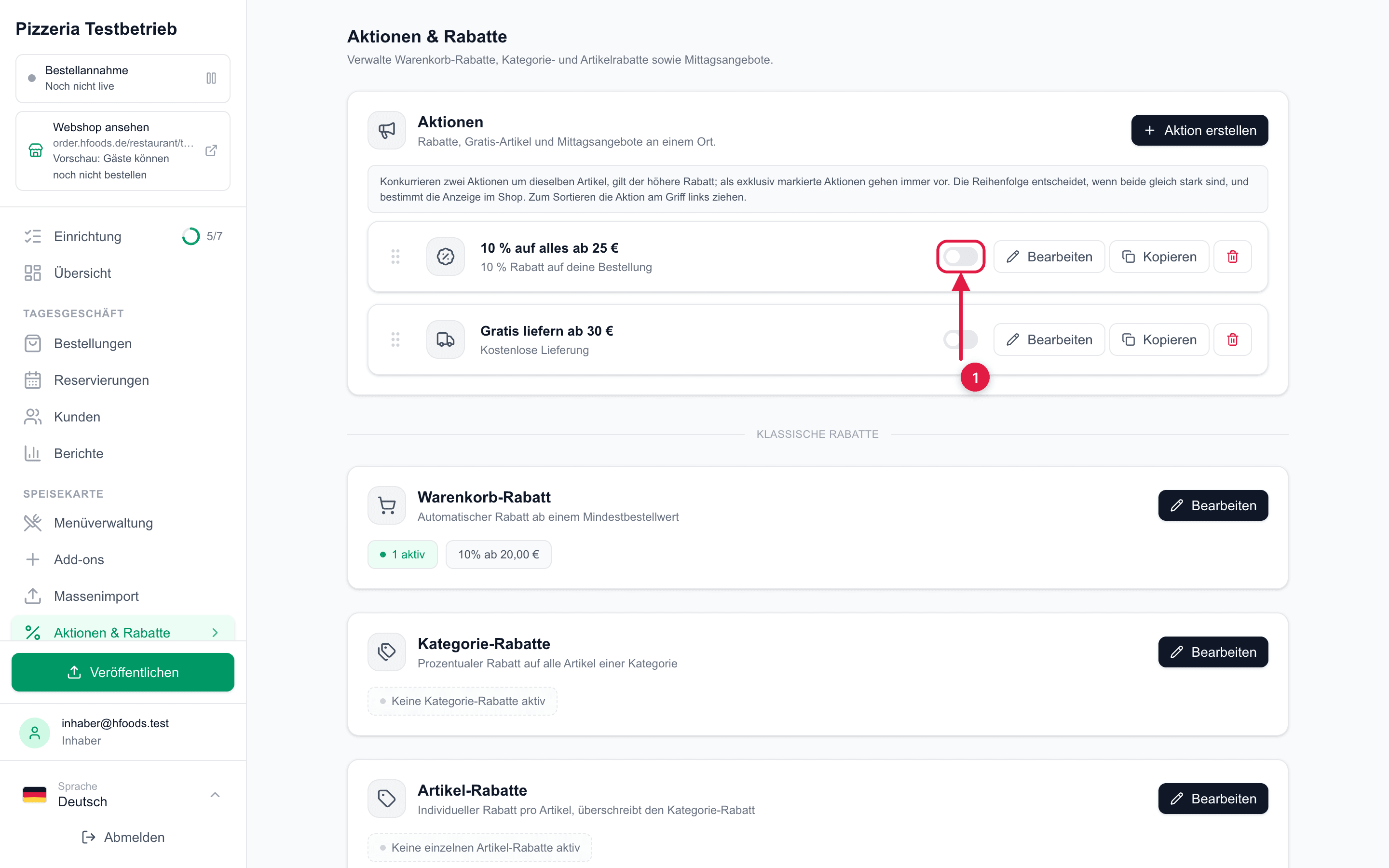
Result
The promotion runs or is paused. Its settings stay unchanged.
Frequently asked questions
What if it does not work?
Then "Der Status konnte nicht geändert werden. Bitte versuche es erneut." (the status could not be changed, please try again) appears. Reload the page and try again.