Admin areaPromotions & discounts
Set the rules and schedule of a promotion
In the rules step, set from which order value, for whom, for which order type and when a promotion applies.
What it is for
A promotion often should only apply under conditions: from a minimum order value, only for delivery, only for certain guests or only at lunchtime on weekdays. You set these conditions in the editor's third step, Regeln (rules). Guests see them on the card under Bedingungen (conditions).
What changes
The promotion only applies when all rules are met. If a field is left empty or nothing is selected, the promotion applies without that restriction.
Requirements
You are creating or editing a promotion, see Create a promotion from a template.
Step by step
Order value and order type
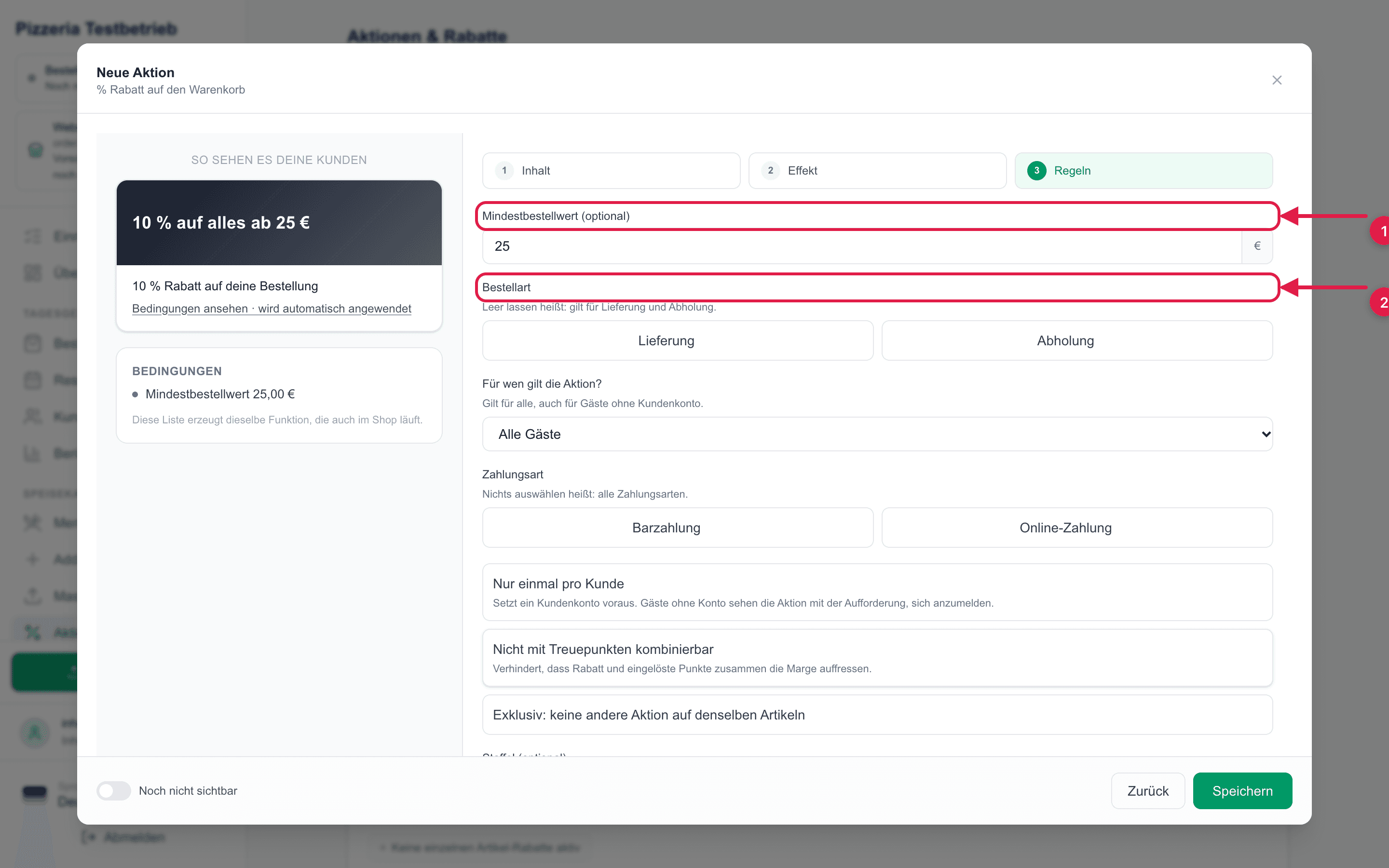
- Mindestbestellwert (optional) (minimum order value): from which order value the promotion applies, for example 25 €.
- Bestellart (order type): Lieferung (delivery), Abholung (pickup) or both. Leaving it empty means it applies to delivery and pickup.
Target group, payment method and combination
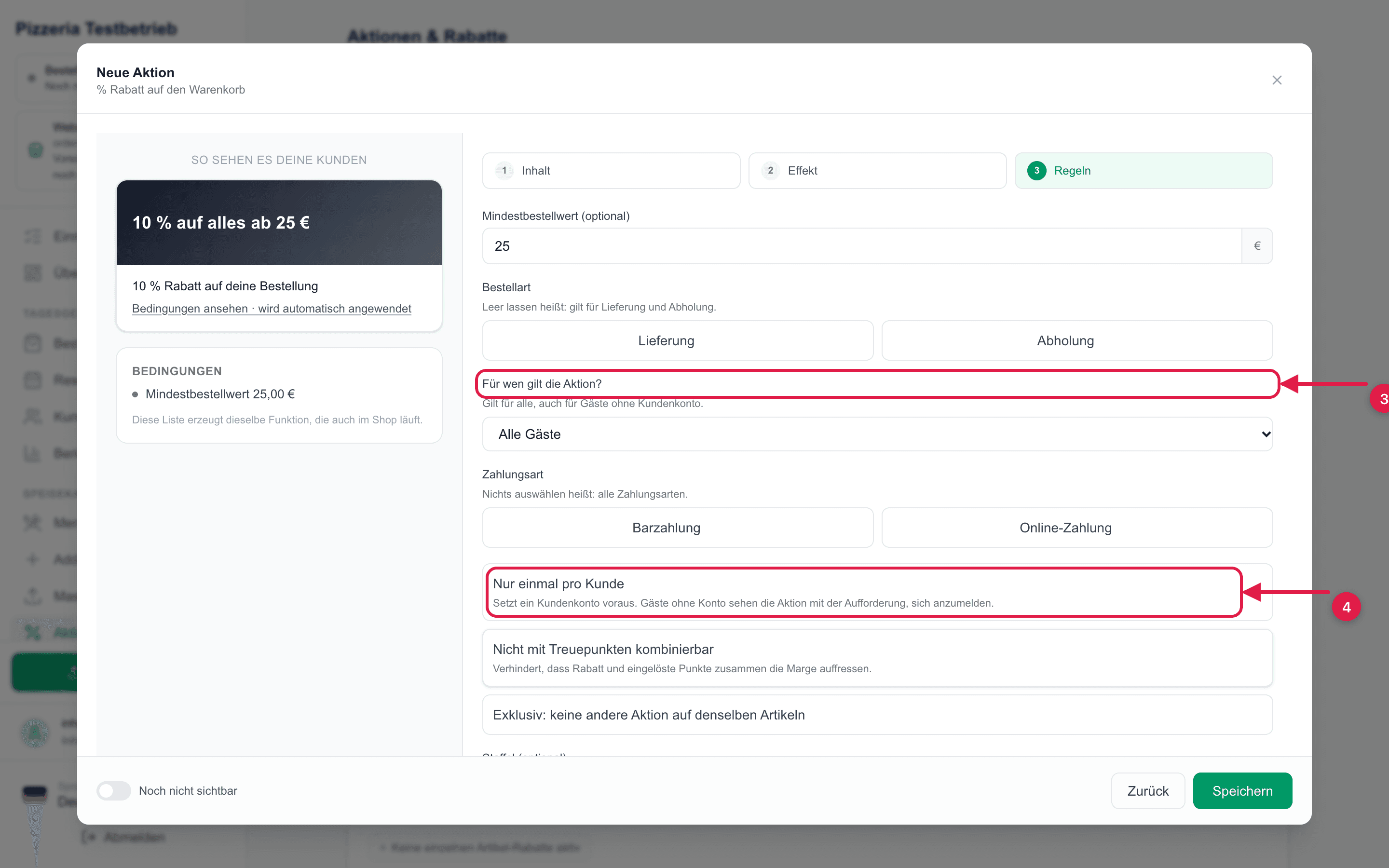
- Für wen gilt die Aktion? (who does the promotion apply to?): Alle Gäste (all guests) is preset, including guests without a customer account. You narrow down the target group in the selection list.
- Zahlungsart (payment method): Barzahlung (cash), Online-Zahlung (online payment) or both. Selecting nothing means all payment methods.
- Nur einmal pro Kunde (only once per customer): requires a customer account. Guests without an account see the promotion with a prompt to sign in.
- Nicht mit Treuepunkten kombinierbar (not combinable with loyalty points): prevents discount and redeemed points together from eating up the margin.
- Exklusiv: keine andere Aktion auf denselben Artikeln (exclusive: no other promotion on the same items).
Tier and period
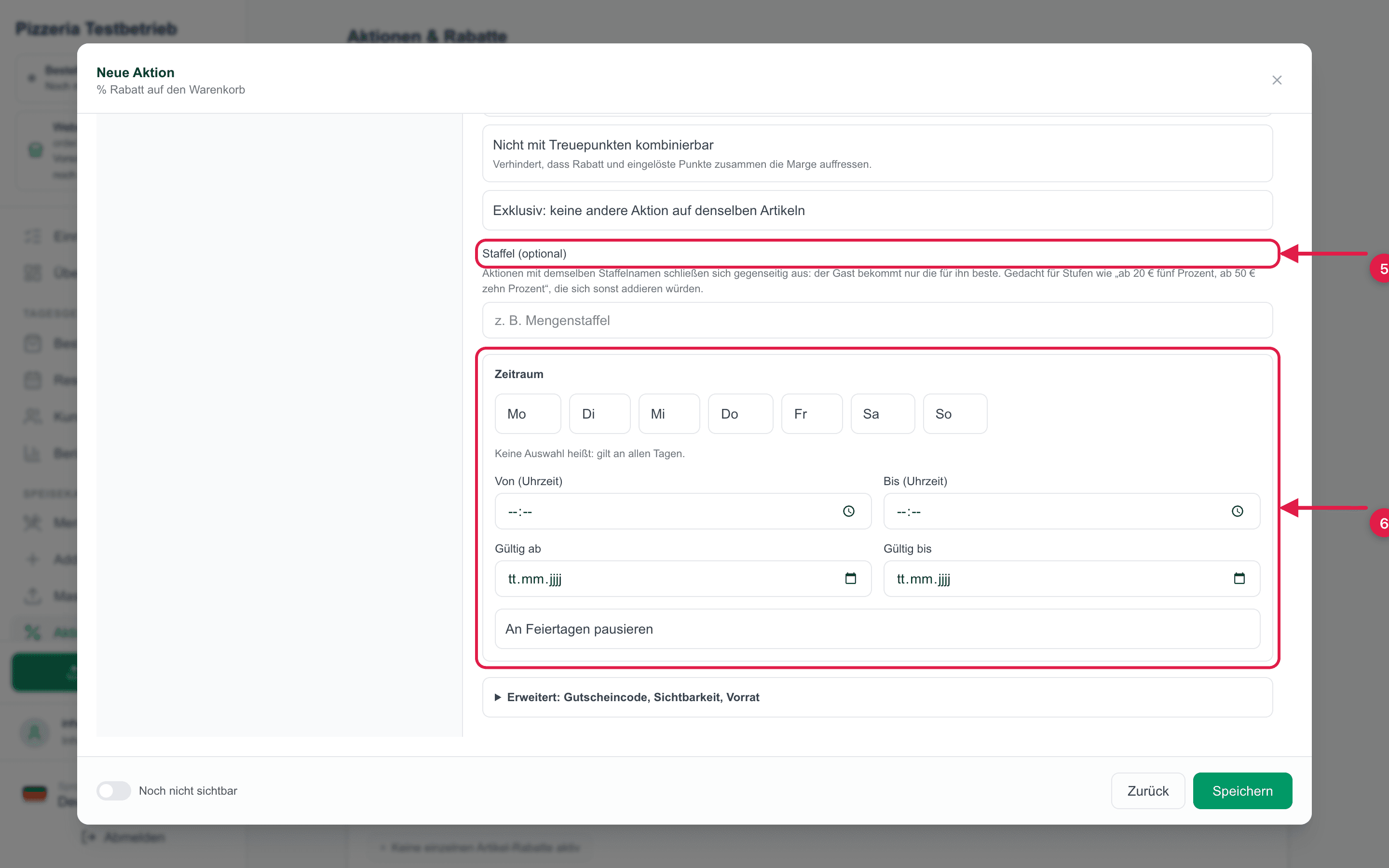
- Staffel (optional) (tier): promotions with the same tier name exclude each other; the guest only gets the best one. Intended for levels such as "5 % from 20 €, 10 % from 50 €".
- Zeitraum (period): weekdays Mo to So (no selection means every day), Von (Uhrzeit) (from time) and Bis (Uhrzeit) (to time), Gültig ab (valid from) and Gültig bis (valid until) and An Feiertagen pausieren (pause on public holidays).
Then click Speichern (save).
Result
The promotion applies exactly under the chosen conditions.
Tips
- Use Staffel instead of several independent promotions when there are levels. Otherwise discounts could overlap unintentionally.
- For lunch promotions, enter weekdays and times, for example Mon to Fri, 11:30 to 14:30.