Admin areaPromotions & discounts
Delete a cart discount
Remove a cart discount for good.
What it is for
You delete a cart discount you no longer need. If you only want to suspend it for a while, switch it off instead.
What changes
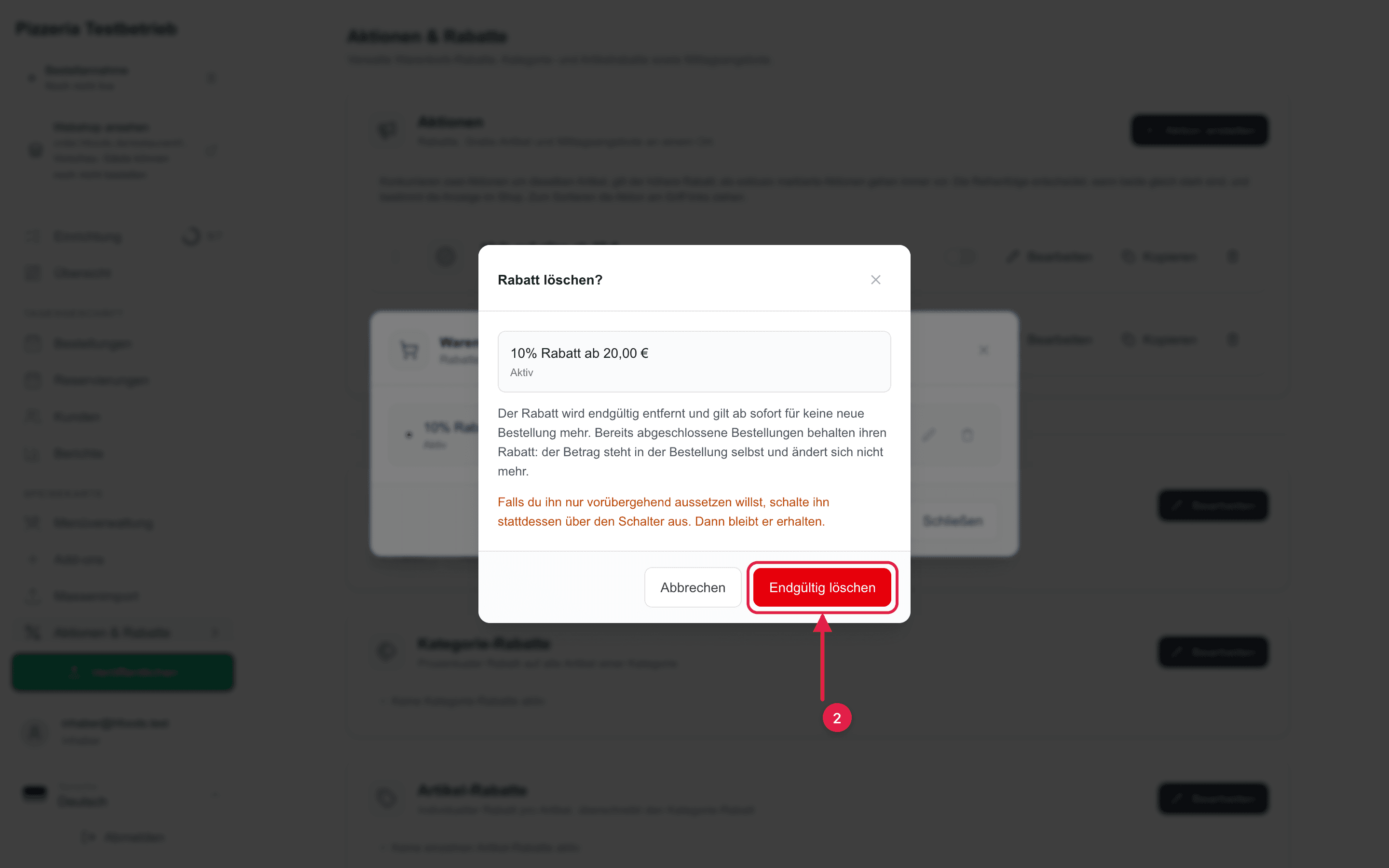
- The discount is removed for good and no longer applies to any new order from now on.
- Orders already completed keep their discount. The amount is stored in the order itself and does not change any more.
Requirements
You are signed in to the admin area as the owner, and there is a cart discount.
Only suspend it for a while?
Then switch the discount off with the switch. That way it is kept, see Edit a cart discount or switch it on and off.
Step by step
Choose the bin
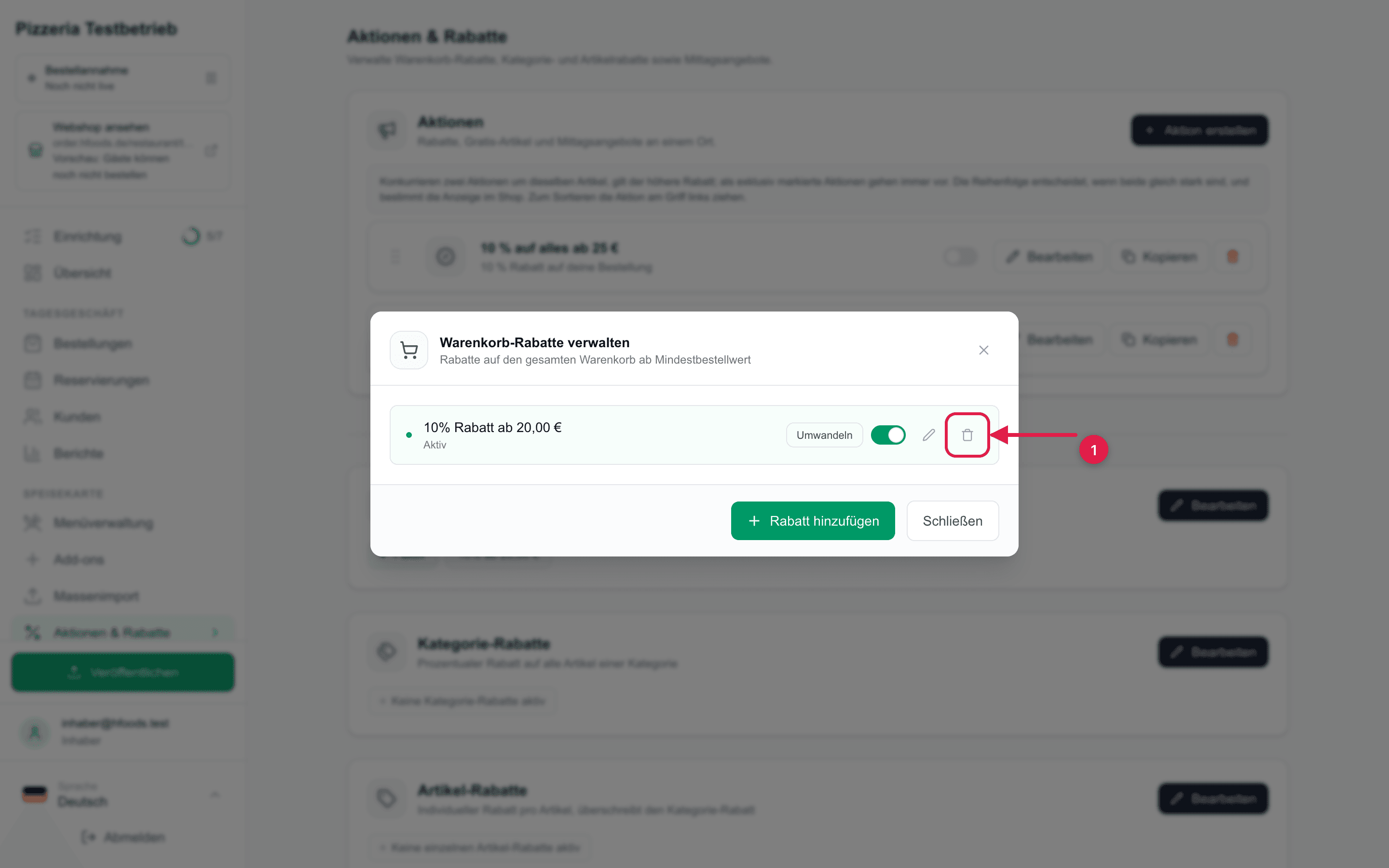
In the sidebar on the left, click Aktionen & Rabatte, then Bearbeiten (edit) on Warenkorb-Rabatt and then the bin on the discount.
Confirm
The Rabatt löschen? (delete discount?) window shows the discount and explains the consequences. Click Endgültig löschen (delete for good), or Abbrechen (cancel).
Result
The discount is deleted and no longer applies to new orders.