Admin areaPromotions & discounts
Set a coupon code or limited stock
Make a promotion apply only with a coupon code, or limit how often it can be redeemed.
What it is for
Some promotions should not apply to everyone: a code for flyers or Instagram, or an offer only for the first 50 orders. You set this under Erweitert (advanced) in the Regeln (rules) step.
What changes
- Coupon code: the promotion only applies when the guest enters the code.
- Limited stock: after the set number of redemptions the promotion no longer applies.
Requirements
You are creating or editing a promotion and are in the Regeln step, see Set the rules and schedule of a promotion.
Step by step
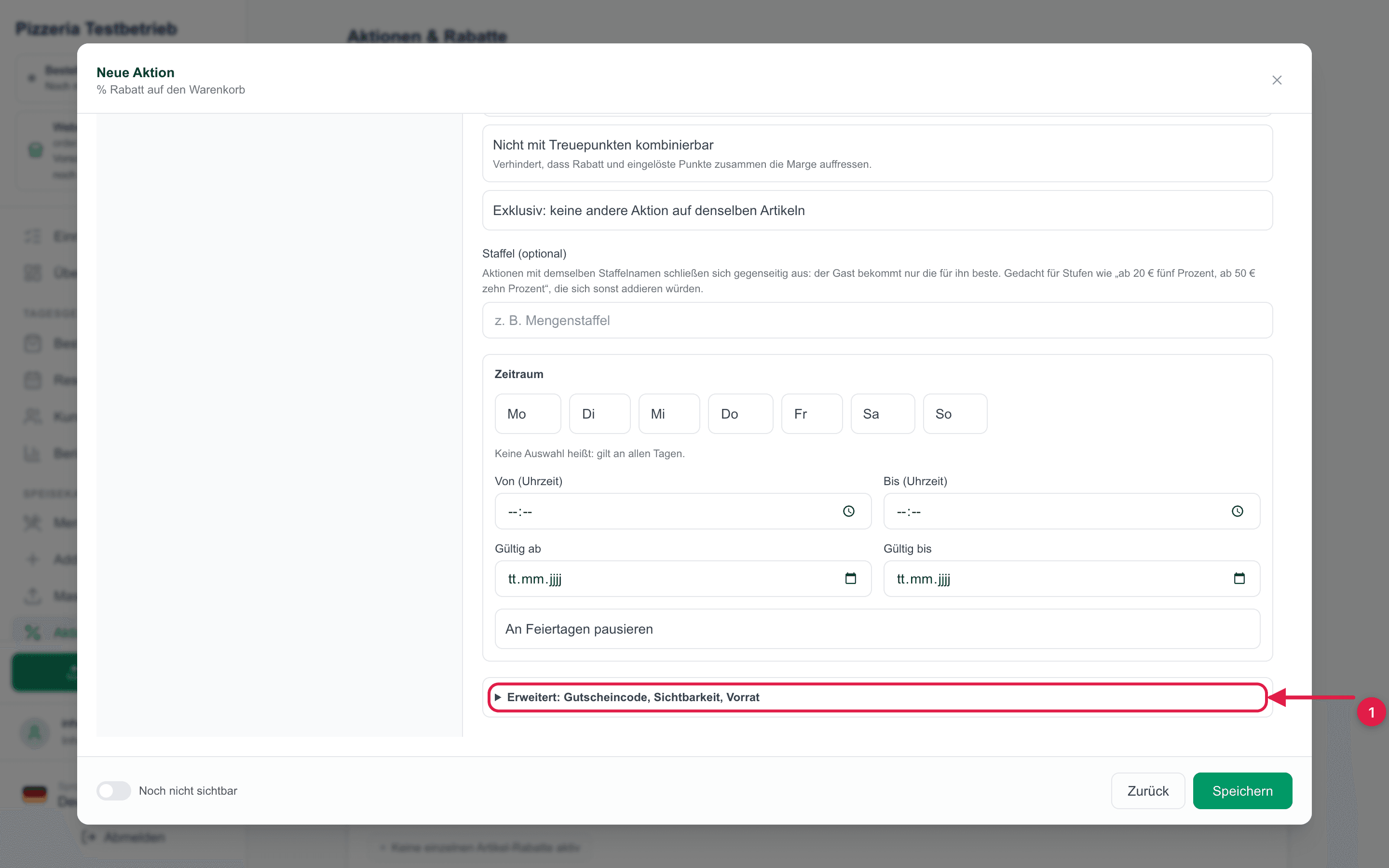
Expand Erweitert
Scroll all the way down in the Regeln step and click Erweitert: Gutscheincode, Sichtbarkeit, Vorrat (advanced: coupon code, visibility, stock).
Enter code and stock
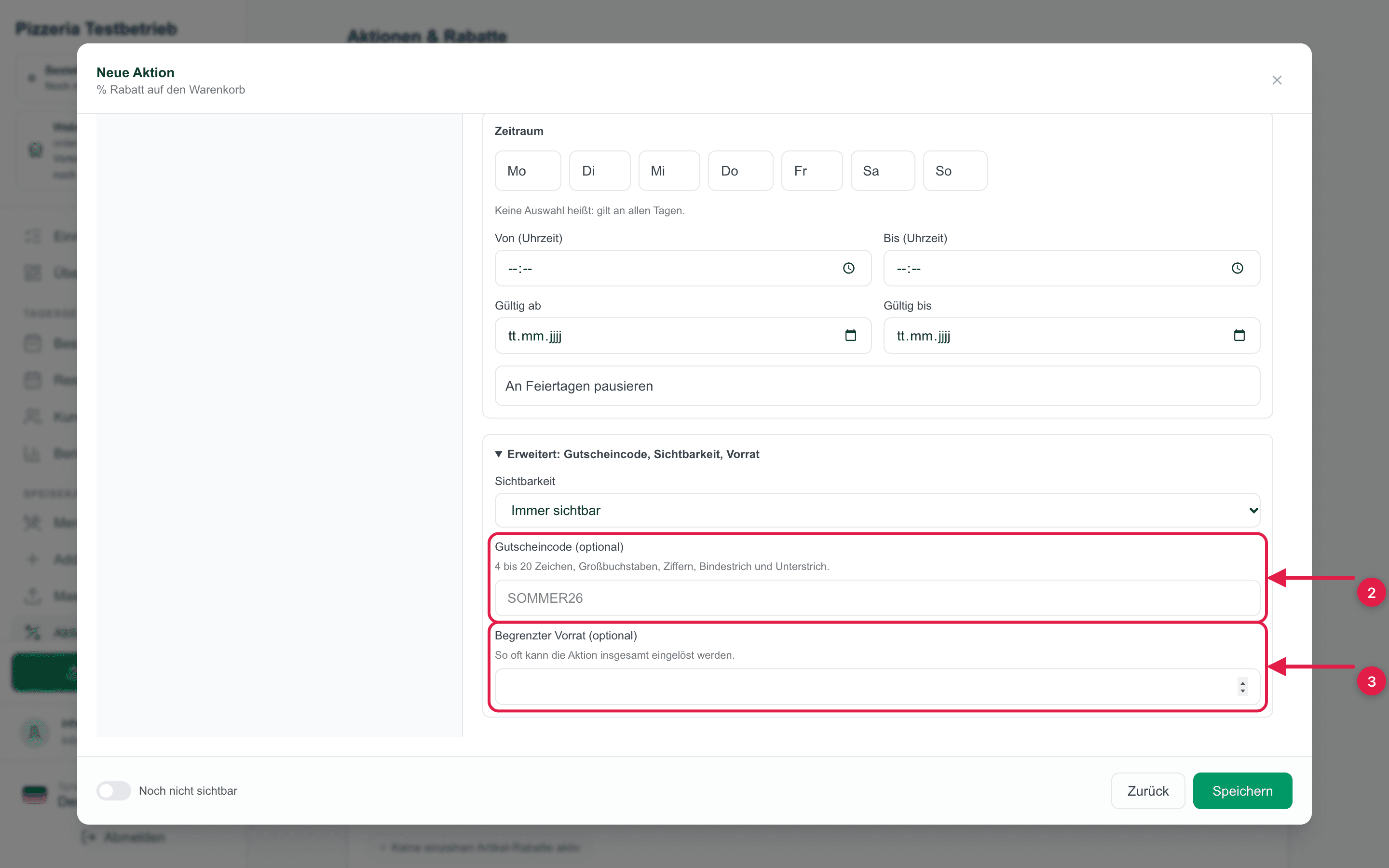
- Sichtbarkeit (visibility): for example Immer sichtbar (always visible).
- Gutscheincode (optional) (coupon code): 4 to 20 characters, capital letters, digits, hyphen and underscore, for example "SOMMER26".
- Begrenzter Vorrat (optional) (limited stock): how often the promotion can be redeemed in total.
Then click Speichern (save).
Result
The promotion only applies with the code, or only until the stock is used up.
Tips
- Use a separate code for each advertising channel, for example FLYER and INSTA. That way you see what works.