Edit a promotion
Change the content, effect or rules of an existing promotion.
What it is for
You can adjust a running promotion at any time: a different percentage, a new period or a better text. You open the promotion's editor for this.
What changes
After saving, the changed promotion applies. The message reads "Aktion gespeichert." (promotion saved). The web shop and the app take over the change without publishing.
Requirements
You are signed in to the admin area as the owner, and the promotion exists.
Step by step
Choose Bearbeiten
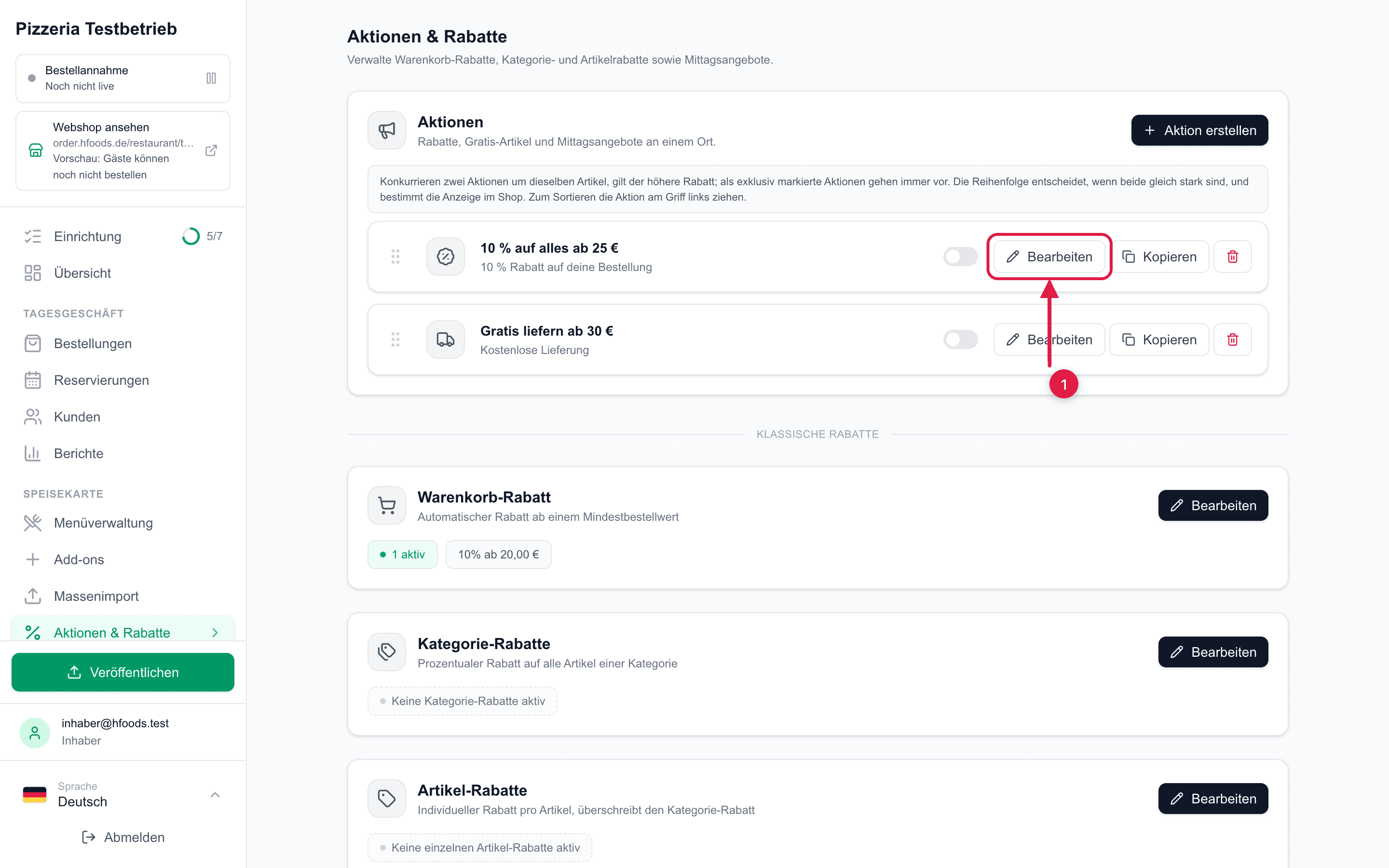
In the sidebar on the left, click Aktionen & Rabatte and then Bearbeiten (edit) on the promotion.
Change and save
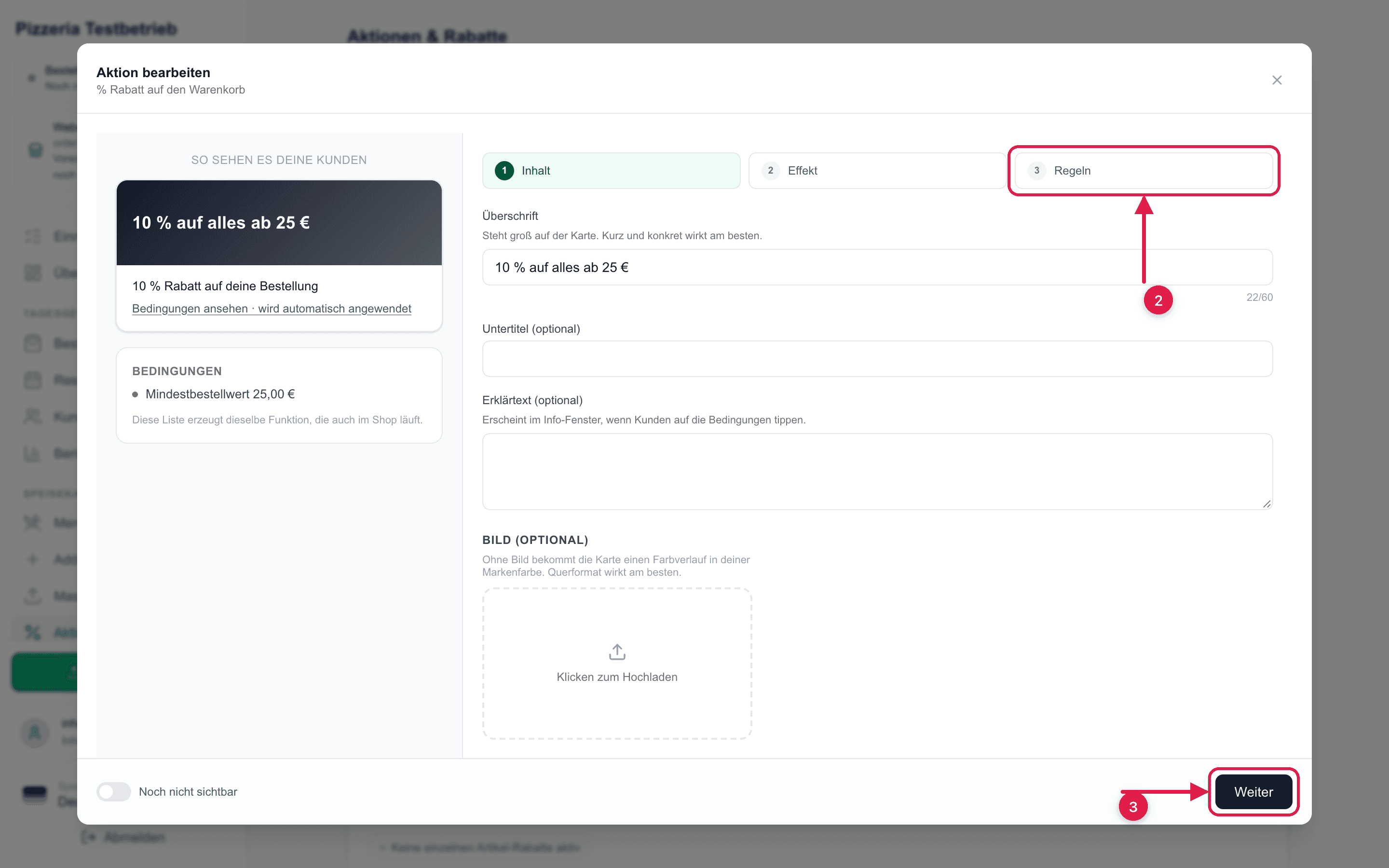
The Aktion bearbeiten (edit promotion) window has the same three steps as when creating: Inhalt (content), Effekt (effect) and Regeln (rules). Change what you want and go with Weiter (next) to the Regeln step. There you click Speichern (save).
Result
The promotion applies with the new details.
Frequently asked questions
Does this change orders already completed?
No. Completed orders keep the discount they were ordered with.