Delete an item
Remove an item from your menu for good.
What it is for
You delete an item from the menu when you no longer offer it at all. For items that are only missing for a while there are better ways; see the note below.
What changes
- The item disappears from the category. The message „Name“ wurde gelöscht (deleted) confirms this.
- Deleting cannot be undone. If you need the item again later, you have to create it again.
- It disappears from the web shop and the app as soon as you click Veröffentlichen (publish).
Requirements
You are signed in to the admin area as the owner and have opened the category page, see Open a category.
Only unavailable for a while?
If an item is only sold out today or is seasonal, do not delete it. Switch it off in the item list with the Aktiv (active) switch instead. You keep all its details and switch it back on later with one click.
Step by step
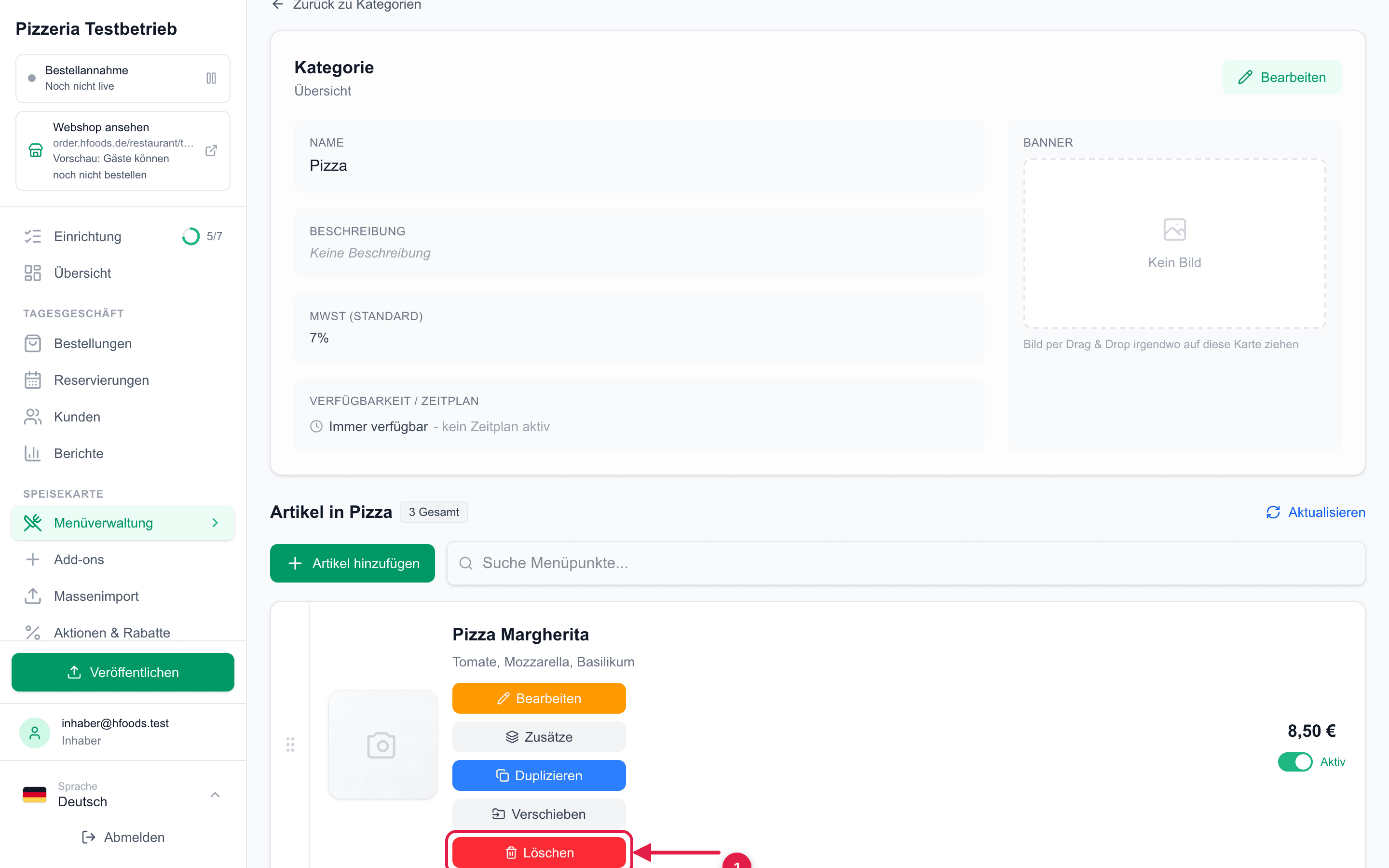
Choose Löschen on the item
On the item you want to remove, click the red Löschen (delete) button. Nothing is deleted yet; a confirmation comes first.
Read and confirm
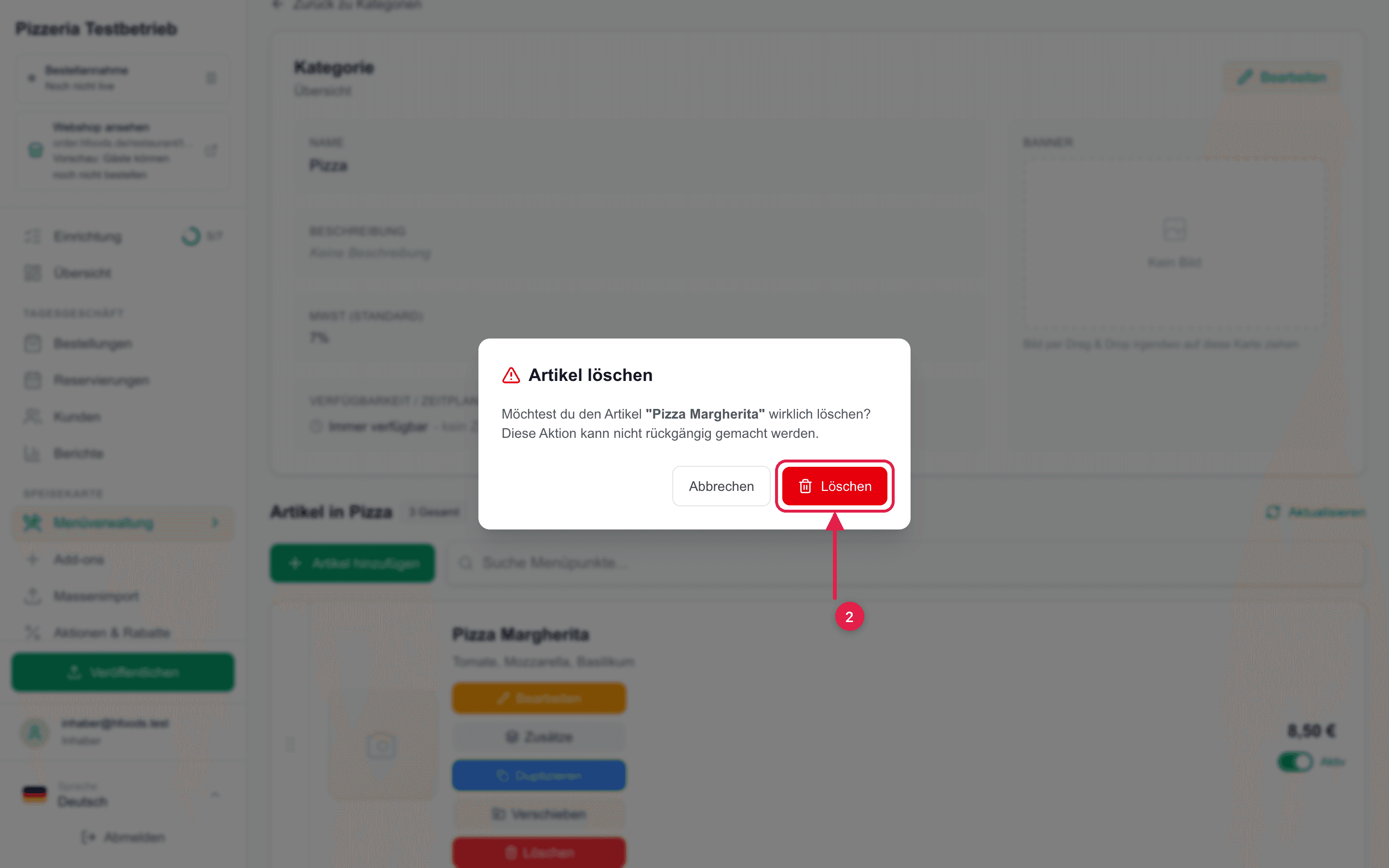
The Artikel löschen (delete item) dialog names the item. Check the name carefully, especially if there are similarly named items, for example a copy.
- Löschen (delete) removes the item for good.
- Abbrechen (cancel) closes the dialog; nothing happens.
Publish
Click Veröffentlichen (publish) on the left. Only then does the item disappear from the web shop and the app as well.
Result
The item is removed from the category. The other items keep their order.
Tips
- Before a bigger clean up, make a copy of your menu. You find it on the left under Massenimport (bulk import) with Speisekarte exportieren (export menu).
- If you only want to put an item somewhere else, do not delete it; move it instead, see Move an item.
Frequently asked questions
Can I restore a deleted item?
No. Create it again, see Create an item.
Why do guests still see the item?
The change is only taken over after Veröffentlichen (publish). The web shop also refreshes the menu by itself within one hour at the latest.