Open a category
Open a category's page to see and edit its details and its items.
What it is for
Every category has its own page. There you see all details of the category and all items that belong to it. From here you edit the category, add items, change them, move them or take them off sale for a while. That is why almost every guide about items starts on this page.
What changes
Nothing. Opening only shows; it does not change your menu.
Requirements
- You are signed in to the admin area as the owner, see Sign in.
- There is at least one category, see Create a category.
Step by step
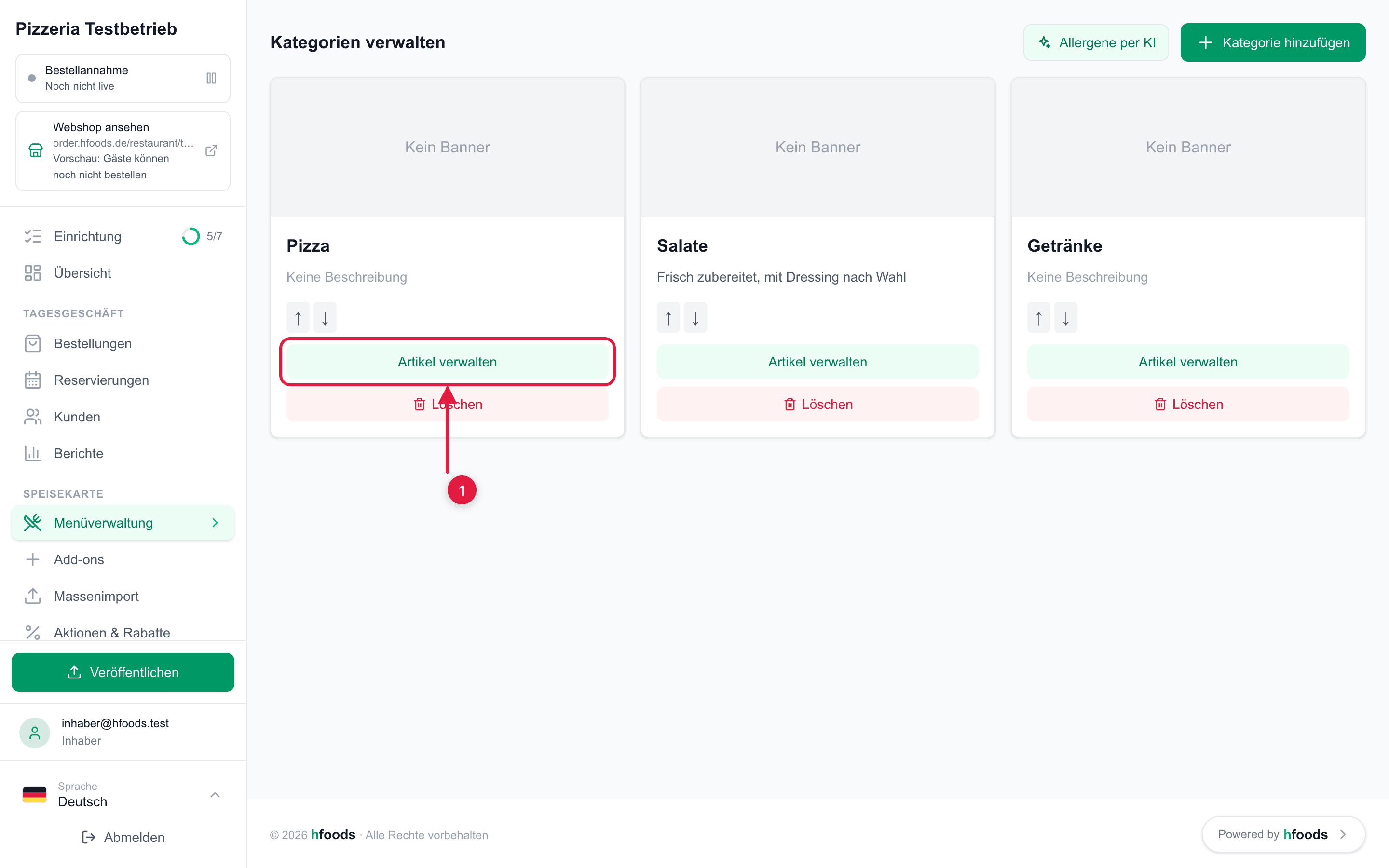
Choose Artikel verwalten
In the sidebar on the left, open Menüverwaltung (menu management). On the category's card, click Artikel verwalten (manage items). Clicking the category name takes you there as well.
Read the category page
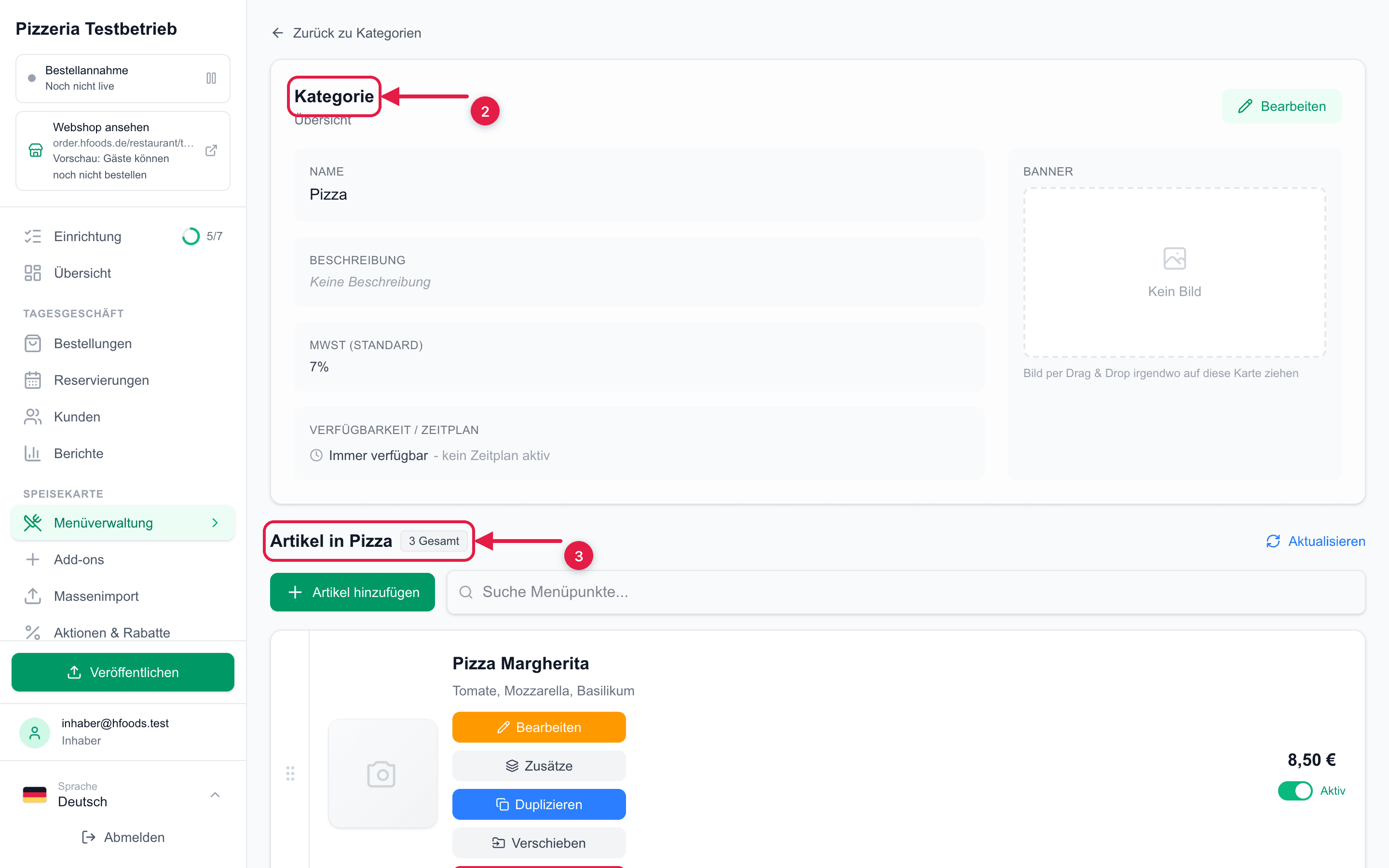
The page has two parts:
- Kategorie (category, at the top): name, description, the default VAT rate (MwSt (Standard)), the schedule under Verfügbarkeit / Zeitplan (availability and schedule) and the banner image on the right. Immer verfügbar (always available) means no schedule is active. With Bearbeiten (edit) at the top right you change these details.
- Artikel in … (items in …, below): all items of the category with their count, for example 3 Gesamt (3 in total). Here you find Artikel hinzufügen (add item), the search field Suche Menüpunkte... (search menu items) and on each item the buttons Bearbeiten (edit), Zusätze (add-ons), Duplizieren (duplicate), Verschieben (move) and Löschen (delete).
Zurück zu Kategorien (back to categories) at the top left takes you back to the overview of all categories.
Result
You are on the category page and can edit the category itself or its items from here.
Tips
- On this page you can also drag and drop a banner image anywhere onto the Kategorie card.
- If someone else is working on the menu at the same time, Aktualisieren (refresh) to the right above the item list loads the latest state.
Frequently asked questions
Do I need to publish anything after opening?
No, opening changes nothing. You only need to publish once you have changed something on the page.
Where do I see at which times the category is shown?
Under Verfügbarkeit / Zeitplan (availability and schedule) on the Kategorie card. How to set a schedule is described in Set a schedule for a category.