Get allergen suggestions from AI
Get allergen and additive suggestions for items without any, review them and apply them in one step.
What it is for
Entering allergens and additives for every item one by one takes time. Allergene per KI (allergens by AI) suggests them for all items that do not have any yet. The suggestions are based on the item name and description. You review every suggestion, adjust it if needed and then apply them all at once.
What changes
- The items you apply get the chosen allergens and additives.
- Items that already have information stay unchanged. They are not even suggested.
- Web shop and app show the information as soon as you click Veröffentlichen (publish).
Requirements
- You are signed in to the admin area.
- There are items without allergens and additives.
- You maintain the list of allergens and additives used for the suggestions under Maintain allergens and additives.
Step by step
Open Allergene per KI
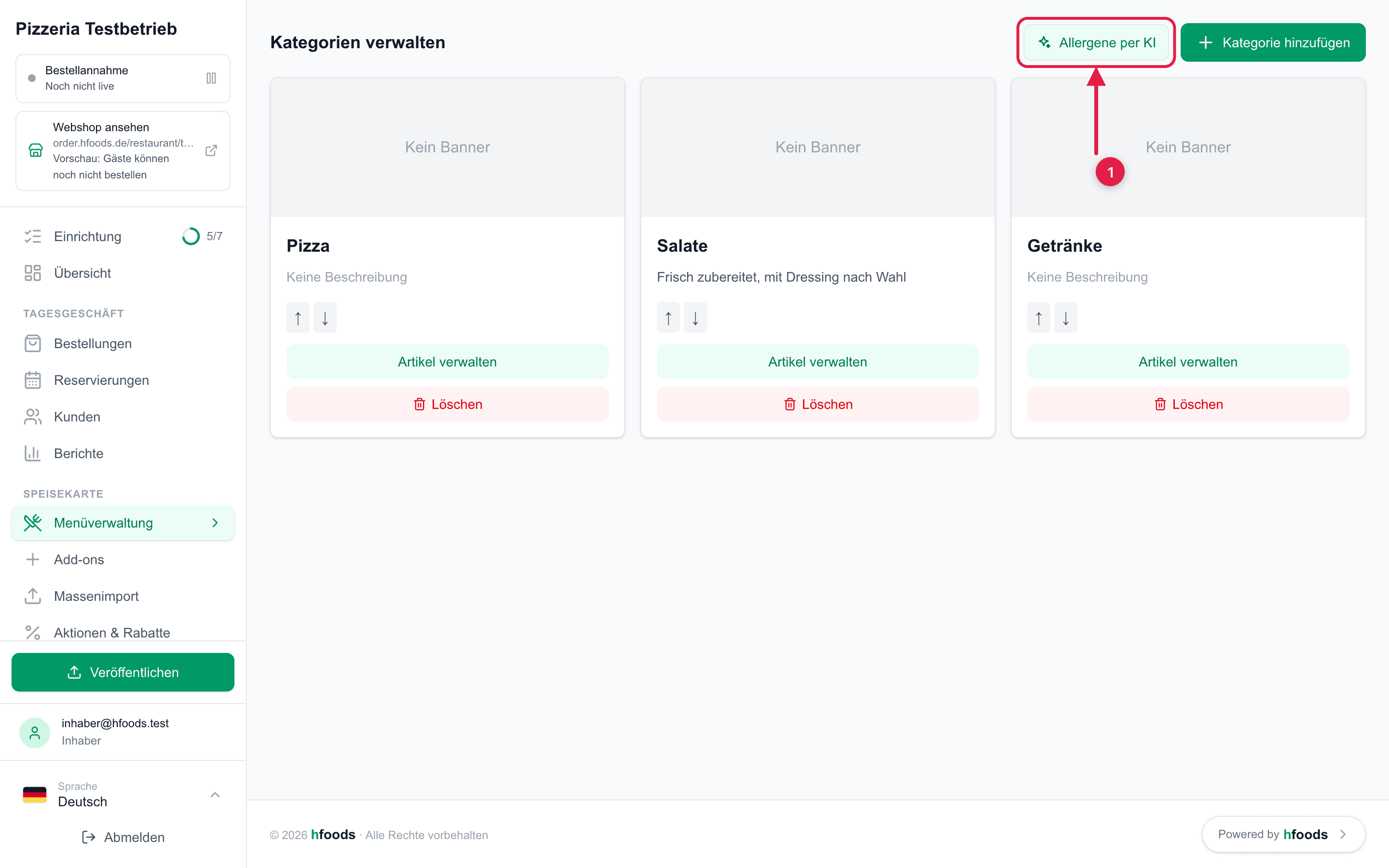
Click Menüverwaltung (menu management) on the left. At the top right, next to Kategorie hinzufügen (add category), is Allergene per KI. Click it.
Wait for the suggestions
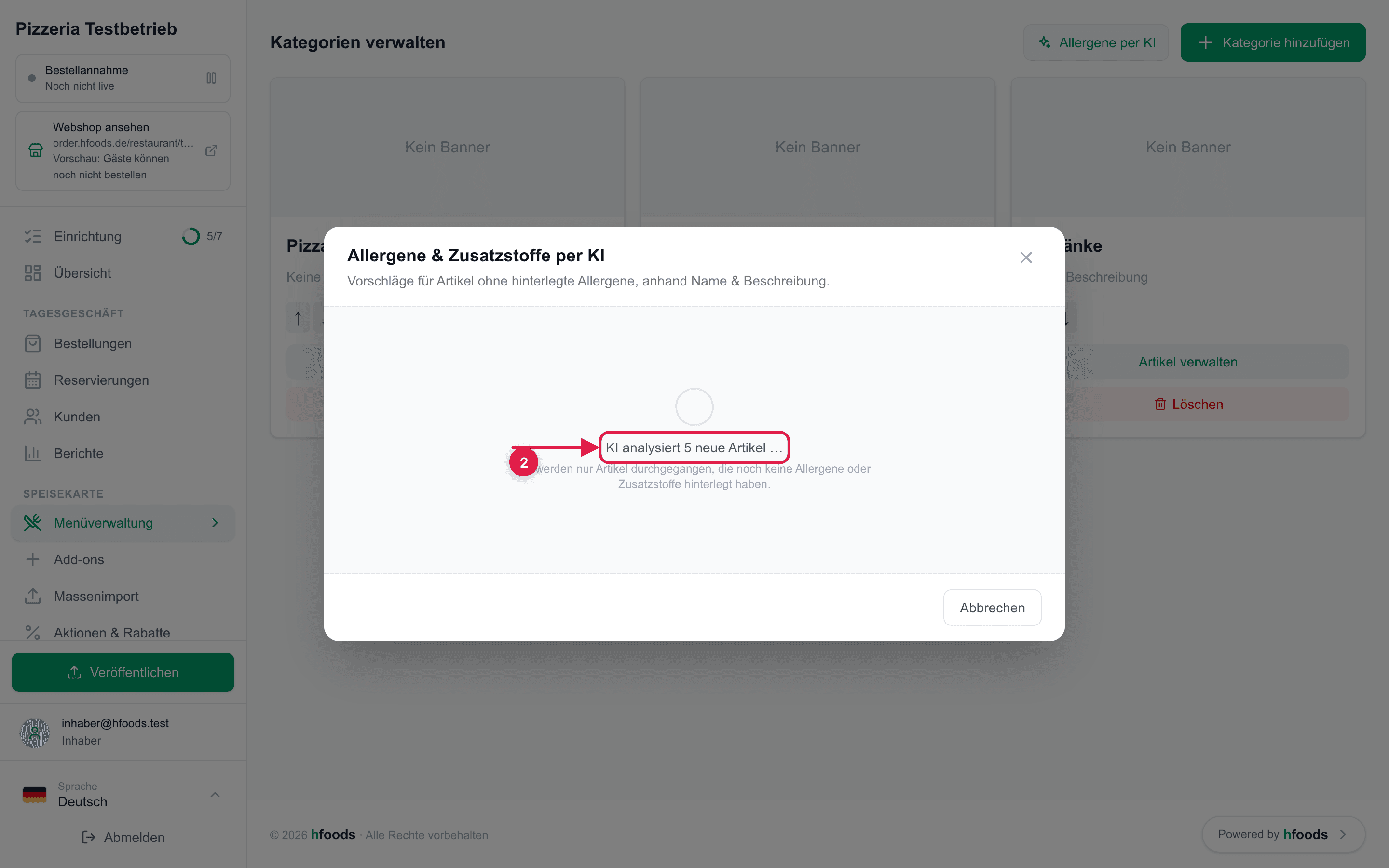
The window Allergene & Zusatzstoffe per KI first loads your items and then sends those without information for analysis. Meanwhile it reads, for example, "KI analysiert 5 neue Artikel …" (AI is analysing 5 new items). That usually takes only seconds.
Review every suggestion
Afterwards you see your items by category, each with the groups Allergene (allergens) and Zusatzstoffe (additives). Suggested entries are already selected. Click an entry to select or deselect it. Pay particular attention to additives: the AI can miss hidden ingredients, and the legal responsibility for the labelling remains yours.
Apply
At the bottom you see how many items have a selection, for example "5 von 5 Artikeln mit Auswahl" (5 of 5 items with a selection). Click Übernehmen (apply). Then click Veröffentlichen on the left so that web shop and app show the information.
Result
The page reports "Allergene & Zusatzstoffe für 5 Artikel gespeichert" (allergens and additives saved for 5 items). Every applied item shows the information, and you can change it as usual under Edit an item.
Always review the suggestions
Frequently asked questions
The window says "Nichts zu tun" (nothing to do).
All items already have allergens. There is nothing to suggest.
I created new items while the window was open.
Click Aktualisieren (refresh) in the window. Only the new items are then analysed. Earlier suggestions are kept.
The page reports too many AI requests.
The number of requests is limited. Try again in about an hour.