Edit an item
Change the price, name, description, image, sizes or other details of an existing item.
What it is for
Prices go up, recipes change, a new photo is ready: every detail of an item can be changed at any time. You open the Menüeintrag bearbeiten (edit menu item) dialog on the item. It has the same fields as when creating an item.
What changes
- The changed details apply in the admin area right away. The message „Name“ wurde aktualisiert (updated) confirms this.
- The web shop and the app show the new details as soon as you click Veröffentlichen (publish).
- All other details of the item stay as they are.
Requirements
You are signed in to the admin area as the owner and have opened the category page, see Open a category.
Step by step
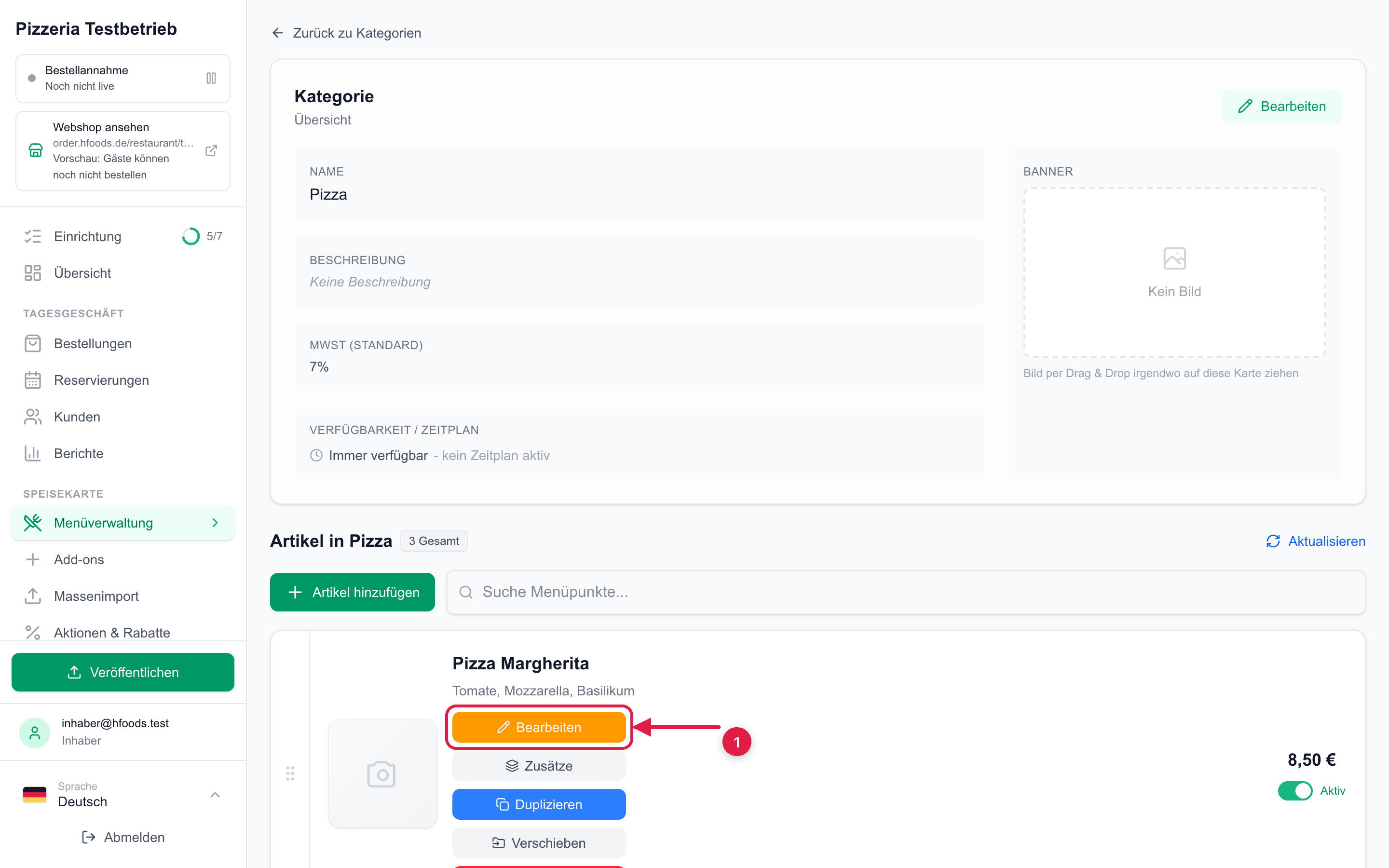
Choose Bearbeiten on the item
Click the orange Bearbeiten (edit) button on the item you want. Make sure you use the button on the item, not the Bearbeiten button at the top of the Kategorie (category) card. To find an item in a long list, use the search, see Search items.
Change the details and save
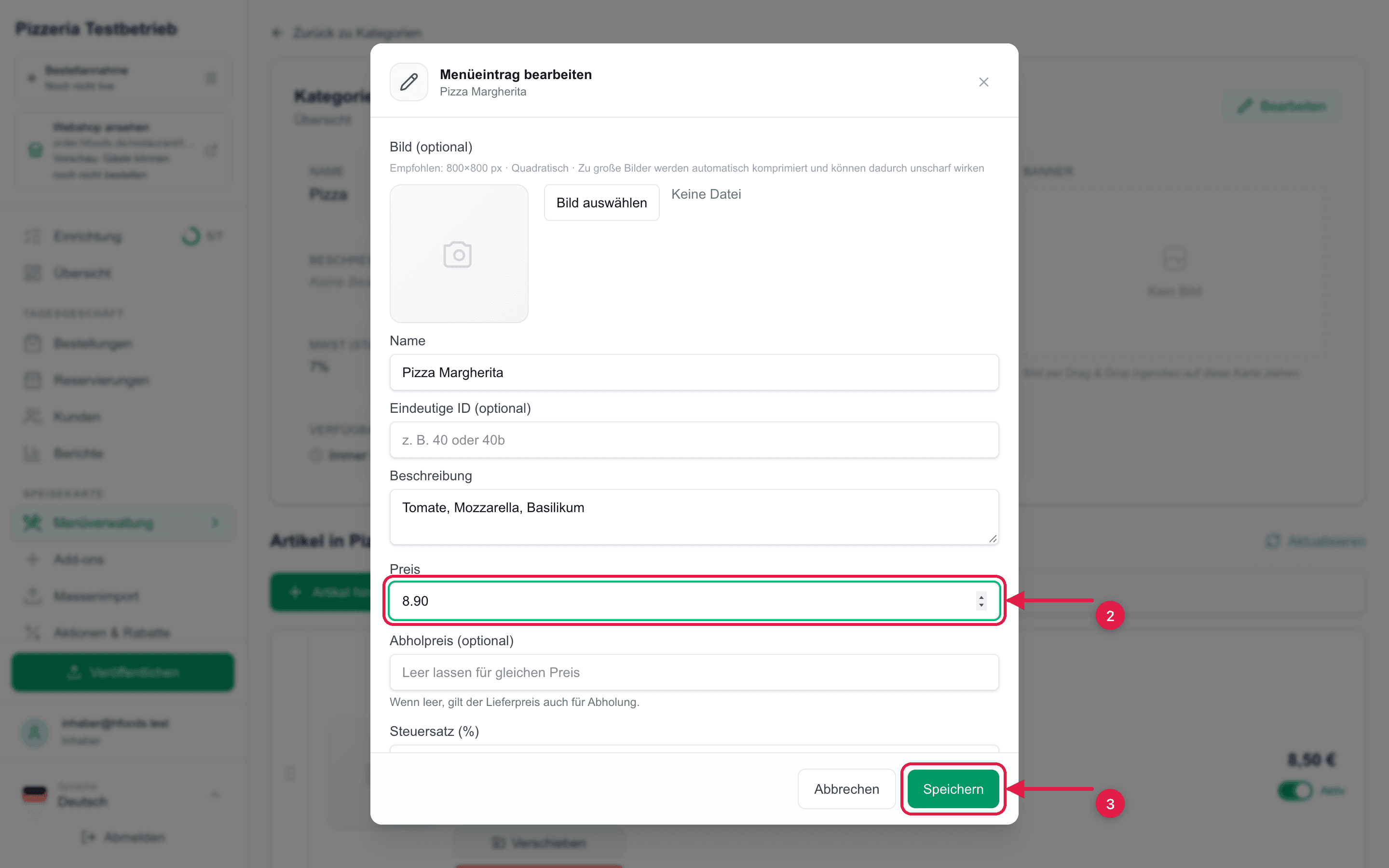
The Menüeintrag bearbeiten dialog shows the item's name below the title. Change the fields you want, in the picture for example the Preis (price) to 8.90. All fields are explained in Create an item. Specific to editing:
- Bild (optional) (image): if you remove an existing image, it says Wird beim Speichern gelöscht. (deleted on save). Only Speichern (save) actually removes it.
- Größen (optional) (sizes): here you add, change or remove sizes, see Create an item with sizes.
Then click Speichern (save) at the bottom right. Abbrechen (cancel) or the cross at the top right closes the dialog without changing anything.
Publish
Click Veröffentlichen (publish) on the left so the web shop and the app take over the change.
Result
The item shows the new details in the list. After publishing, guests see them in the web shop and the app.
Tips
- If you change many prices at once, collect the changes and publish once at the end.
- If an item is only unavailable today, do not edit it; switch it off for a while with the Aktiv (active) switch in the list instead.
Frequently asked questions
Why do guests still see the old price?
The change is only taken over after Veröffentlichen (publish). The web shop also refreshes the menu by itself within one hour at the latest.
Can I move an item to another category while editing?
There is a separate Verschieben (move) button on the item for that, see Move an item.