Sort categories
Set the order in which guests see the categories of your menu.
What it is for
The order of the categories in menu management is the order in which guests read your menu in the web shop and the app. New categories are always placed at the end. With the arrows on each card you move a category one place forward or back.
What changes
- The category swaps places with its neighbour. All others keep their order.
- The new order is saved right away. The message Reihenfolge gespeichert (order saved) confirms this.
- Guests only see the new order after you click Veröffentlichen (publish).
Requirements
- You are signed in to the admin area as the owner, see Sign in.
- Your menu has at least two categories, see Create a category.
Step by step
Move the category with the arrows
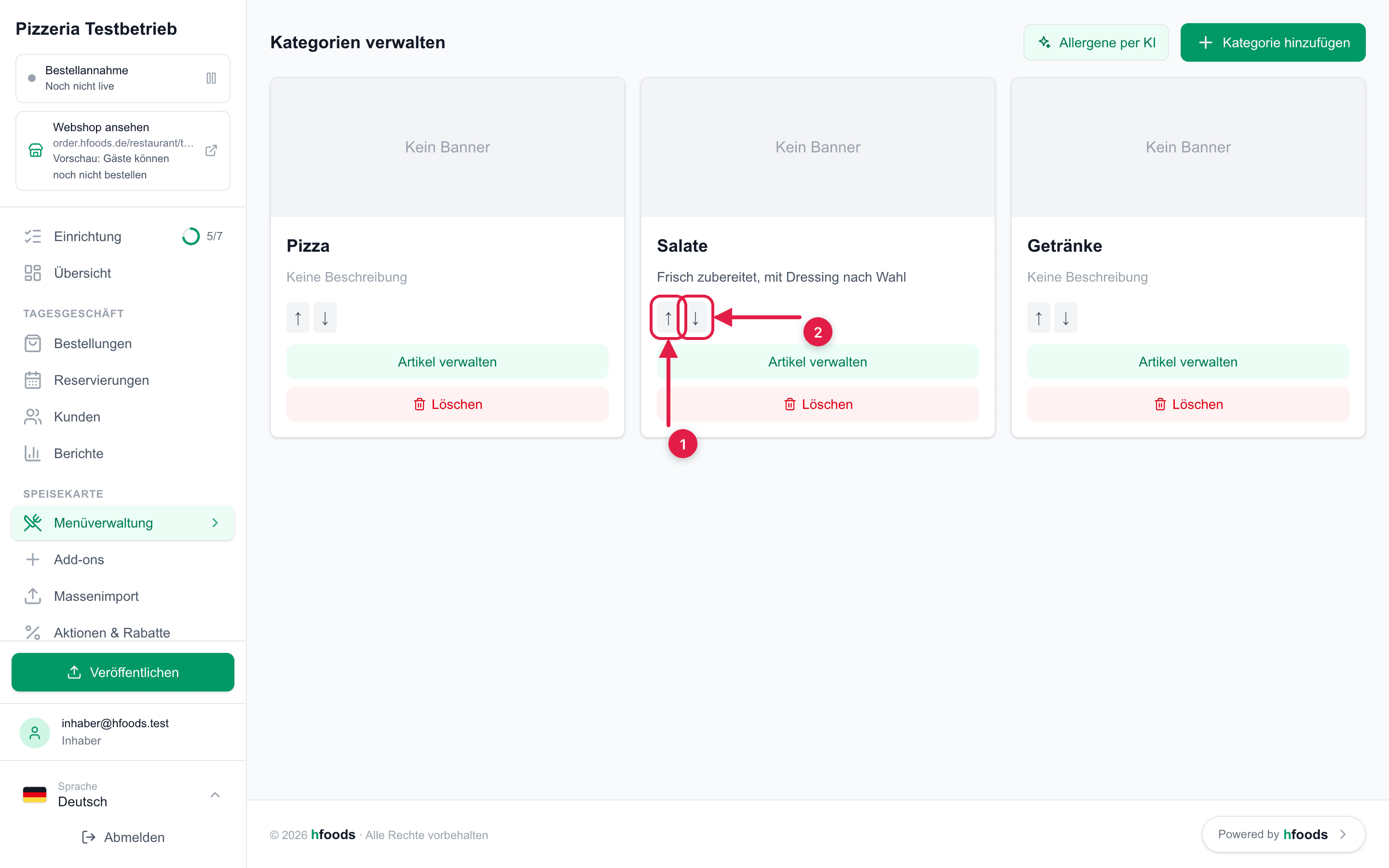
In the sidebar on the left, open Menüverwaltung (menu management). Each card shows two arrows below the description:
- ↑ (Nach oben, move up): the category moves one place forward.
- ↓ (Nach unten, move down): the category moves one place back.
In the picture the arrows are on the Salate (salads) card. Clicking the up arrow puts the salads before the pizza. Click until the category is where you want it. The first category cannot move further up, the last one cannot move further down.
Publish
When the order is right, click Veröffentlichen (publish) on the left. Only then do the web shop and the app take over the new order.
Result
The cards in menu management are in the new order. After publishing, the web shop and the app show the categories the same way.
Tips
- Arrange the categories like a printed menu: starters, mains, sides, desserts, drinks. Guests find their way around faster.
- What sells most belongs near the top. Guests then see it without scrolling.
- Several clicks in a row are fine. Publish once at the end.
Frequently asked questions
Can I drag a category to a new place?
No. You move categories with the arrows, one place per click.
Does sorting also change the order of the items?
No. The items inside a category keep their own order.
The web shop still shows the old order. Why?
The change is only taken over after Veröffentlichen (publish). The web shop also refreshes the menu by itself within one hour at the latest.