Deactivate individual sizes
For an item with sizes, take only some sizes off sale while the others can still be ordered.
What it is for
If you have run out of large pizza boxes or a bottle size is missing, the whole item does not have to come off the menu. You switch off only the affected size. The other sizes can still be ordered.
What changes
- The switched off size can no longer be ordered. The other sizes and the item itself stay active.
- If you switch off all sizes, the whole item is deactivated.
- Sizes switched off individually stay off until you switch them back on yourself. There is no automatic return here.
- Guests see the change as soon as you click Veröffentlichen (publish).
Requirements
- You are signed in to the admin area as the owner and have opened the category page, see Open a category.
- The item has sizes, see Create an item with sizes.
Step by step
Switch off the item and choose sizes individually
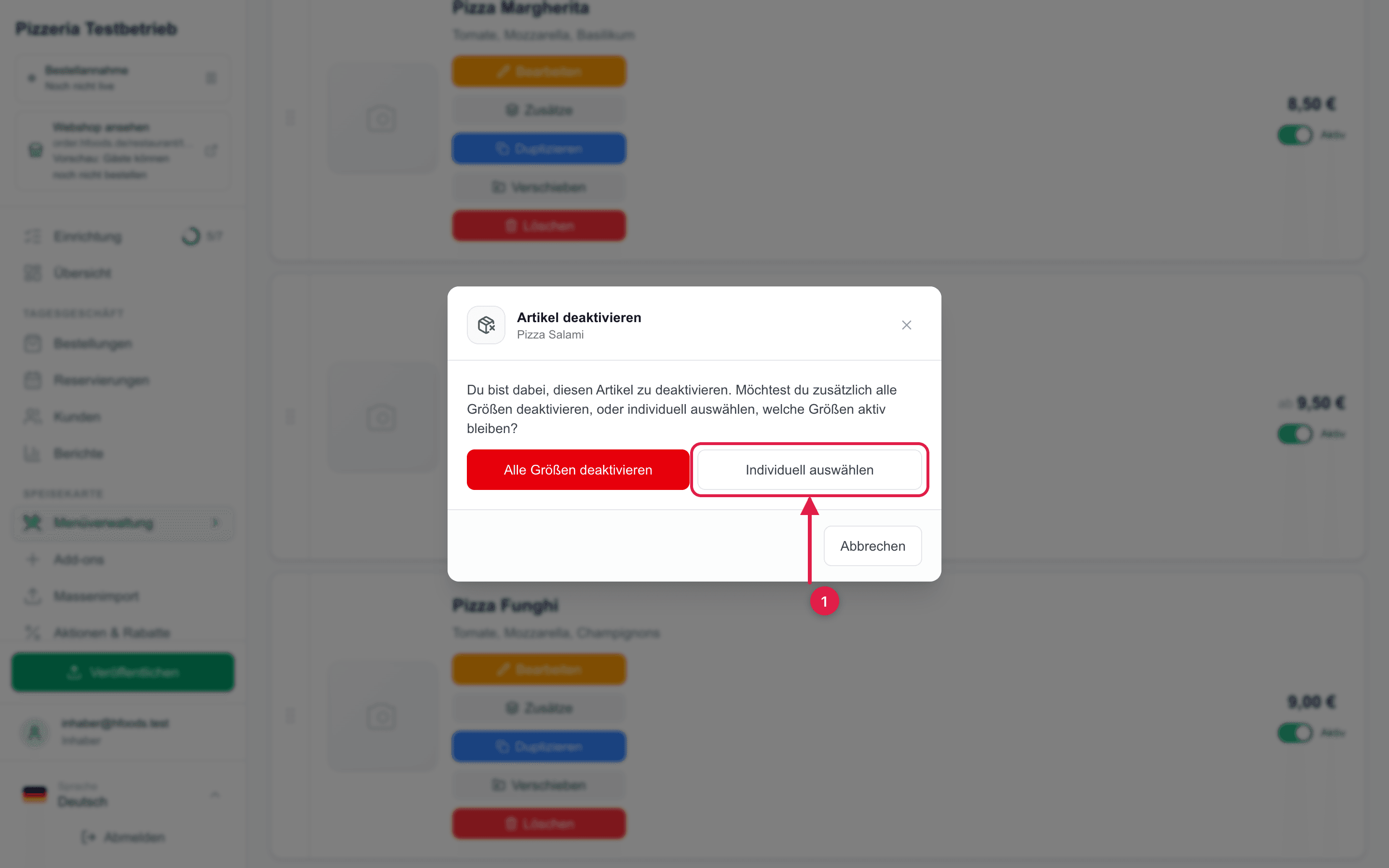
Click the Aktiv (active) switch on the right of the item. For items with sizes, the Artikel deaktivieren (deactivate item) dialog opens with two options:
- Alle Größen deaktivieren (deactivate all sizes): the whole item goes off. Then you choose the duration as in Deactivate an item (sold out).
- Individuell auswählen (choose individually): you decide which sizes stay active.
Click Individuell auswählen.
Switch off sizes and apply
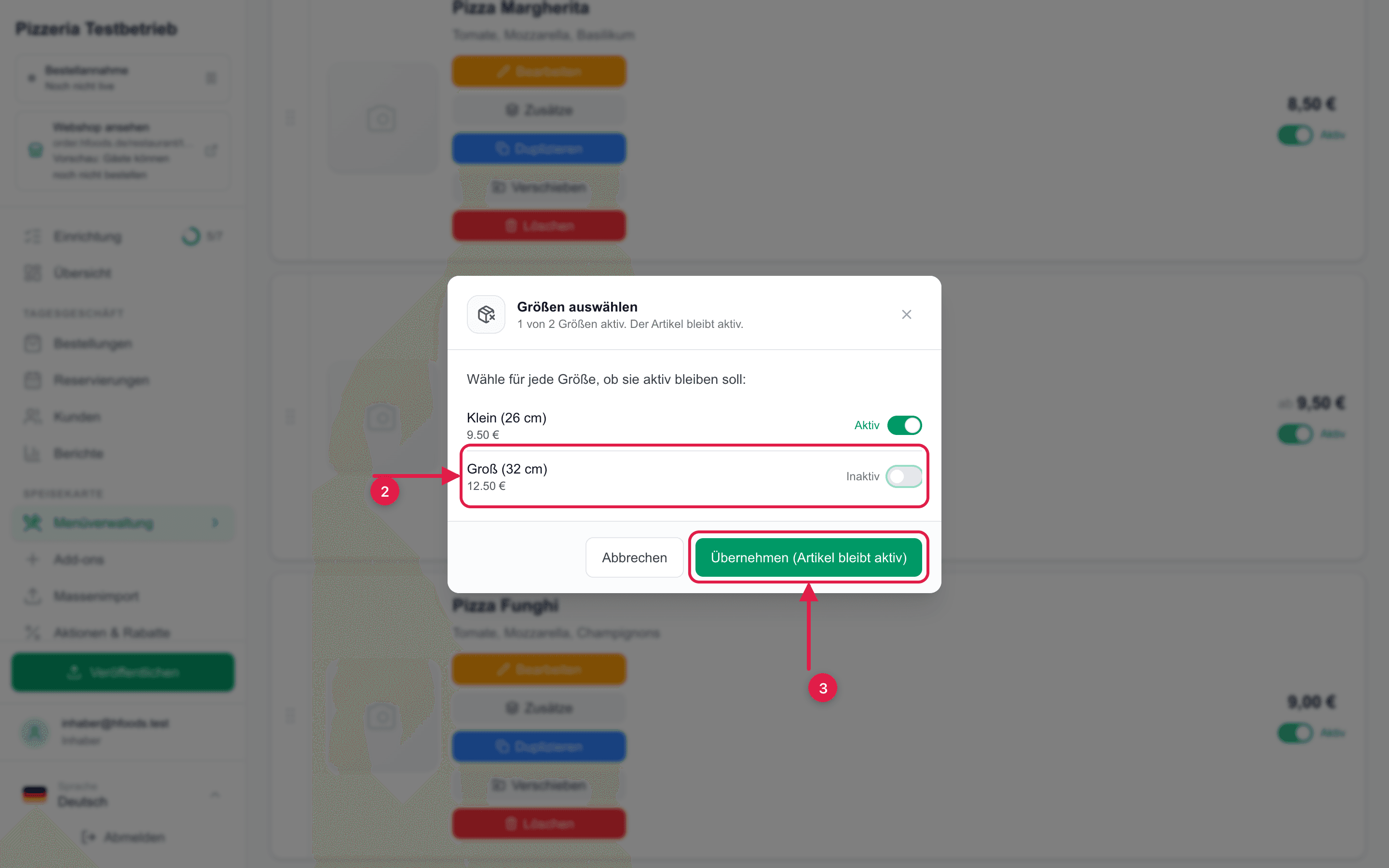
The Größen auswählen (choose sizes) dialog lists all sizes with their price and a switch each. Switch off the sizes that should not be orderable, in the picture Groß (32 cm) (large). The top shows how many sizes stay active, for example "1 von 2 Größen aktiv. Der Artikel bleibt aktiv." (1 of 2 sizes active, the item stays active).
The button at the bottom adapts:
- Übernehmen (Artikel bleibt aktiv) (apply, item stays active) as long as at least one size is on.
- Übernehmen und Artikel deaktivieren (apply and deactivate item) if you switch off all sizes.
Click the button, then Veröffentlichen (publish) on the left.
Result
Guests can only order the active sizes. The item stays on the menu.
Tips
- Remember to switch the size back on when it is available again. It does not come back by itself.
- There are two ways to switch it back on: with the switch on the item and Individuell auswählen, or with Bearbeiten (edit) on the item and the Aktiv switch of the size.
Frequently asked questions
Can I switch off a size only until tomorrow?
Not individually. A duration such as Bis morgen (until tomorrow) is only available when you switch off the whole item with Alle Größen deaktivieren.
Why do guests still see the size?
The change is only taken over after Veröffentlichen (publish). The web shop also refreshes the menu by itself within one hour at the latest.