Sort items
Set the order of the items within a category by dragging.
What it is for
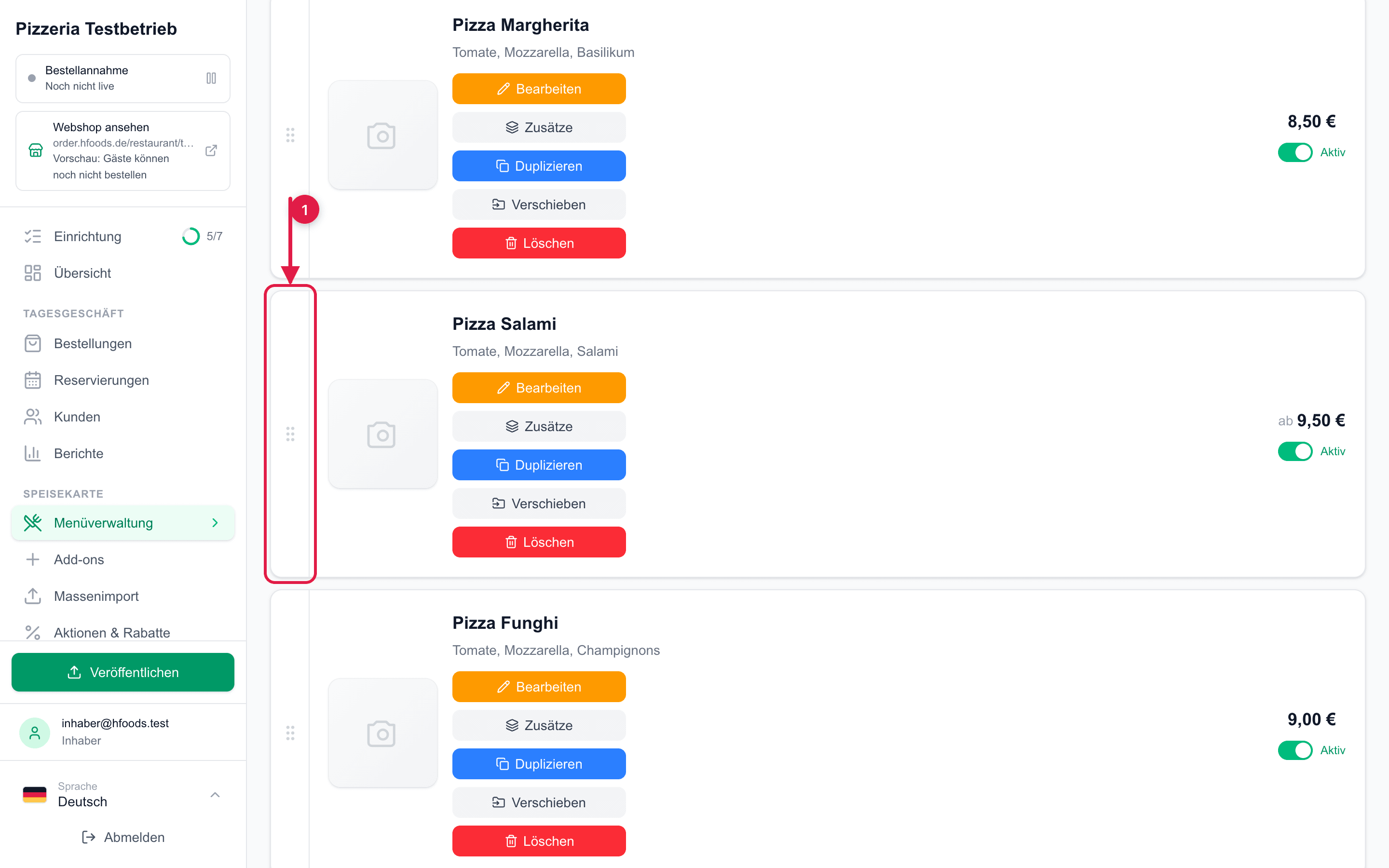
The order of the items on a category page is the same order in which guests see them in the web shop and the app. New items are placed at the end. With the handle on the left of each item you drag it to the place you want.
What changes
- The item is in its new place and the others move along. The new order is saved right away.
- Guests see the new order as soon as you click Veröffentlichen (publish).
Requirements
- You are signed in to the admin area as the owner and have opened the category page, see Open a category.
- The Suche Menüpunkte... (search menu items) field is empty. Sorting is switched off during a search.
Step by step
Drag the item by its handle
On the left of each item there is a narrow strip with six dots, the handle (Ziehen zum Sortieren, drag to sort). Hold the mouse button down on it, drag the item up or down to the place you want and let go. In the picture the handle of the Pizza Salami is marked.
Publish
When the order is right, click Veröffentlichen (publish) on the left. Only then do the web shop and the app take over the new order.
Result
The items are in the new order. After publishing, the web shop and the app show them the same way.
Tips
- Put bestsellers and recommendations at the top. Guests see them first.
- Place size variants or related dishes next to each other so guests can compare.
- You change the order of the categories themselves in menu management, see Sort categories.
Frequently asked questions
The handle does not react. Why?
Most likely there is still a term in the search field. Clear it, and sorting works again.
Can I drag an item into another category?
No. Use the Verschieben (move) button for that, see Move an item.
Why do guests still see the old order?
The change is only taken over after Veröffentlichen (publish). The web shop also refreshes the menu by itself within one hour at the latest.