Duplicate an item
Create a copy of an item with its details to set up similar items quickly.
What it is for
Many items are similar: pizzas often differ only in their toppings, drinks only in their flavour. Instead of typing every item from scratch, you duplicate a finished item and then only change what is different, for example name, description and price.
What changes
- A new item is created with the original's details: description, price, sizes, VAT rate, allergens and labels. The image is not copied; the copy has no image at first.
- The copy and all its sizes are Aktiv (active), so they can be ordered, even if the original is currently switched off.
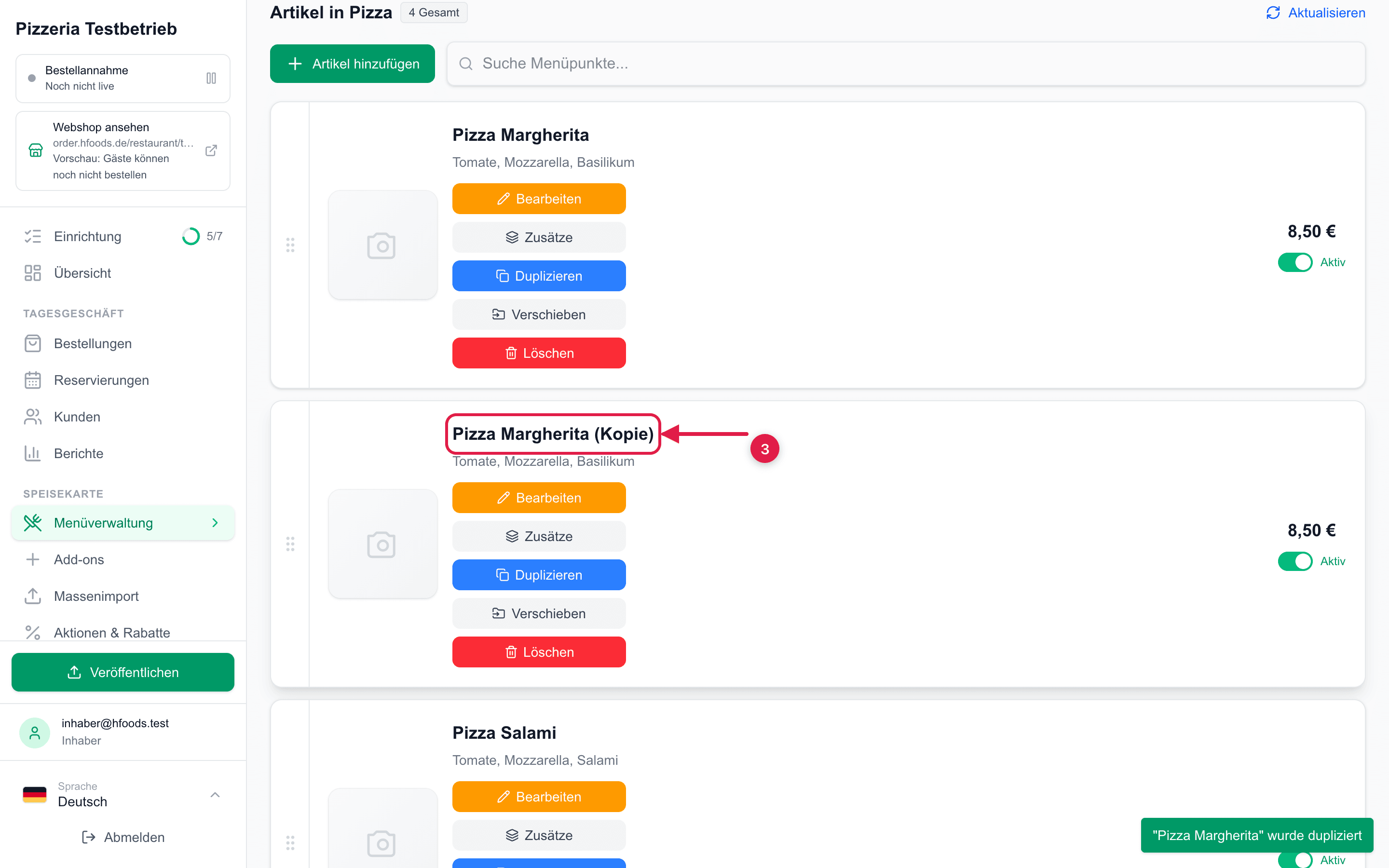
- The copy is named like the original with (Kopie) (copy) added, for example "Pizza Margherita (Kopie)", and is placed directly below the original.
- The message „Name“ wurde dupliziert (duplicated) confirms this.
- The original stays unchanged.
- Guests see the copy as soon as you click Veröffentlichen (publish). Rename it first so there are not two similar sounding items on the menu.
Requirements
You are signed in to the admin area as the owner and have opened the category page, see Open a category.
Step by step
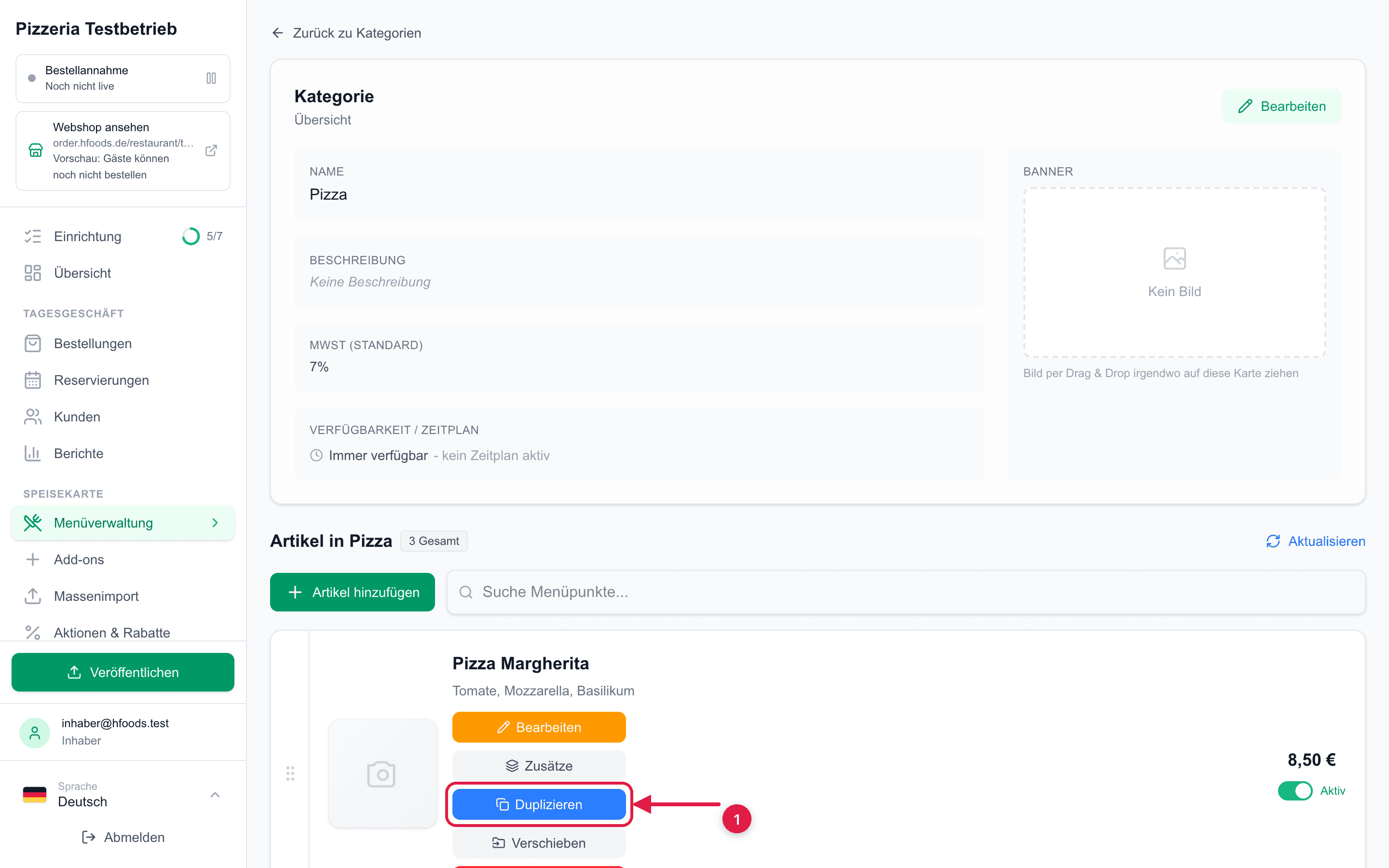
Choose Duplizieren on the item
On the item you want to copy, click the blue Duplizieren (duplicate) button.
Confirm
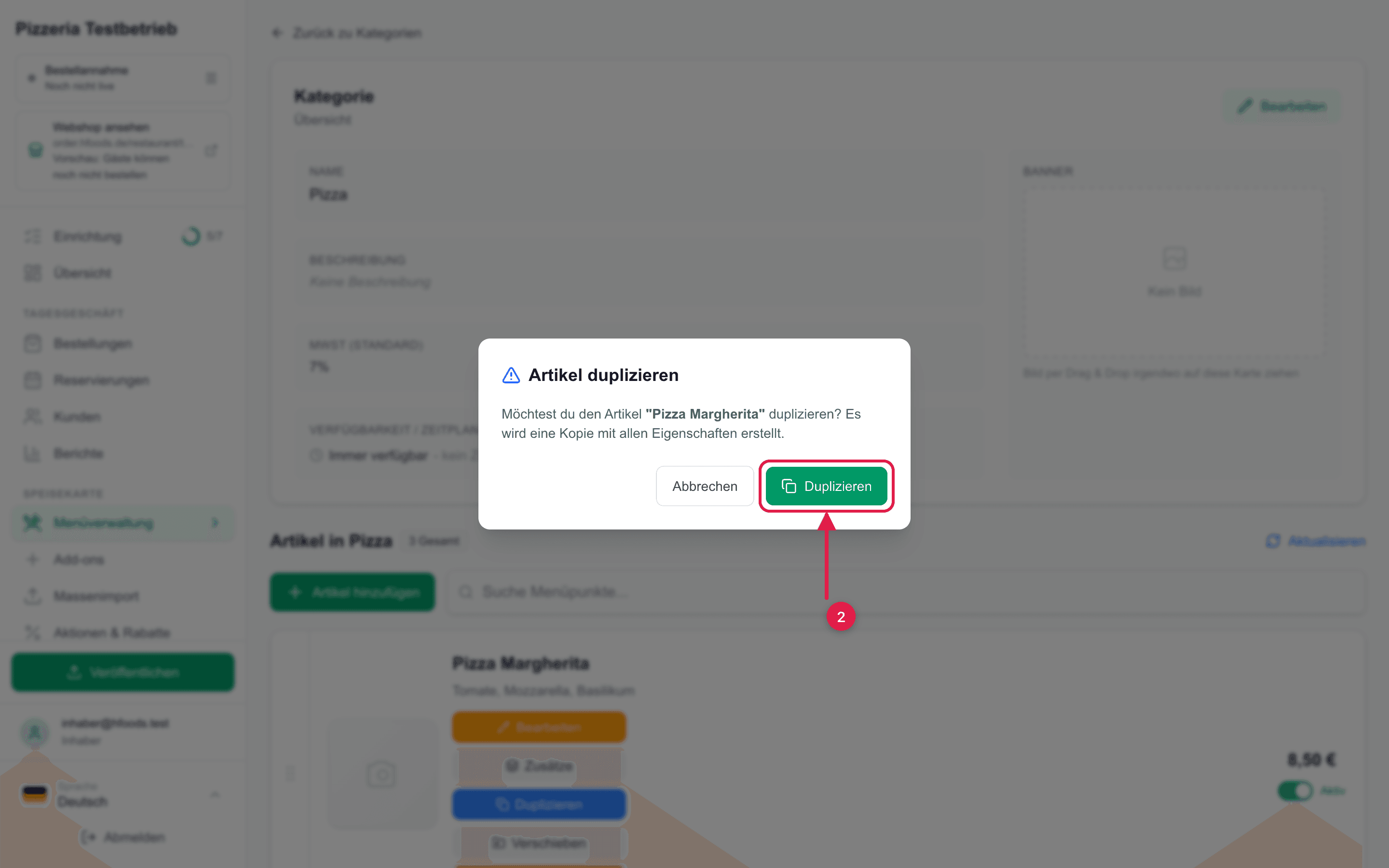
The Artikel duplizieren (duplicate item) dialog asks whether you want to duplicate the item and reminds you that a copy with all properties is created. Click Duplizieren. Abbrechen (cancel) does nothing.
Adjust the copy
The copy is directly below the original. Click Bearbeiten (edit) on the copy and change name, description, price and whatever else is different, and upload an image if needed, see Edit an item. Then click Veröffentlichen (publish) on the left.
Result
You have a new item with the same basic details as the original, adjusted to the new dish. After publishing, guests can order it.
Tips
- Create one item carefully, with sizes, allergens and labels. All further similar items are then created in seconds by duplicating.
- After adjusting, check allergens and labels. A new topping may have different allergens.
- If the copy should be somewhere else, drag it by its handle, see Sort items, or move it to another category, see Move an item.
Frequently asked questions
Why does the copy have no image?
Images are not taken over when duplicating. Upload a suitable image for the new dish with Bearbeiten (edit).
Can I put the copy straight into another category?
The copy is always created in the same category. Use Verschieben (move) afterwards to put it in another category.
I duplicated by mistake. What now?
Delete the copy again, see Delete an item. Make sure you delete the copy with (Kopie) in its name, not the original.