Maintain allergens and additives
Show a legend of allergens and additives in the web shop and maintain their codes.
What it is for
Under Allergene & Zusatzstoffe (allergens and additives) you maintain the codes you use to mark allergens and additives on items, such as "a" for cereals containing gluten. If you wish, the web shop shows a legend for them (labelling under the EU food information regulation, LMIV).
What changes
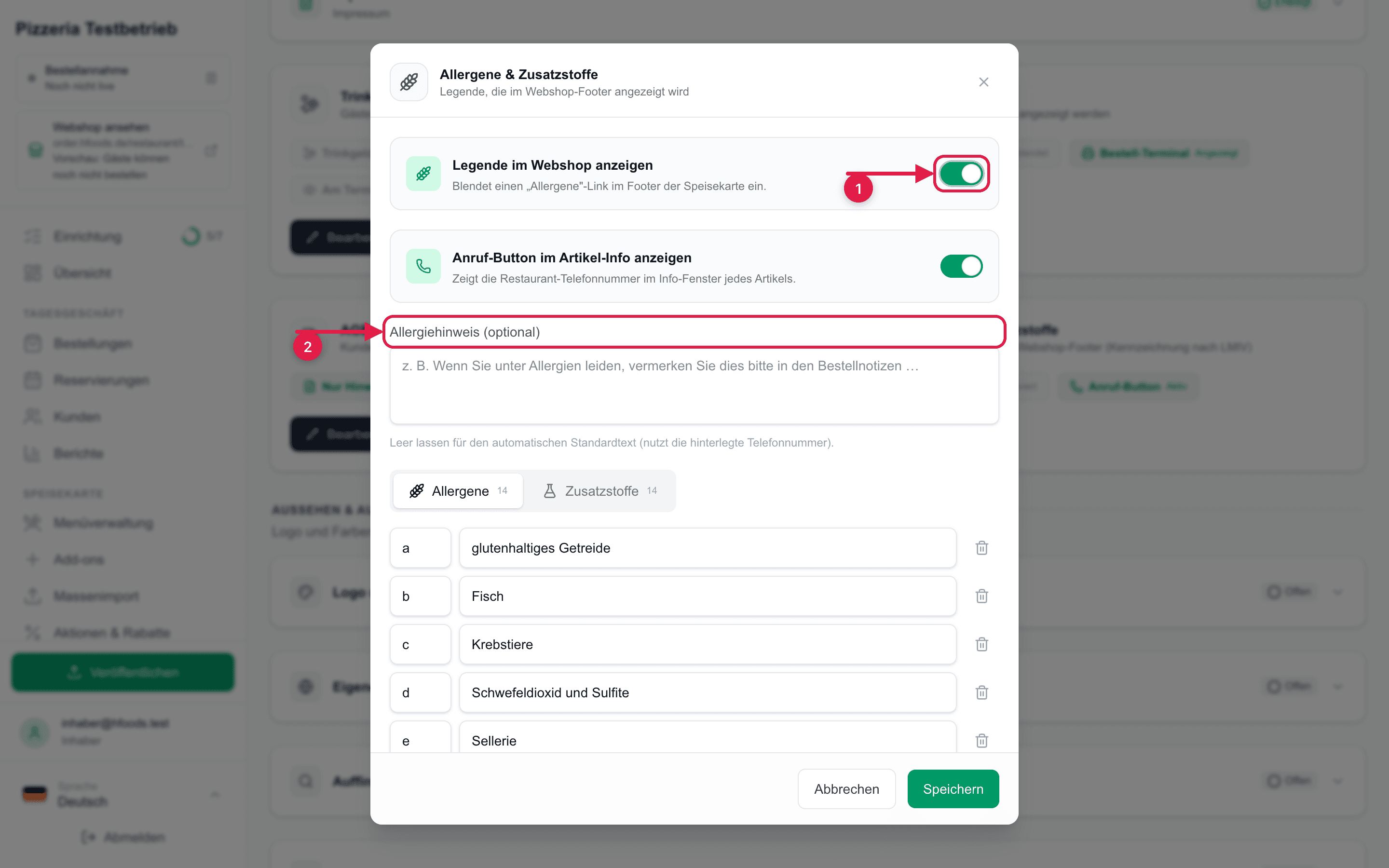
- Legende im Webshop anzeigen (show legend in the web shop): adds an "Allergene" link to the menu footer. Default: off.
- Anruf-Button im Artikel-Info anzeigen (show call button in item info): shows the restaurant phone number in the info window of every item. Default: on.
- Allergiehinweis (optional) (allergy note): a text of your own. Leaving it empty means a default text with your stored phone number appears.
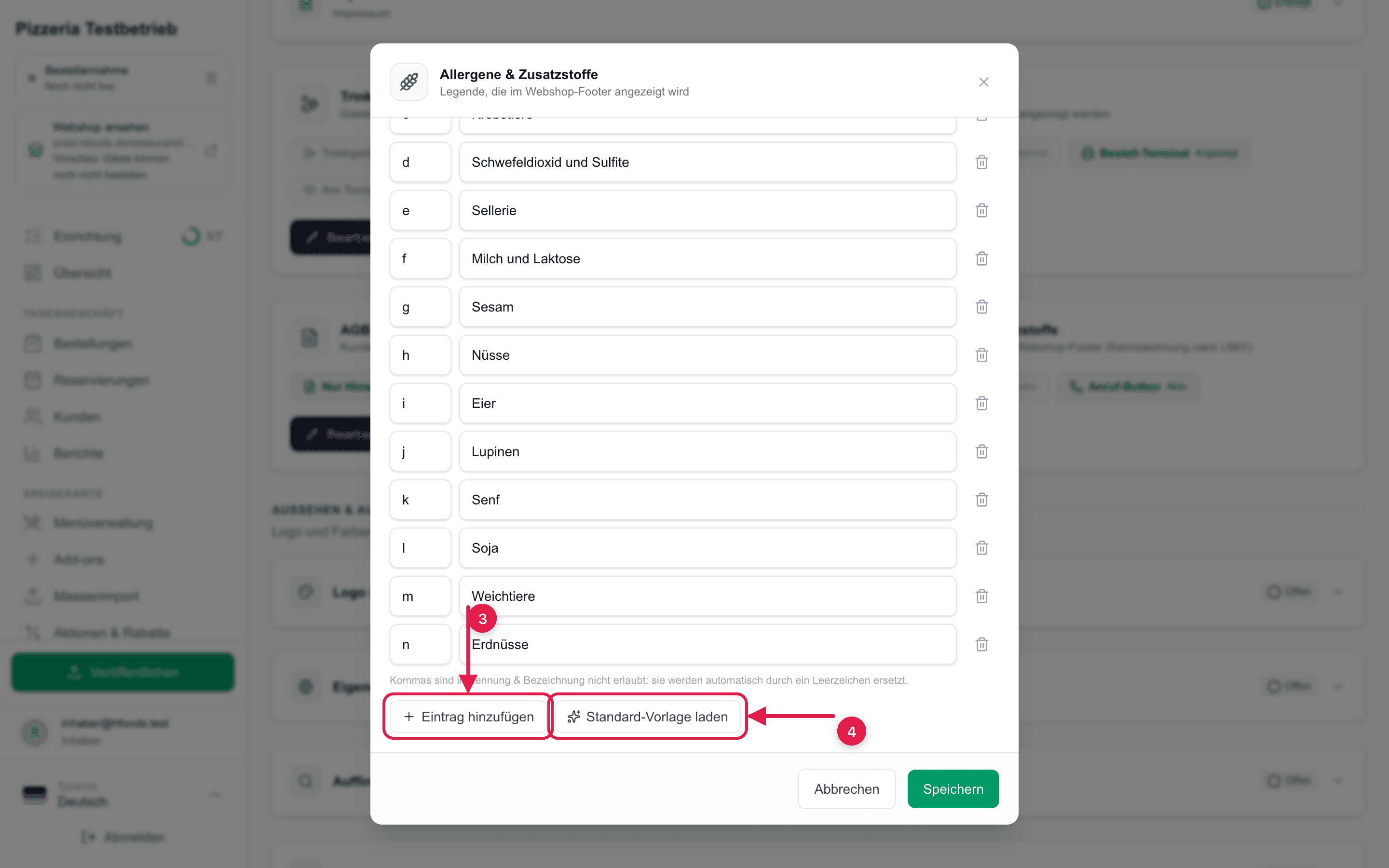
- In the Allergene and Zusatzstoffe tabs each row has a code and a name. Eintrag hinzufügen (add entry) adds a row, the bin removes it. Standard-Vorlage laden (load default template) replaces the tab's list with the default list.
- Commas are not allowed in code and name, they are replaced by a space.
Requirements
You are signed in to the admin area as the owner. Staff do not see the settings.
Step by step
Switch on the legend
In the sidebar on the left, click Einstellungen (settings). Next to Allergene & Zusatzstoffe click Bearbeiten (edit). Flip Legende im Webshop anzeigen. Enter an Allergiehinweis if needed.
Maintain entries
Check the list. Eintrag hinzufügen adds a code, Standard-Vorlage laden resets the list. Click Speichern (save).
Result
Your legend is maintained. Then click Veröffentlichen (publish) on the left so the web shop shows the new state.