Admin areaSettings
Show a banner on the menu
Show a message below the menu header, permanently or for a period.
What it is for
With the Banner you show guests a message on the menu right below the header, for example a holiday notice.
What changes
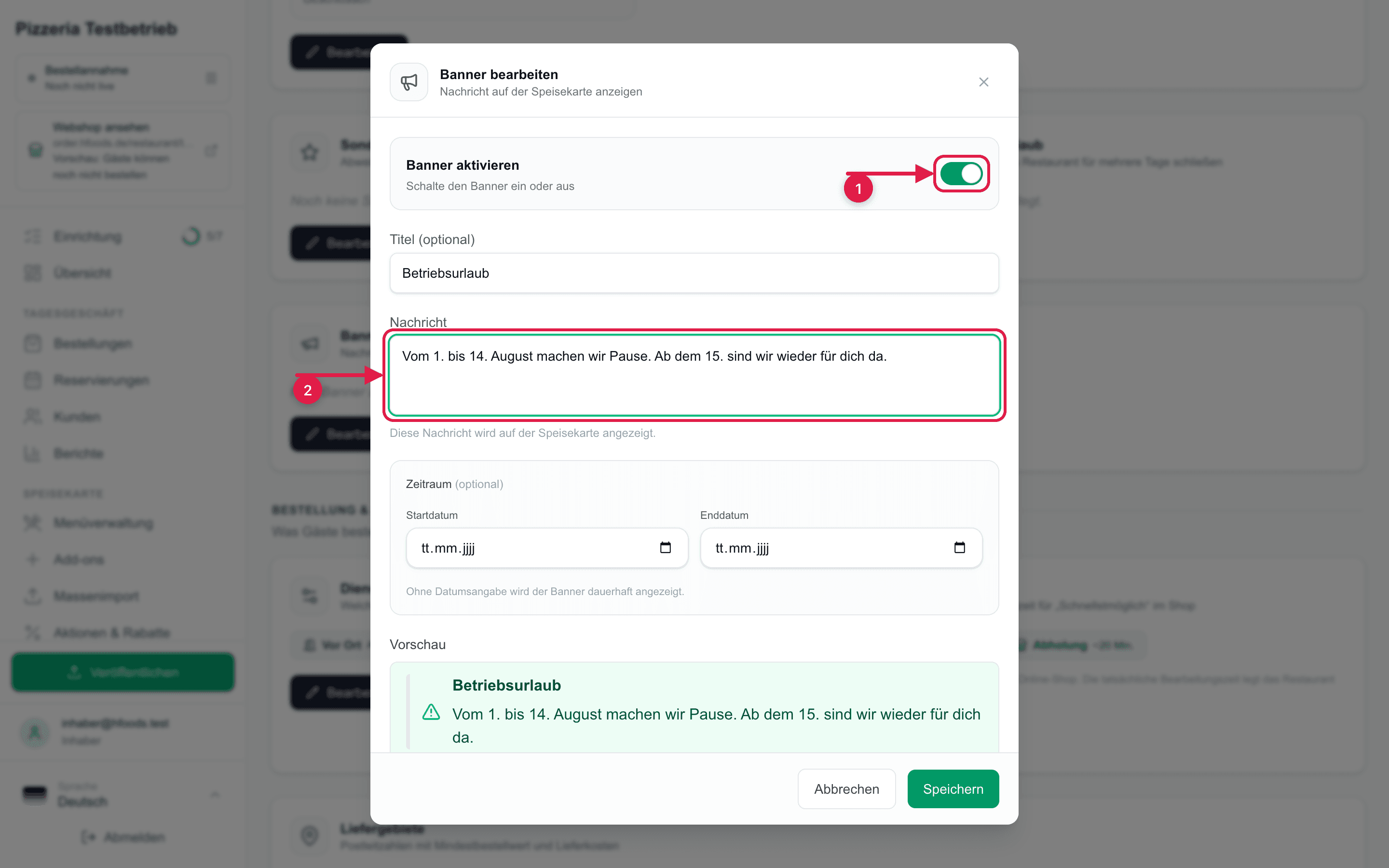
- Banner aktivieren (activate banner) switches the banner on or off.
- Titel (optional) (title) and Nachricht (message) make up the text.
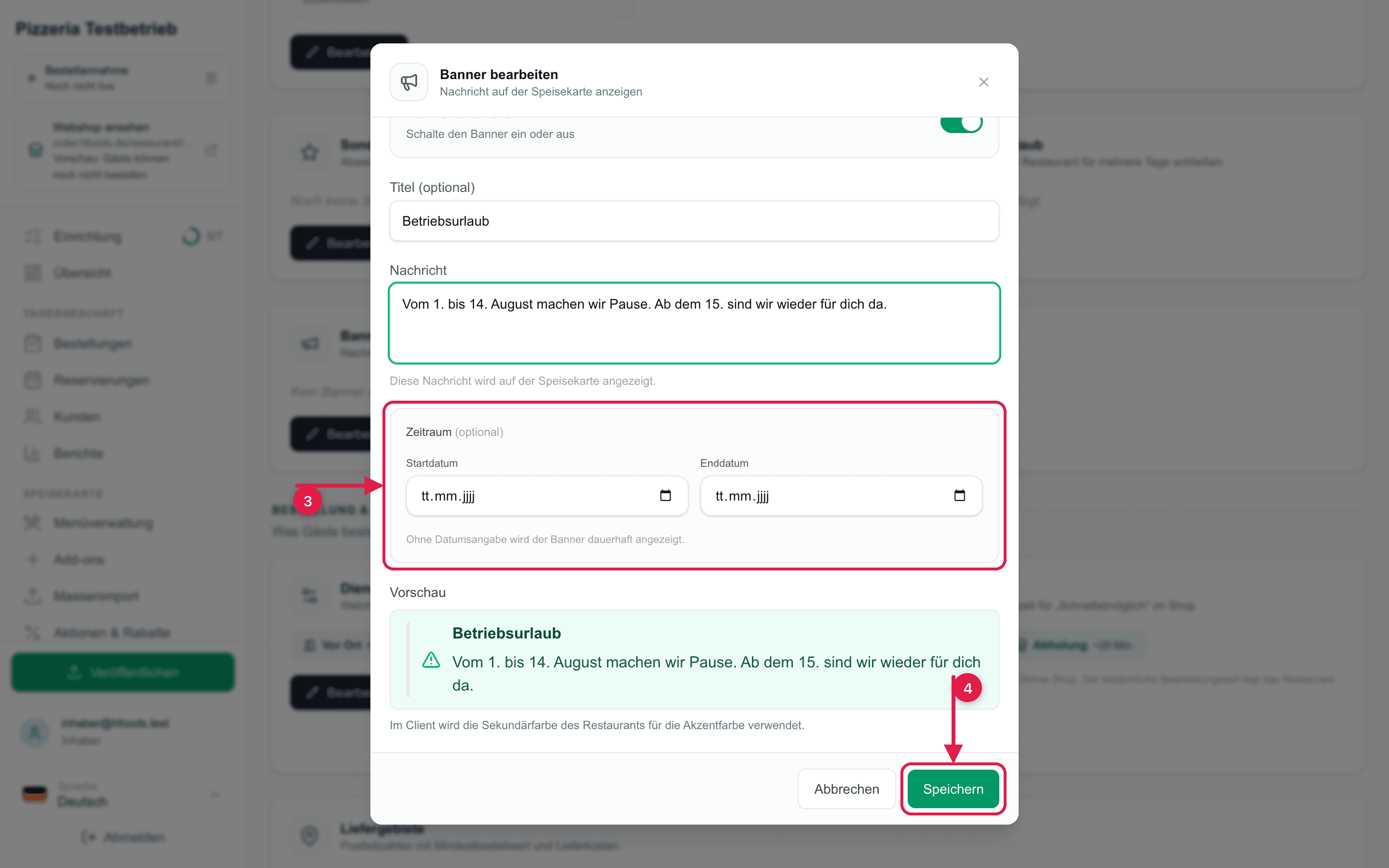
- Zeitraum (optional) (period) with Startdatum and Enddatum limits the display. Without dates the banner appears permanently. If a date is in the past, the page points this out.
- The Vorschau (preview) shows the banner. In the web shop it uses your restaurant's secondary colour as accent.
- Guests can hide the banner for 24 hours.
- The card shows Aktiv or Inaktiv and the period or Dauerhaft (permanent).
Requirements
You are signed in to the admin area as the owner. Staff do not see the settings.
Step by step
Enter the text
In the sidebar on the left, click Einstellungen (settings). Next to Banner / Ankündigung click Bearbeiten (edit). Flip Banner aktivieren and enter Titel (optional) and Nachricht.
Choose a period and save
Choose Startdatum and Enddatum if needed, check the Vorschau and click Speichern (save).
Result
The banner appears on the menu. The web shop and the app take over the change by themselves after saving, you do not need to publish.