Add public holidays
Add the public holidays of your German state as closed special days with one click.
What it is for
Instead of entering each public holiday individually, you add the public holidays of your German state. They are created as special days, each closed.
What changes
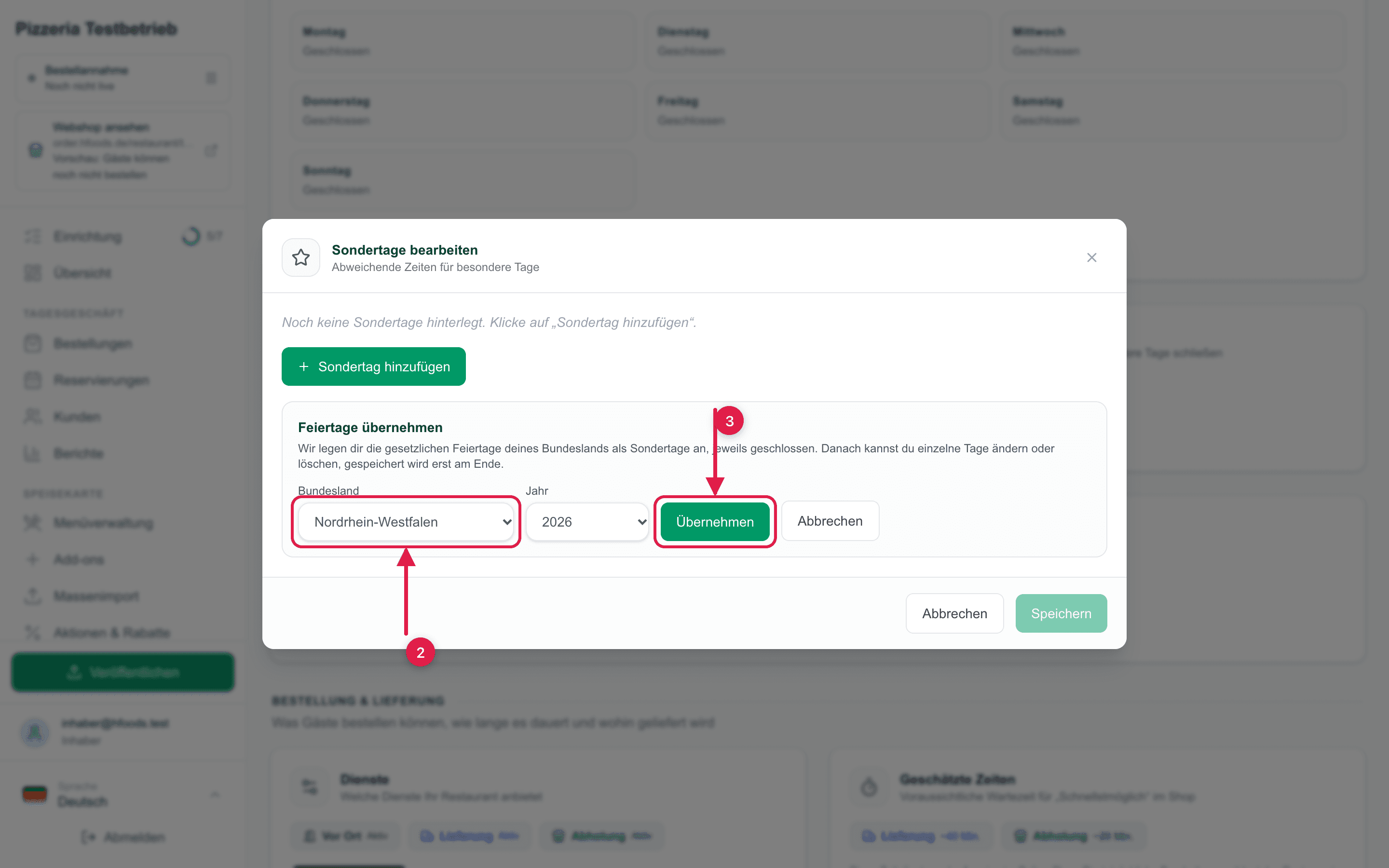
- You choose Bundesland (German state, preselected North Rhine-Westphalia) and Jahr (year, this or next).
- Each holiday is added as a special day with all services closed. Past days and dates already listed are skipped.
- The message states the number, for example "9 Feiertage wurden ergänzt. Prüf die Tage, an denen du geöffnet hast, und speichere danach." (9 holidays added, check the days you are open and save afterwards). If all are already there, it reads Für dieses Jahr sind schon alle Feiertage angelegt oder sie liegen in der Vergangenheit. (all holidays for this year are already added or in the past).
- Nothing is stored until Speichern (save). Before that you can change or remove individual days.
Requirements
You are signed in to the admin area as the owner. Staff do not see the settings.
Step by step
Open add public holidays
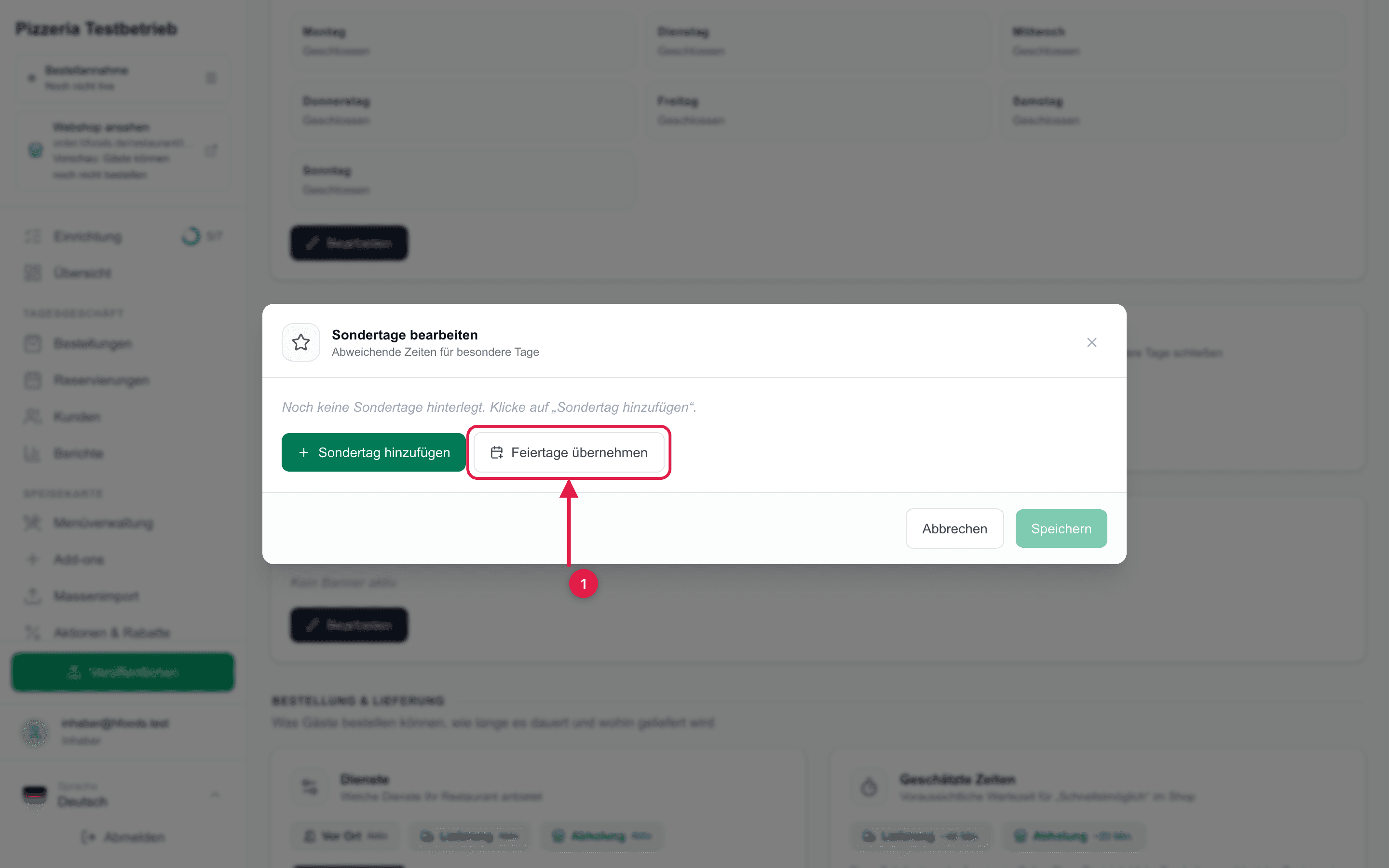
In the sidebar on the left, click Einstellungen (settings). Next to Sondertage click Bearbeiten (edit). In the Sondertage bearbeiten window click Feiertage übernehmen (add public holidays).
Check and save
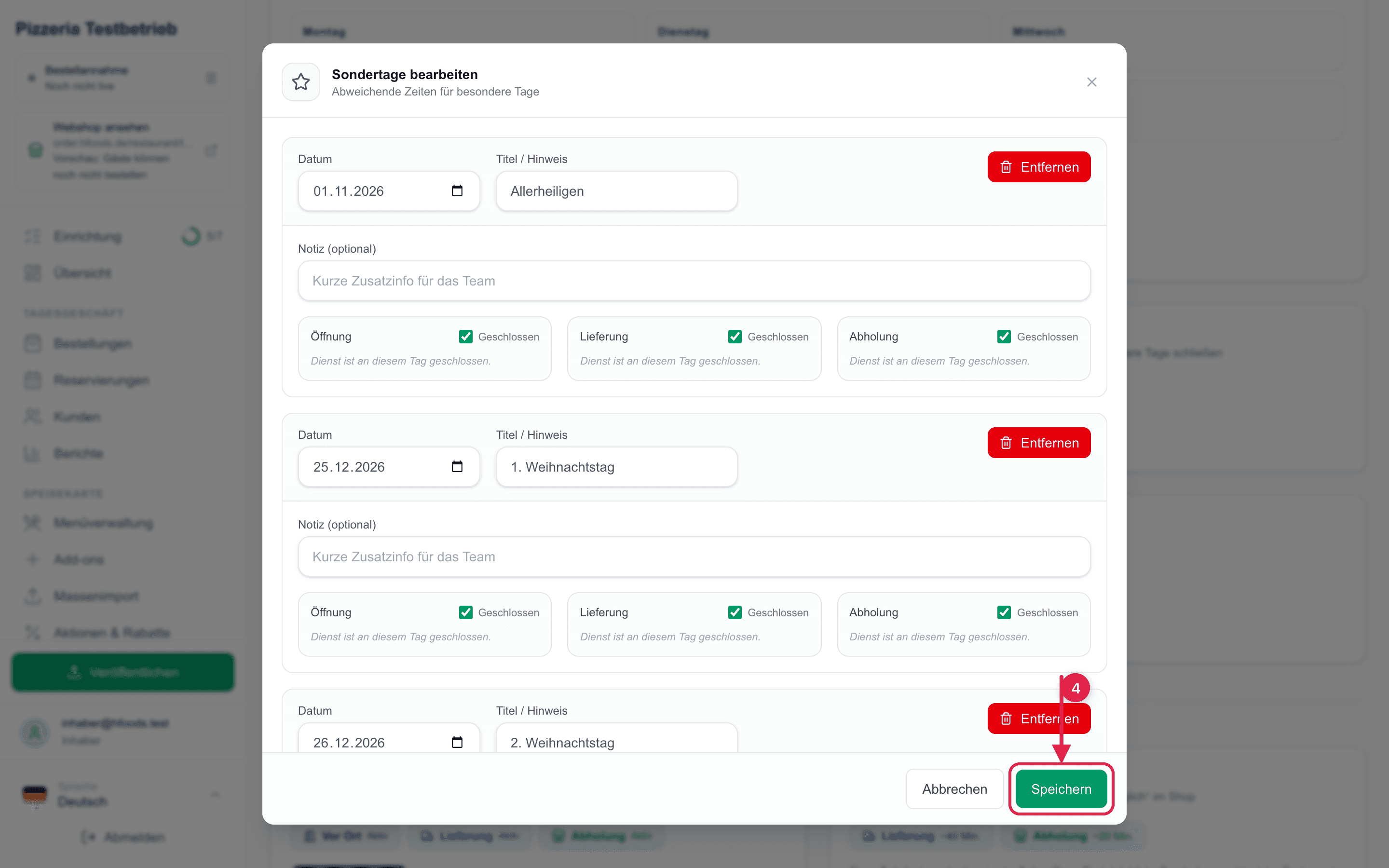
The holidays are now listed as special days. If you are open on a holiday, change or remove it. Click Speichern (save).
Result
Your public holidays are entered as closed special days. The web shop and the app take over the change by themselves after saving, you do not need to publish.