Set opening, delivery and pickup times
Set the regular times per weekday for opening, delivery and pickup and copy them to other days.
What it is for
Under Wöchentliche Zeiten (weekly times) you set, for each weekday, when your business is open and when guests can order delivery and pickup.
What changes
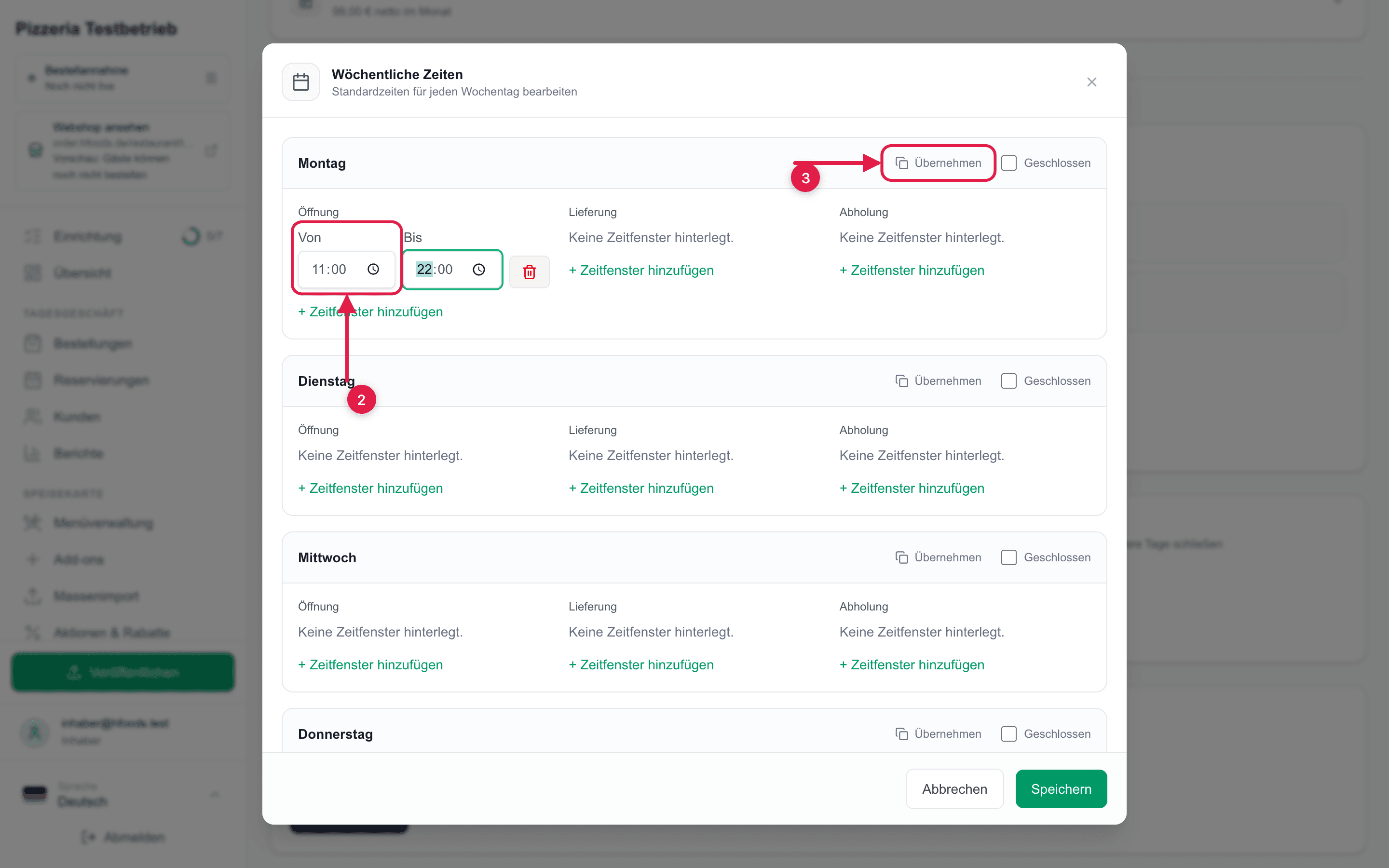
- Each day has three columns: Öffnung (opening), Lieferung (delivery) and Abholung (pickup). Each column can have several time slots with Von (from) and Bis (to), for example at lunchtime and in the evening.
- Geschlossen (closed) clears all slots of the day.
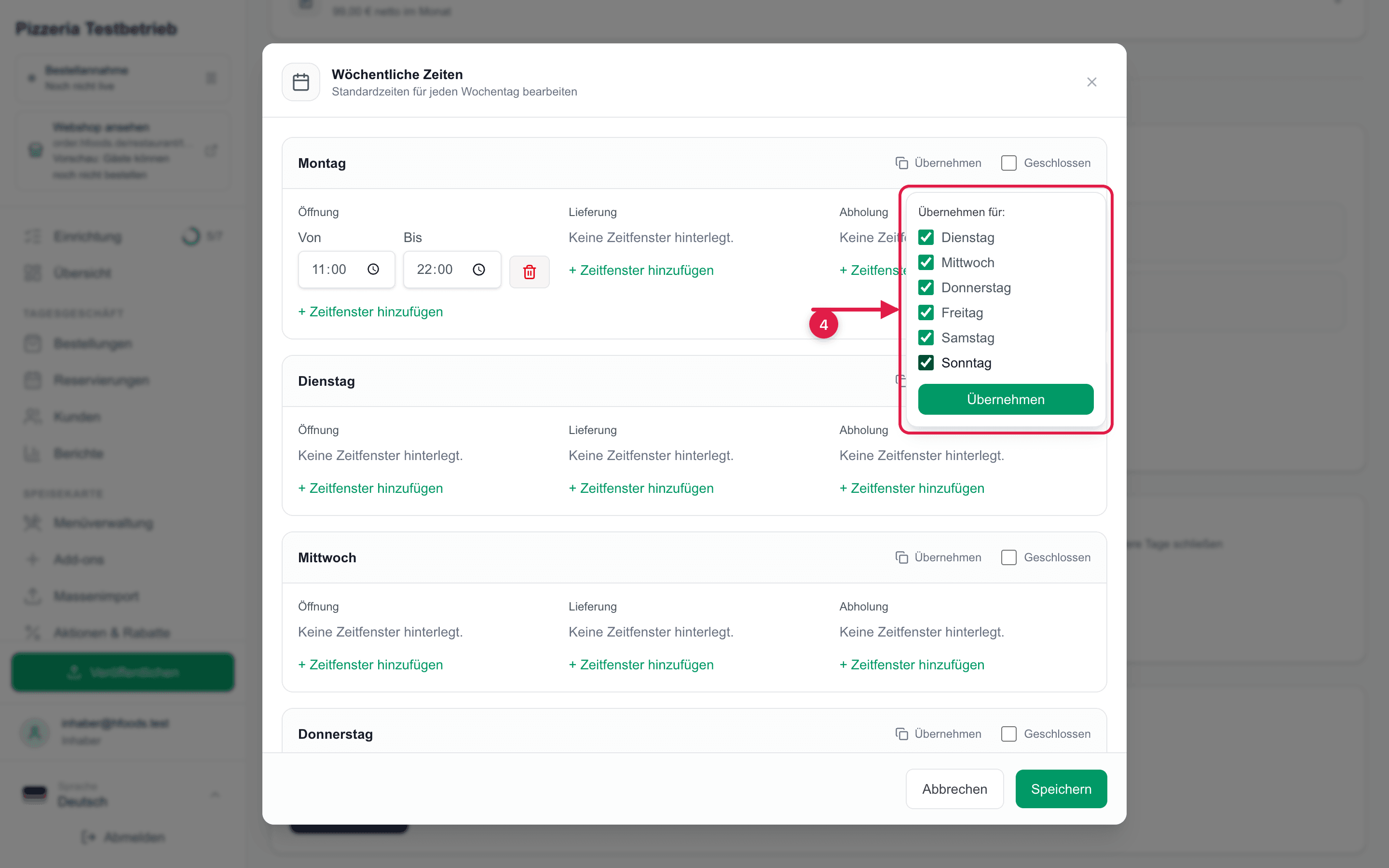
- Übernehmen (copy) copies a day's times to other days.
- Incomplete slots are discarded when saving.
- The message reads Öffnungs-, Liefer- und Abholzeiten gespeichert (opening, delivery and pickup times saved).
Requirements
You are signed in to the admin area as the owner. Staff do not see the settings.
Step by step
Open edit
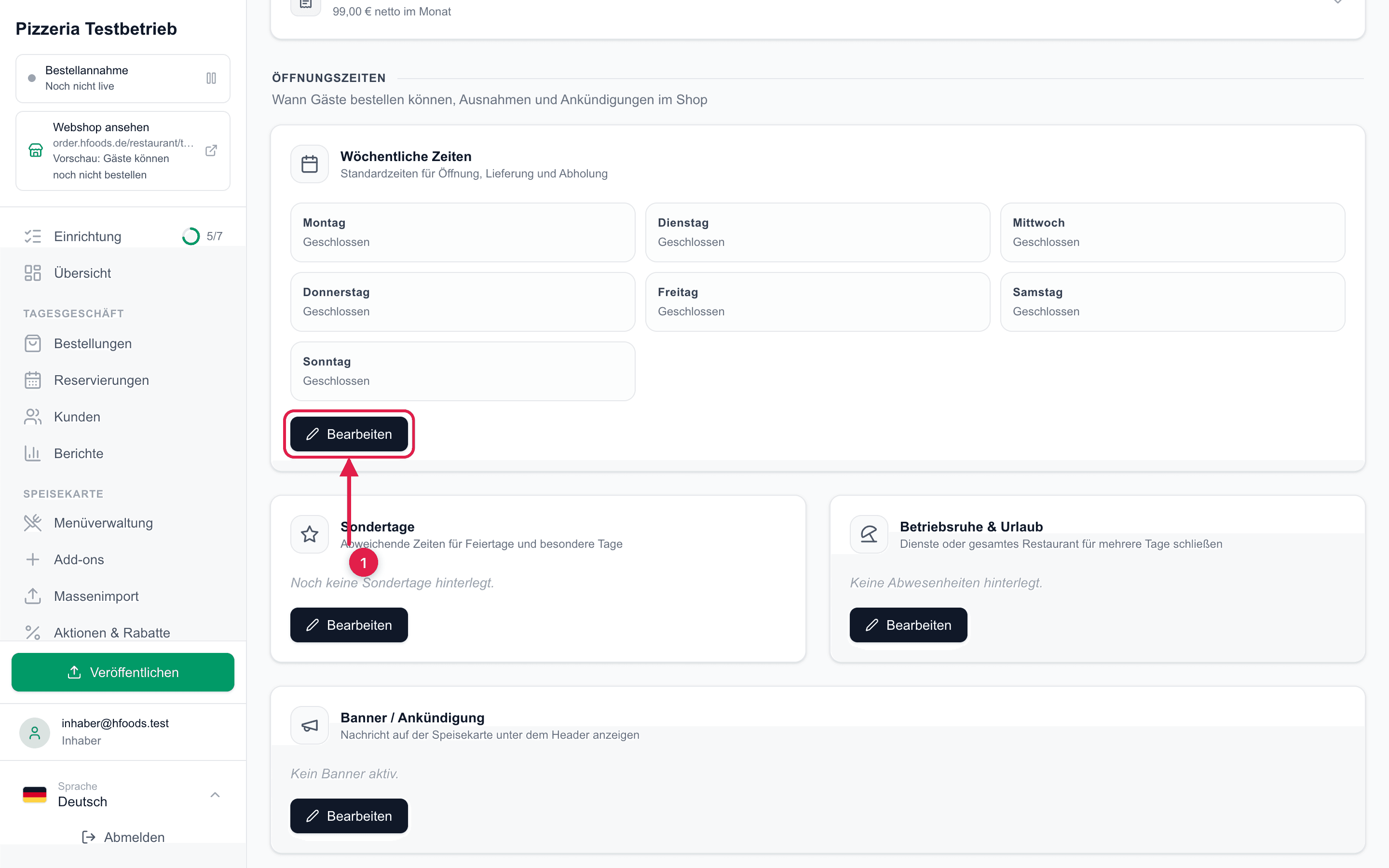
In the sidebar on the left, click Einstellungen (settings). Next to Wöchentliche Zeiten click Bearbeiten (edit).
Add a time slot
For the day, click + Zeitfenster hinzufügen (add time slot) in the column you want and enter Von and Bis, in the picture Monday 11:00 to 22:00. The bin icon removes a slot.
Copy to other days
Click Übernehmen for the day. Under Übernehmen für: (copy to) tick the days that should get the same times and click Übernehmen.
Save
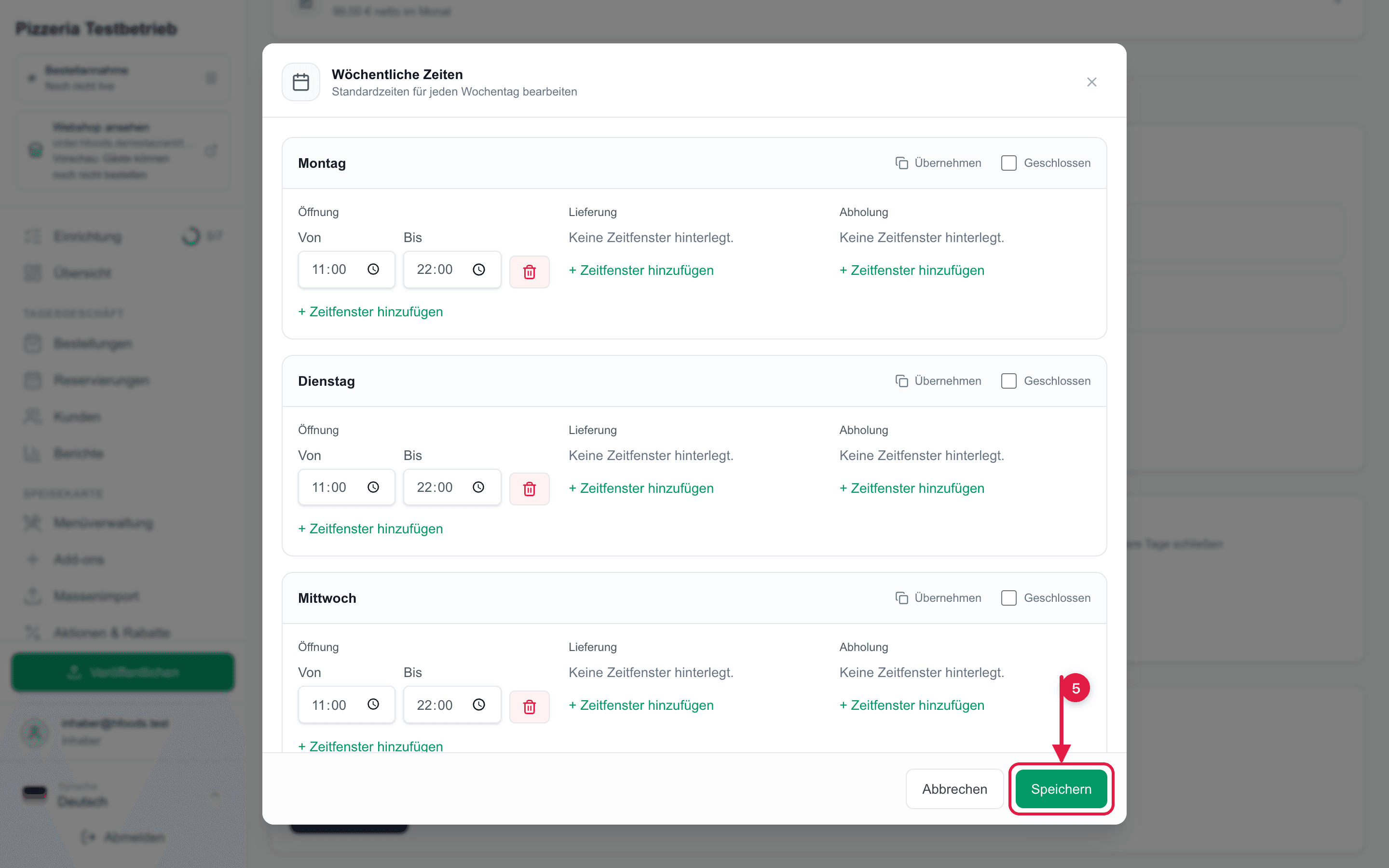
Check the days and click Speichern (save). The button can only be clicked once something has changed.
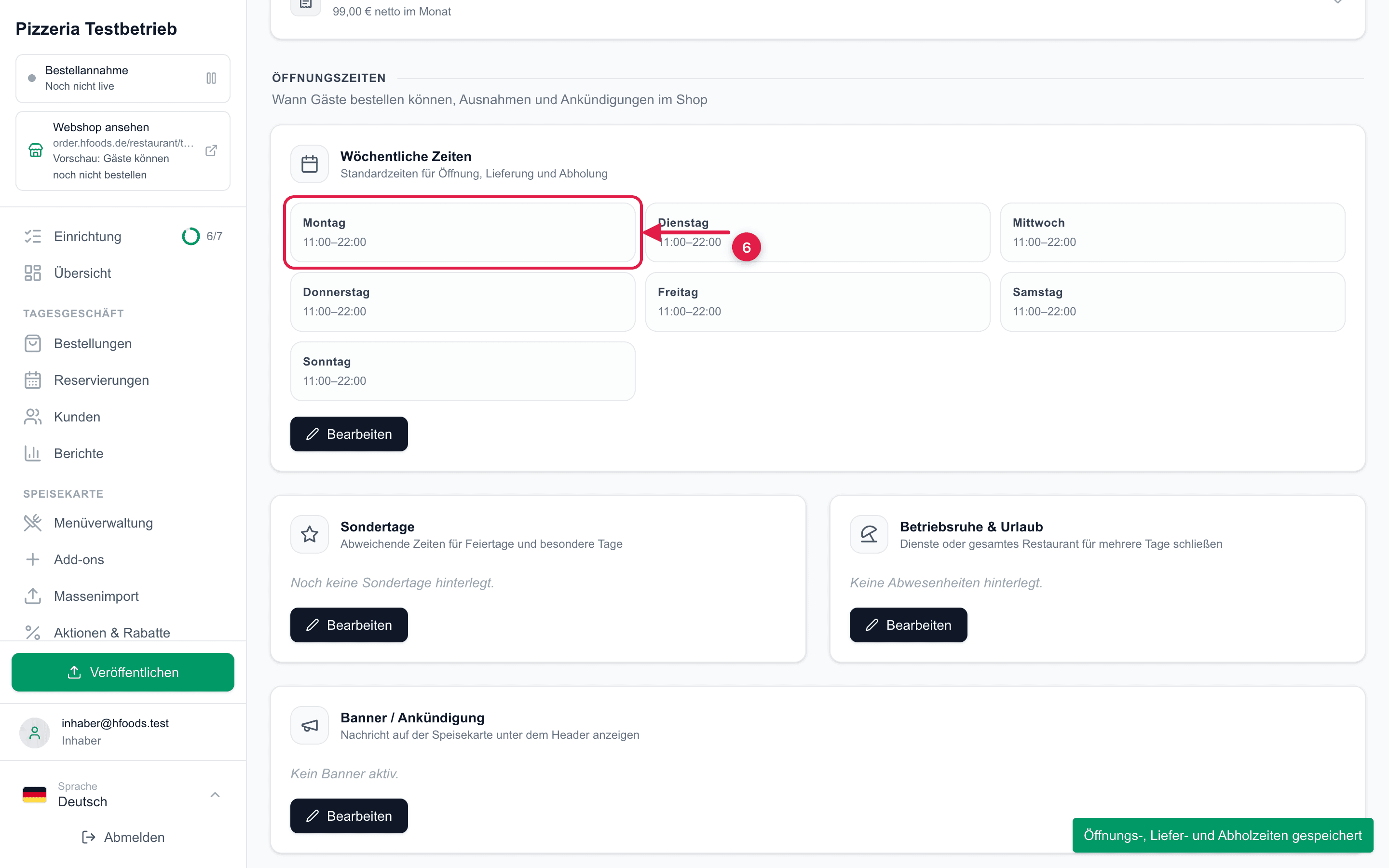
Result
Your regular times are set. Then click Veröffentlichen (publish) on the left so the web shop shows the new state.
Individual days differ?
For public holidays and special days use special days, for several days in a row use closures. Both take priority over the weekly times.