Set estimated times
Set the expected waiting time guests see for "Schnellstmöglich" (as soon as possible) in the shop, or hide it.
What it is for
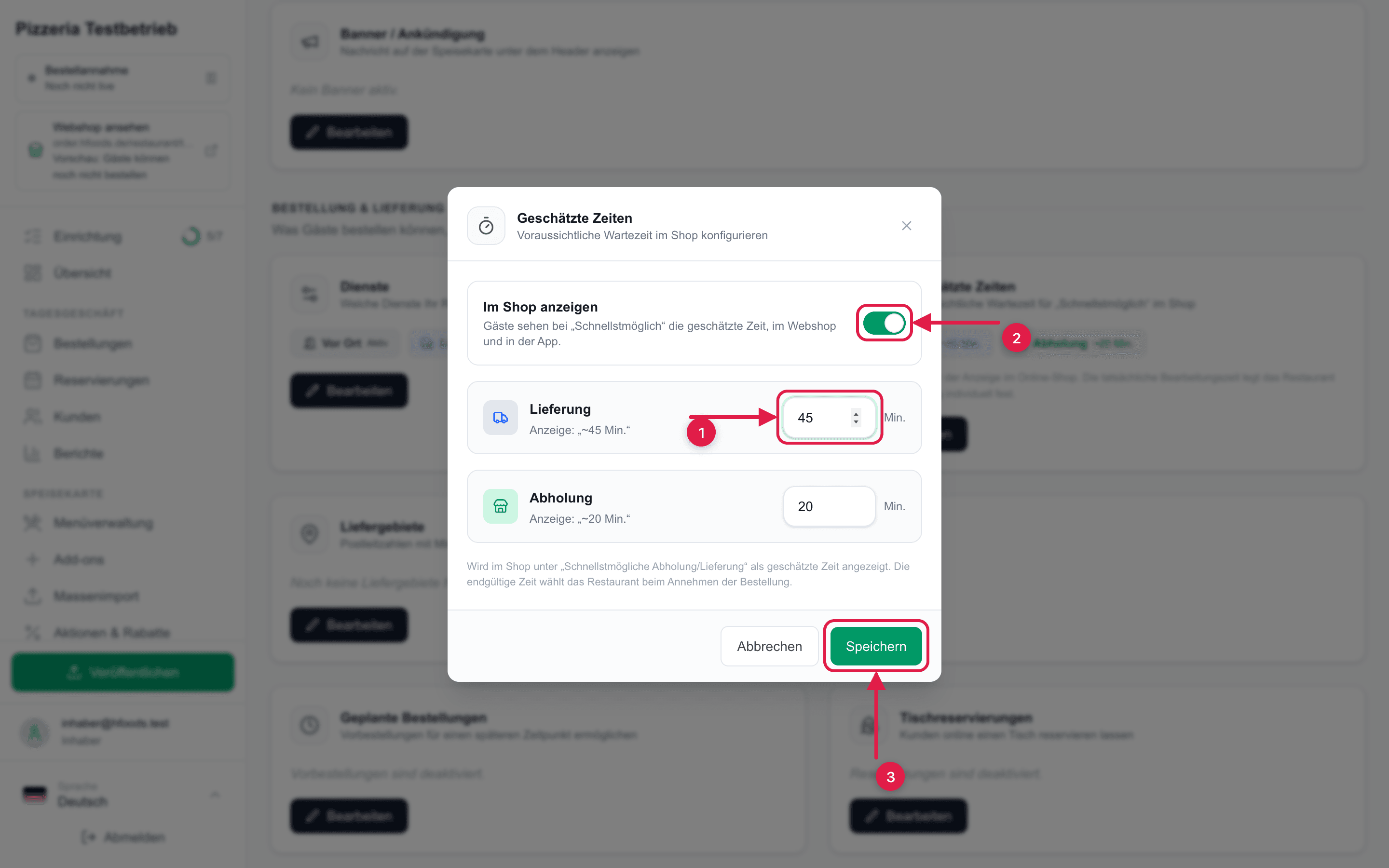
Under Geschätzte Zeiten (estimated times) you set which waiting time the shop shows for "Schnellstmöglich" (as soon as possible) for delivery and pickup. You can also switch the display off completely.
What changes
- Lieferung (delivery, default 40 minutes) and Abholung (pickup, default 20 minutes), 1 to 240 minutes are allowed.
- Below each field you see how it appears in the shop, for example "Anzeige: ~45 Min.".
- With the switch Im Shop anzeigen (show in shop) you decide whether guests see the time at all. When it is off, the cart, the checkout and the time selection only say "Schnellstmöglich", without minutes. This applies to the web shop and the app.
- When the switch is off, your minutes stay saved. Switch it back on and they apply again right away.
- The time is only shown in the shop. You choose the final time when accepting the order. Guests still see that time in order tracking, even when the switch is off.
Requirements
You are signed in to the admin area as the owner. Staff do not see the settings.
Step by step
Enter or hide the times
In the sidebar on the left, click Einstellungen (settings). Next to Geschätzte Zeiten click Bearbeiten (edit). Enter the minutes for Lieferung and Abholung. If you do not want to show a time in the shop, switch off Im Shop anzeigen at the top. Click Speichern (save).
Result
The web shop shows the new state right after saving, you do not need to publish. The app picks it up the next time guests open it. When the display is switched off, the Geschätzte Zeiten card shows the note Im Shop ausgeblendet (hidden in shop).