Create delivery areas by distance
Set the delivery fee and minimum order value by the driving distance to the guest, in tiers or per kilometre.
What it is for
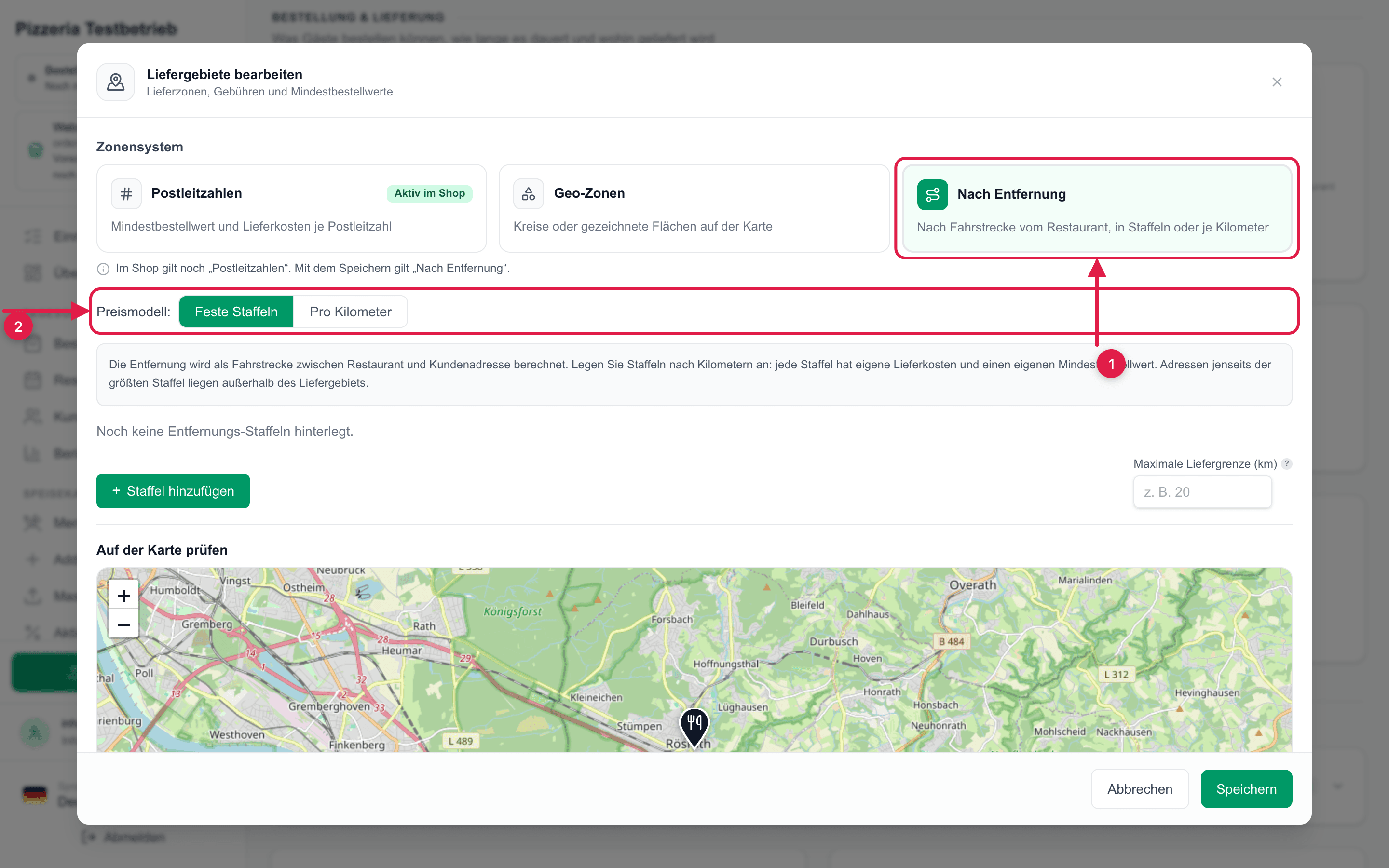
Under Liefergebiete (delivery areas) you decide where you deliver, what delivery costs and from which order value. At the top of the window you choose the Zonensystem (zone system): Postleitzahlen (postcodes), Geo-Zonen (geo zones) or Nach Entfernung (by distance). The system selected when saving applies. This guide is about Nach Entfernung: fee and minimum order value depend on the driving distance between your business and the guest's address. This system needs your business location coordinates. If they are missing, it says Restaurant-Koordinaten fehlen (restaurant coordinates missing), see Set location coordinates manually.
What changes
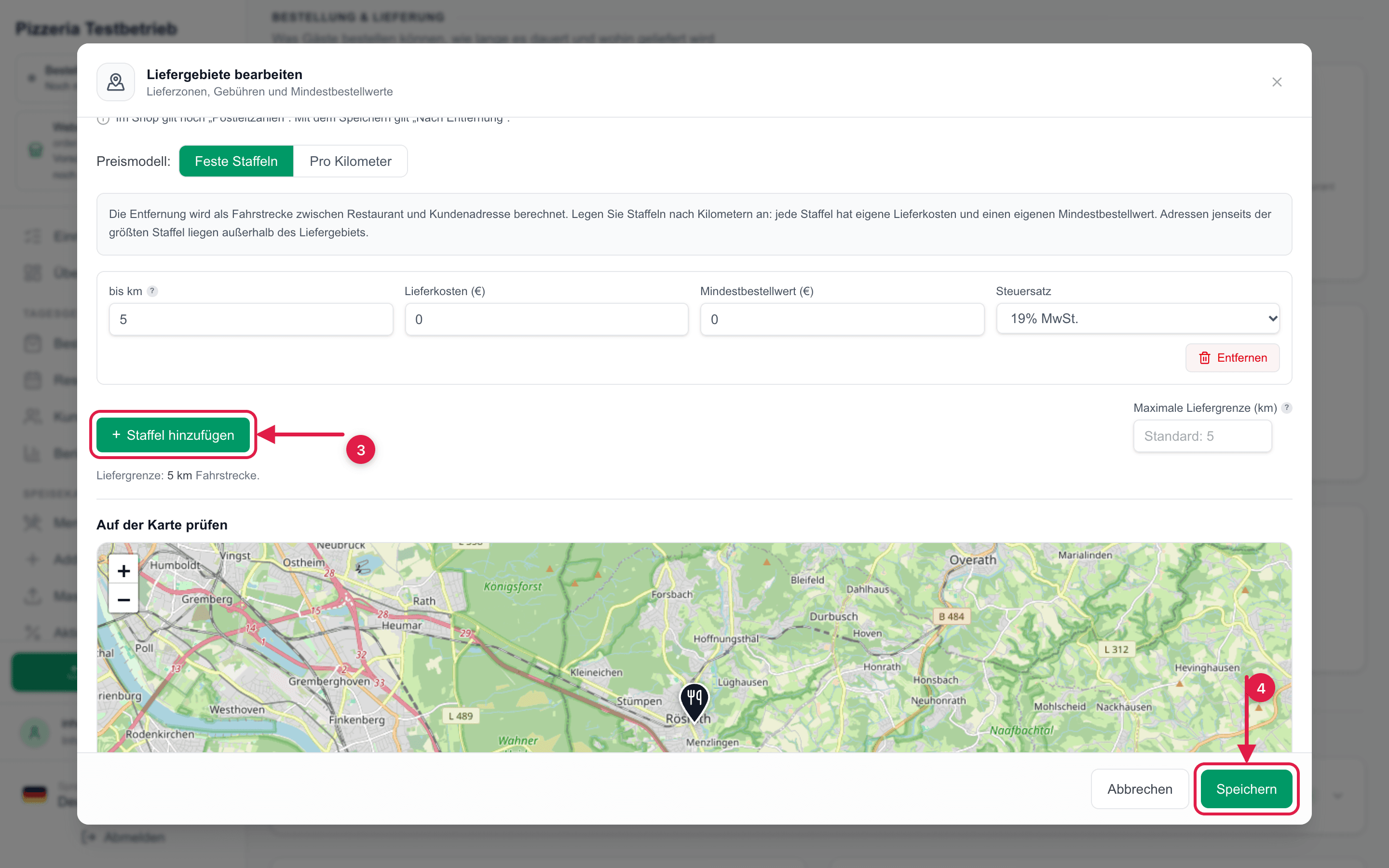
- Preismodell: Feste Staffeln (pricing model: fixed tiers): each tier applies bis km (up to km) and has its own Lieferkosten (€) (fee), Mindestbestellwert (€) (minimum order value) and Steuersatz (tax rate). + Staffel hinzufügen (add tier) adds a tier 5 km beyond the largest. Optionally Maximale Liefergrenze (km) (maximum delivery limit) limits the area. Tiers with 0 km are dropped when saving.
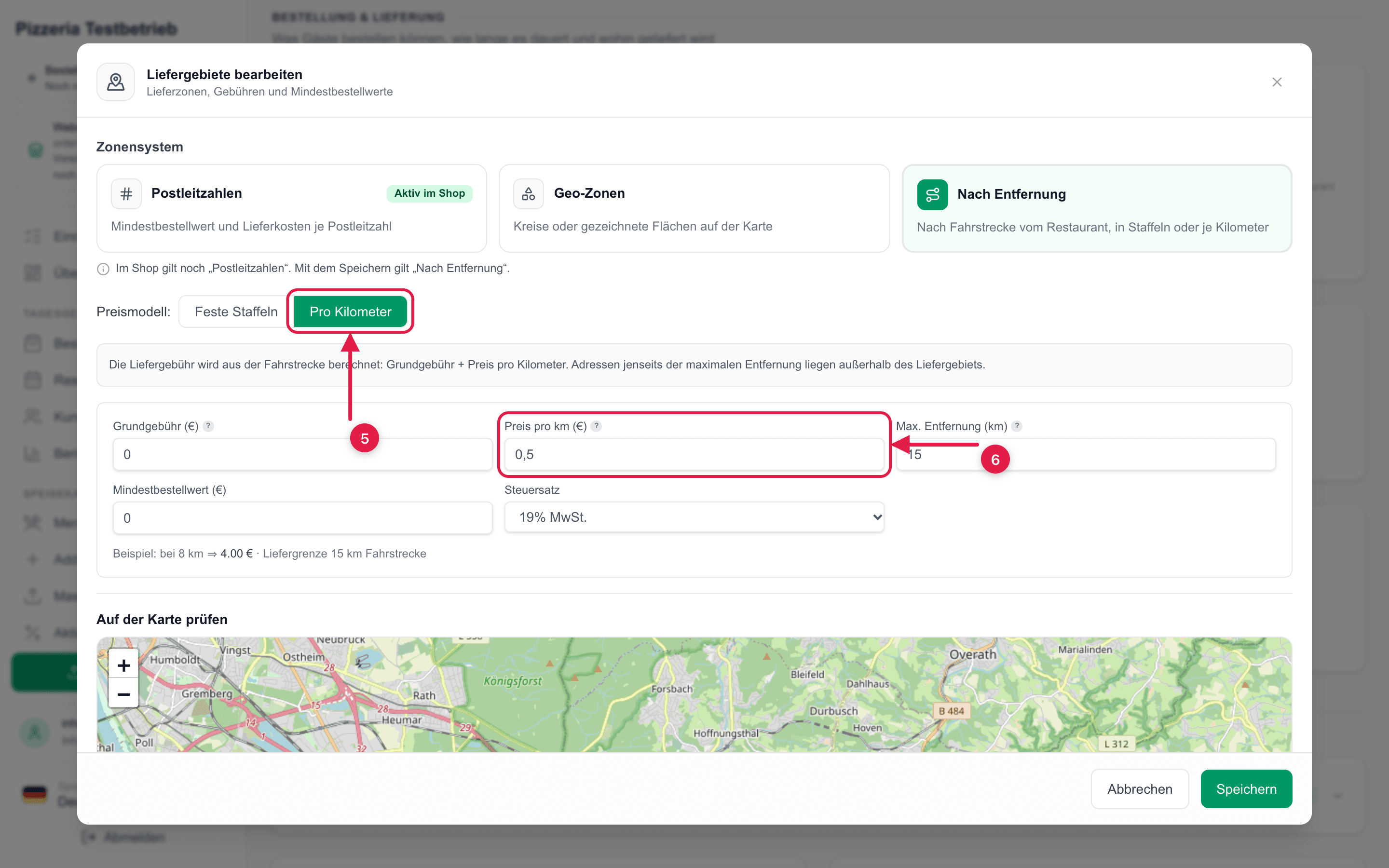
- Preismodell: Pro Kilometer (per kilometre): Grundgebühr (€) (base fee) plus Preis pro km (€) (price per km), up to Max. Entfernung (km) (max. distance), plus Mindestbestellwert (€) and Steuersatz. A sample calculation shows the result.
- Addresses beyond the largest distance are not served.
- For the Steuersatz (tax rate) of the delivery fee: 19% (voll) (standard), 7% (ermäßigt) (reduced) or 0% (steuerfrei) (exempt). Clarify which rate applies to your delivery fees with your tax adviser.
Requirements
You are signed in to the admin area as the owner. Staff do not see the settings. Your business location coordinates are set.
Step by step
Choose by distance
In the sidebar on the left, click Einstellungen (settings). Next to Liefergebiete click Bearbeiten (edit). At Zonensystem click Nach Entfernung and choose the Preismodell.
Add tiers
With Feste Staffeln click + Staffel hinzufügen and enter bis km, Lieferkosten (€), Mindestbestellwert (€) and Steuersatz for each tier. Click Speichern (save).
Or per kilometre
With Pro Kilometer enter Grundgebühr (€), Preis pro km (€) and Max. Entfernung (km) and save.
Result
Your delivery fees depend on the distance.
Only valid after saving
Changes in the window only apply after Speichern (save). The web shop and the app then take them over by themselves, you do not need to publish.