Admin areaSettings
Allow scheduled orders
Let guests order for a later time, separately for delivery and pickup.
What it is for
With Geplante Bestellungen (scheduled orders), guests can order not only "Schnellstmöglich" (as soon as possible) but also for a later time or day.
What changes
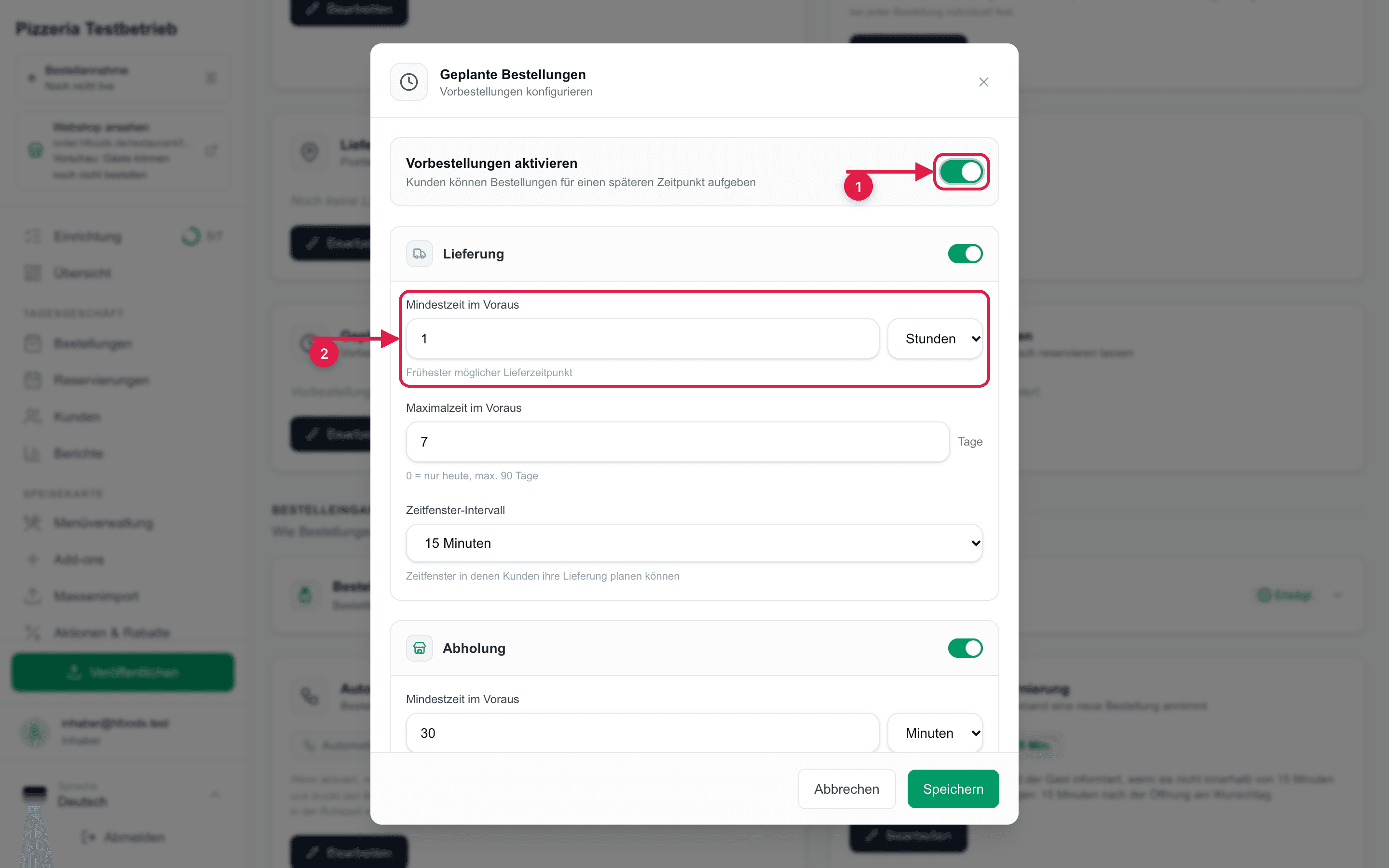
- Vorbestellungen aktivieren (activate scheduled orders) switches the feature on. Default: off. When off, the card shows Vorbestellungen sind deaktiviert.
- Lieferung (delivery) and Abholung (pickup) each have their own switch and these fields:
- Mindestzeit im Voraus (minimum time in advance): the earliest possible time, in minutes, hours or days. Default: delivery 1 hour, pickup 30 minutes.
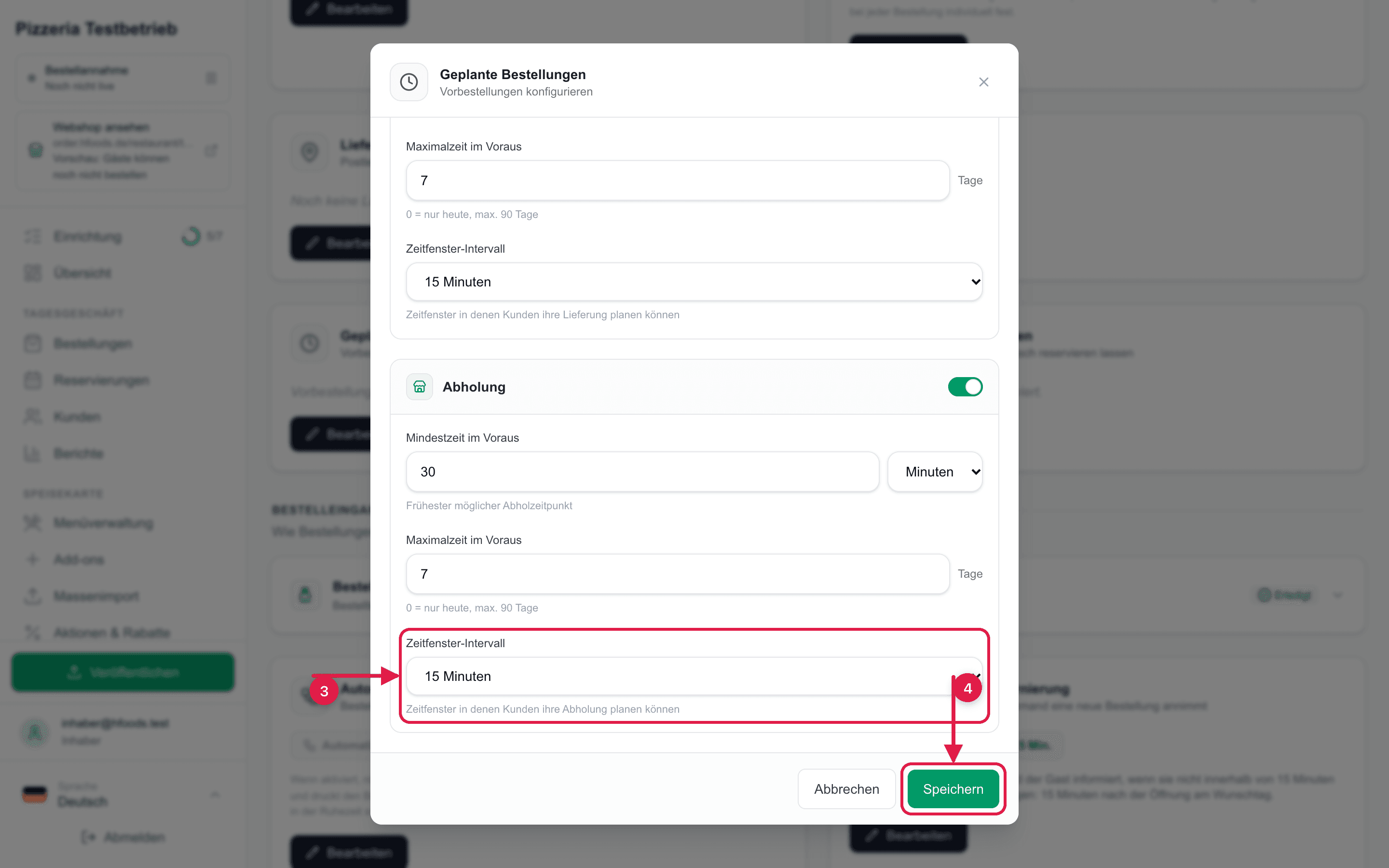
- Maximalzeit im Voraus (maximum time in advance): how many days ahead, 0 means today only, at most 90. Default: 7 days.
- Zeitfenster-Intervall (time slot interval): 15, 30 or 45 minutes or 1 hour. Default: 15 minutes.
- Which times guests can choose depends on your weekly times.
Requirements
You are signed in to the admin area as the owner. Staff do not see the settings.
Step by step
Switch on
In the sidebar on the left, click Einstellungen (settings). Next to Geplante Bestellungen click Bearbeiten (edit). Flip Vorbestellungen aktivieren. For Lieferung set the Mindestzeit im Voraus.
Set range and interval
Set Maximalzeit im Voraus and Zeitfenster-Intervall, and the same for Abholung. Click Speichern (save).
Result
Guests can order for later. Then click Veröffentlichen (publish) on the left so the web shop shows the new state.