Set up tips
Offer guests a tip with online payment and decide how it is shown, recorded and taxed.
What it is for
With Trinkgeld (tips), guests can give a tip at checkout when paying online. You decide which amounts are offered, who the tip belongs to and how it is taxed.
What changes
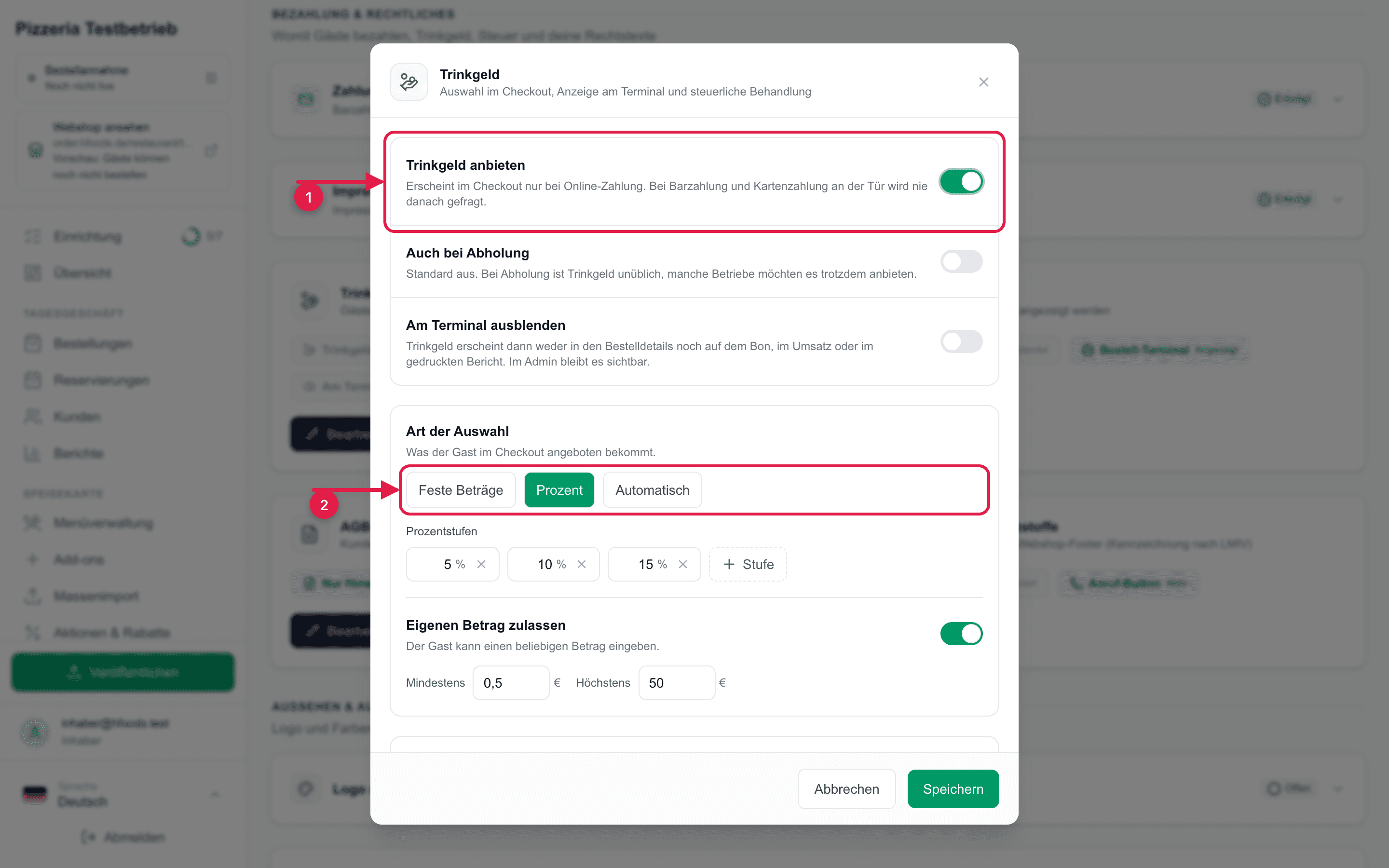
- Trinkgeld anbieten (offer tips): the tip appears at checkout only with online payment. With cash or card payment at the door it is never asked for. Default: off.
- Auch bei Abholung (also for pickup): off by default, tips are unusual for pickup.
- Am Terminal ausblenden (hide on the terminal): the tip then appears neither in the order details nor on the receipt, in the revenue or in the printed report of the terminal. It stays visible in the admin.
- Art der Auswahl (type of choice): Feste Beträge (fixed amounts), Prozent (percent) or Automatisch (automatic). Automatic shows fixed amounts below a threshold and percentages above it (Ab Bestellwert … € Prozent statt Beträge, from order value … € percentages instead of amounts). There are 2 to 4 levels, add with + Stufe or + Betrag, remove with the X.
- Eigenen Betrag zulassen (allow own amount): the guest can enter any amount, limited by Mindestens (minimum) and Höchstens (maximum).
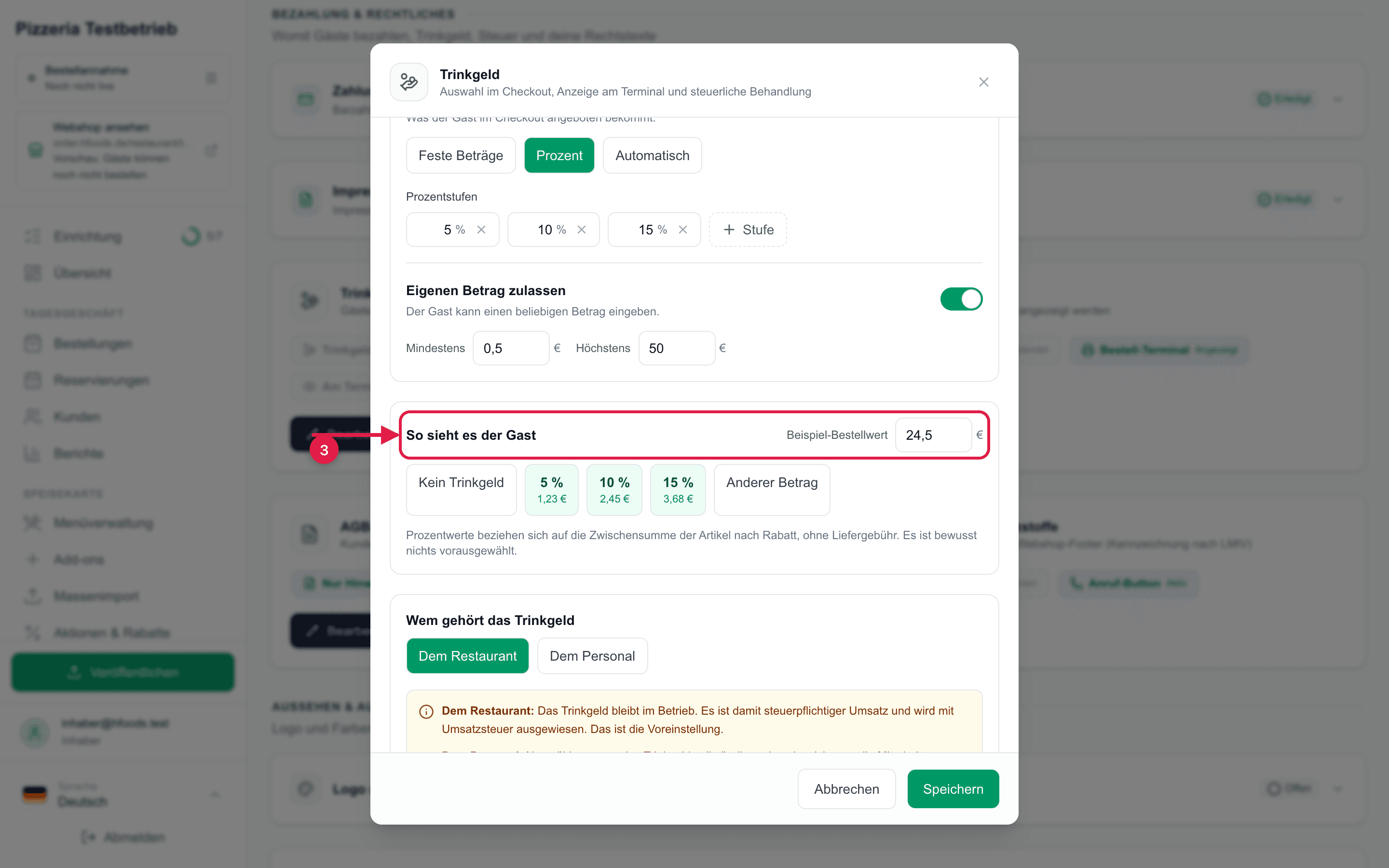
- So sieht es der Gast (what the guest sees): a preview with a Beispiel-Bestellwert (sample order value). Percentages refer to the item subtotal after discounts, without the delivery fee. Nothing is preselected on purpose.
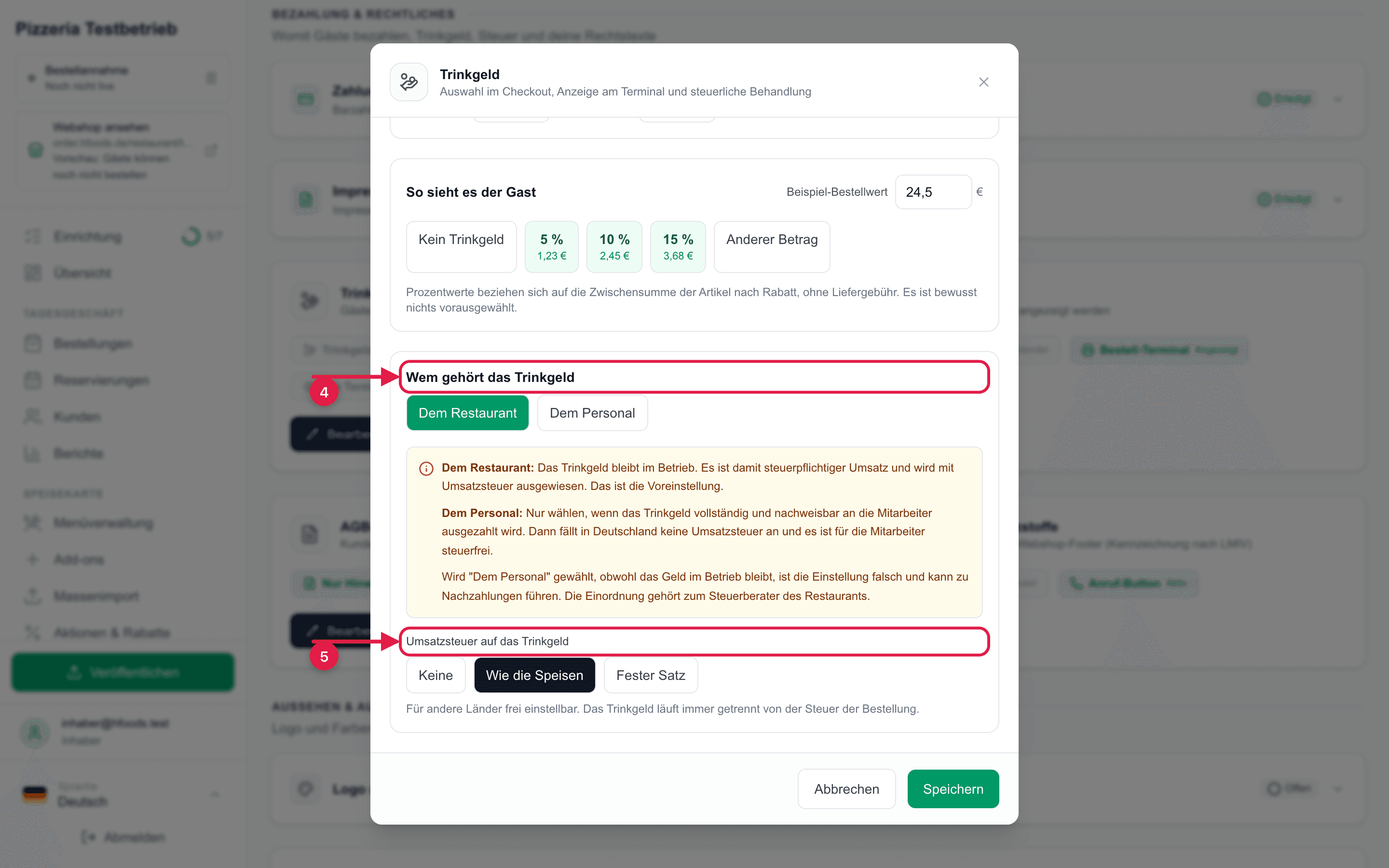
- Wem gehört das Trinkgeld (who the tip belongs to): Dem Restaurant (the restaurant) or Dem Personal (the staff). The choice presets the VAT to match: staff to Keine (none), restaurant to Wie die Speisen (like the food).
- Umsatzsteuer auf das Trinkgeld (VAT on the tip): Keine, Wie die Speisen or Fester Satz (fixed rate) with your own percentage.
Requirements
You are signed in to the admin area as the owner. Staff do not see the settings. Guests can pay online.
Clarify the tax treatment
At Wem gehört das Trinkgeld the window explains the consequences of the choice. Clarify the tax treatment of your tips with your tax adviser before switching them on.
Step by step
Switch on and set the choice
In the sidebar on the left, click Einstellungen (settings). Next to Trinkgeld click Bearbeiten (edit). Flip Trinkgeld anbieten and choose the form under Art der Auswahl, in the picture Prozent. Adjust the levels.
Check the preview
Under So sieht es der Gast you see the choice as it appears at checkout. Change the Beispiel-Bestellwert to check different orders.
Set recipient and tax
Choose the right options under Wem gehört das Trinkgeld and Umsatzsteuer auf das Trinkgeld. Click Speichern (save).
Result
Tips are set up. The card shows Trinkgeld, Auch bei Abholung and Am Terminal versteckt (hidden on the terminal), each with Aktiv or Aus. Then click Veröffentlichen (publish) on the left so the web shop shows the new state.