Admin areaSettings
Set the terms notice in checkout
Decide whether guests are only referred to your terms at checkout or must confirm them with a checkbox.
What it is for
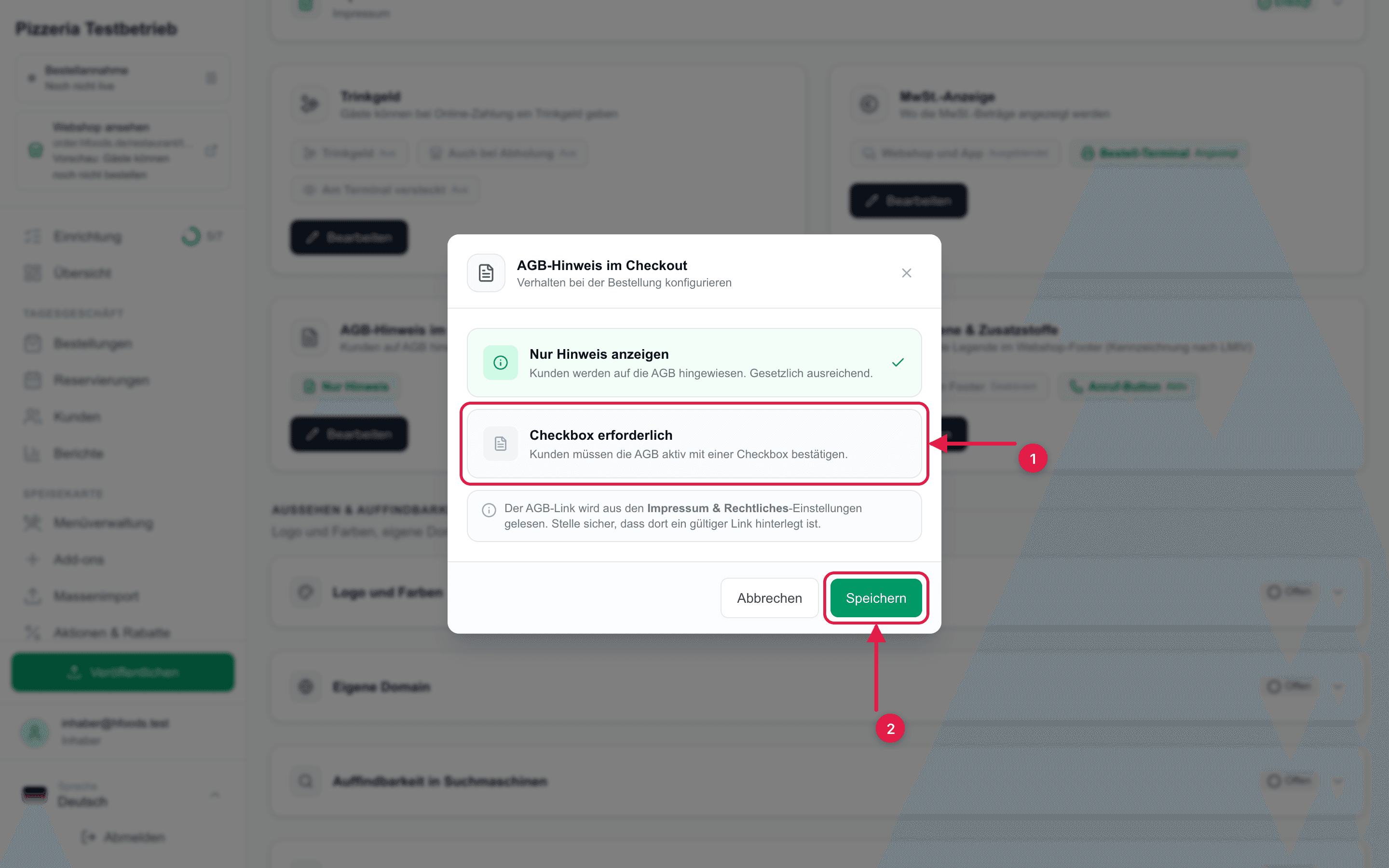
Under AGB-Hinweis im Checkout (terms notice at checkout) you decide how your terms and conditions appear when ordering.
What changes
- Nur Hinweis anzeigen (show notice only, default): guests are referred to the terms.
- Checkbox erforderlich (checkbox required): guests must actively confirm the terms with a checkbox before ordering.
- The terms link comes from the Impressum & Rechtliches (imprint and legal) settings. A valid link must be set there.
Requirements
You are signed in to the admin area as the owner. Staff do not see the settings.
Step by step
Choose the behaviour
In the sidebar on the left, click Einstellungen (settings). Next to AGB-Hinweis im Checkout click Bearbeiten (edit). Choose Nur Hinweis anzeigen or Checkbox erforderlich. Click Speichern (save).
Result
Checkout shows the terms notice as chosen. The card shows Nur Hinweis or Checkbox erforderlich.