Switch on automatic acceptance
Have the order terminal accept and print new orders without asking, with a fixed delivery and pickup time.
What it is for
With Automatische Annahme (automatic acceptance) the order terminal accepts new orders without asking and prints them. The terminal still rings briefly, during quiet time as set under Bestellton am Terminal (order sound on the terminal). It is off by default.
What changes
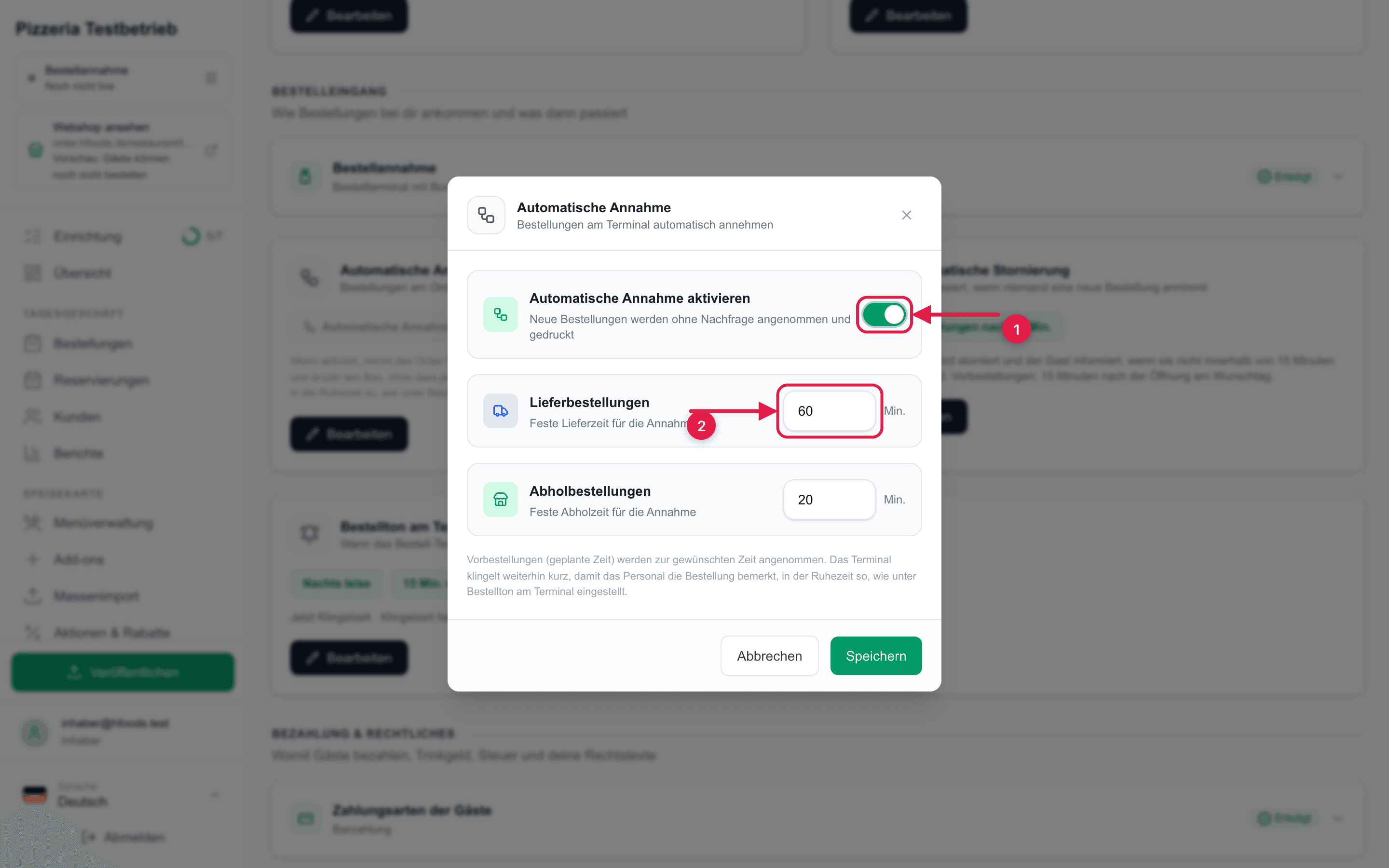
- Automatische Annahme aktivieren (activate automatic acceptance): new orders are accepted without asking and printed.
- Lieferbestellungen (delivery orders, default 60 minutes) and Abholbestellungen (pickup orders, default 20 minutes): the fixed time the order is accepted with. 1 to 600 minutes are allowed.
- Scheduled orders are accepted for the time the guest chose.
- Vom System annehmen, auch ohne Terminal (accept automatically, even without a terminal): new orders are accepted right away, even when no terminal is running, for example during an outage. The same minutes apply. The terminal does not print these orders on its own; reprint receipts at the terminal if needed.
- From terminal version 1.4.1: if automatic cancellation is set to Keine (none) or Nur online bezahlte (only orders paid online), the terminal no longer accepts an order by itself that is older than 3 hours (pre-order: whose requested day is over), for example after the terminal was down. It then waits in the order window for your decision. Fresh orders are accepted as usual.
Requirements
You are signed in to the admin area as the owner. Staff do not see the settings. You use the hfoods order terminal, and WinOrder is not active.
Not together with WinOrder
As long as WinOrder is active, automatic acceptance cannot be switched on. Switch off WinOrder first, see Deactivate or reactivate WinOrder.
Step by step
Switch on
In the sidebar on the left, click Einstellungen (settings). Next to Automatische Annahme click Bearbeiten (edit). Flip Automatische Annahme aktivieren and enter the minutes for Lieferbestellungen and Abholbestellungen. Click Speichern (save).
Result
The terminal accepts and prints new orders by itself.