Set the order sound on the terminal
Set when the order terminal rings and when it stays quiet, for example at night outside opening hours.
What it is for
In the middle of the night the terminal should not ring just because someone pre-orders for tomorrow lunchtime. With the order sound you set when the terminal may ring. Outside this ringing time it is quiet time.
During quiet time new orders and reservations appear on the screen as usual, only the sound is silent. At the start of the ringing time the terminal rings for everything that is still open then.
An example: you are open at lunchtime and in the evening, from 11:00 to 14:30 and from 17:00 to 22:00. With the default values the terminal rings from 10:45 to 01:00. A pre-order at 03:00 appears quietly and rings at 10:45.
What changes
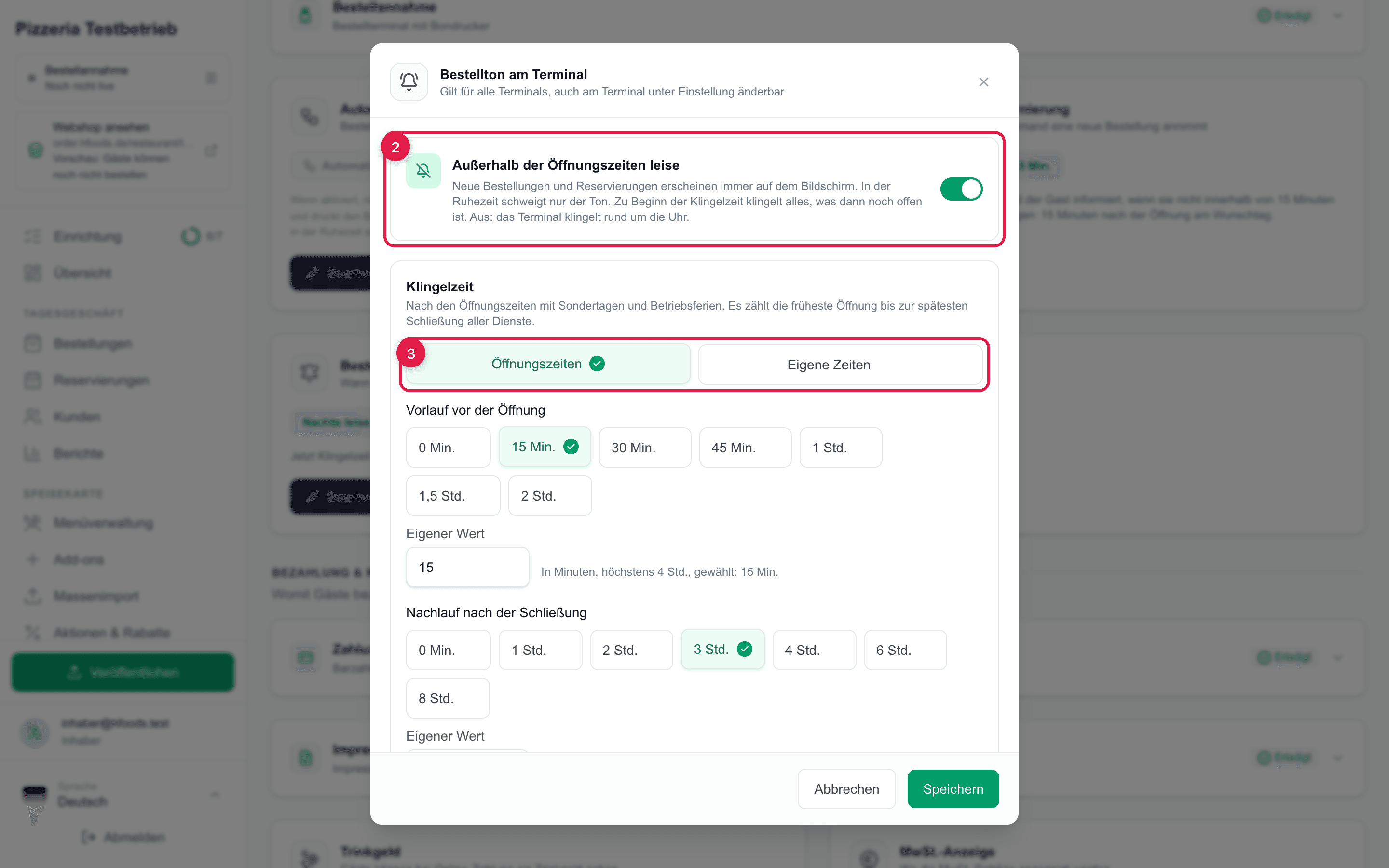
- Außerhalb der Öffnungszeiten leise (quiet outside opening hours): the main switch, on by default. Switched off, the terminal rings around the clock as before.
- Klingelzeit (ringing time) by Öffnungszeiten (opening hours):
- It uses the weekly schedule, special days and closures. If a closure applies only to dine-in, the opening hours still count as long as delivery or pickup is open. A pre-order has to be accepted shortly after the opening, by default 15 minutes after it, see Set automatic cancellation.
- The ringing time runs from the earliest opening to the latest closing of all services (dine-in, delivery, pickup).
- Vorlauf vor der Öffnung (lead time before opening): the ringing time starts this much earlier, 15 minutes by default.
- Nachlauf nach der Schließung (run-on after closing): it keeps ringing this long afterwards, for example while cleaning up, 3 hours by default.
- In Pausen durchgehend klingeln (keep ringing during breaks): on by default. Switched off, a long break between two opening times also becomes quiet time, with the same lead time and run-on.
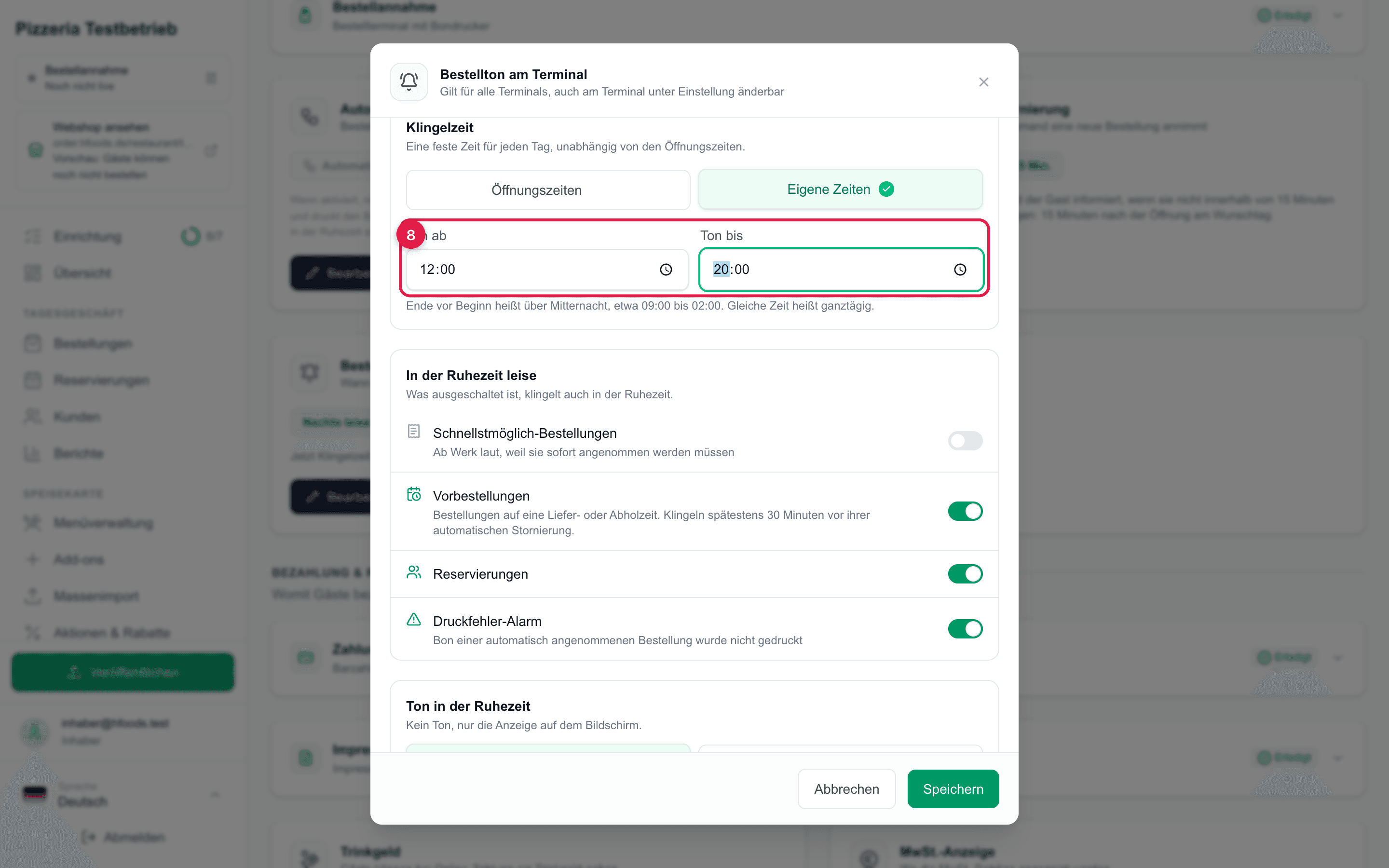
- Klingelzeit by Eigene Zeiten (own times): a fixed time for every day with Ton ab (sound from) and Ton bis (sound until), independent of the opening hours. An end before the start means past midnight, for example 09:00 to 02:00. The same time means all day.
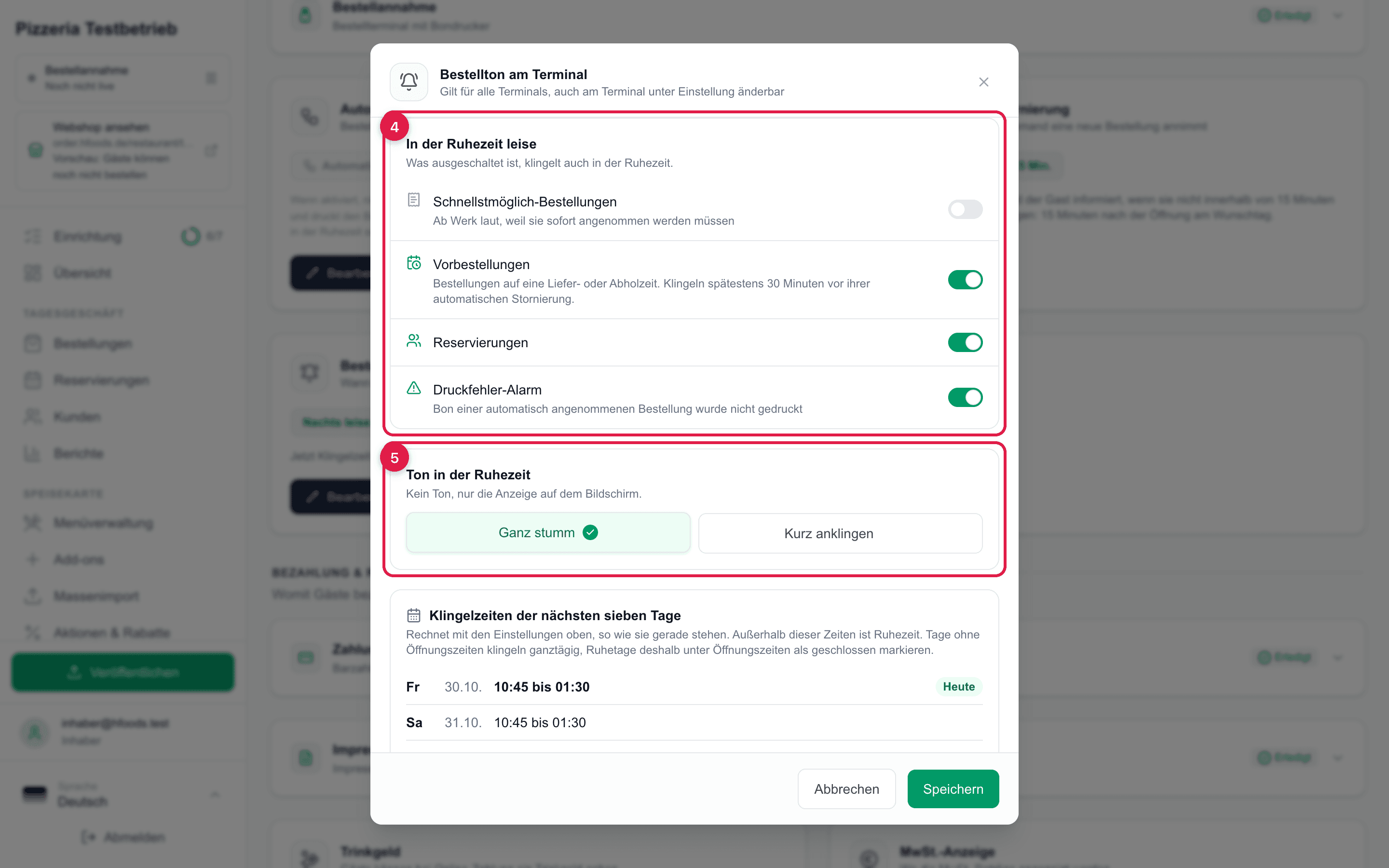
- In der Ruhezeit leise (quiet during quiet time): one switch each for Schnellstmöglich-Bestellungen (ASAP orders), Vorbestellungen (pre-orders), Reservierungen (reservations) and the Druckfehler-Alarm (print failure alarm). Whatever you switch off also rings during quiet time.
- Schnellstmöglich-Bestellungen (ASAP orders) are loud by default because they have to be accepted right away. Outside opening hours they normally do not arrive at all. If one does, for example because a guest completes the payment only after closing, the terminal rings. If you set them to quiet, a yellow note appears. A print failure of an automatically accepted ASAP order rings like an ASAP order.
- Vorbestellungen (pre-orders) ring at the latest 30 minutes before their automatic cancellation, also during quiet time and however the ringing time is set. So no pre-order is cancelled silently.
- Ton in der Ruhezeit (sound during quiet time): Ganz stumm (fully silent) or Kurz anklingen (short chime). Short chime means a new order rings once briefly, then it is quiet again.
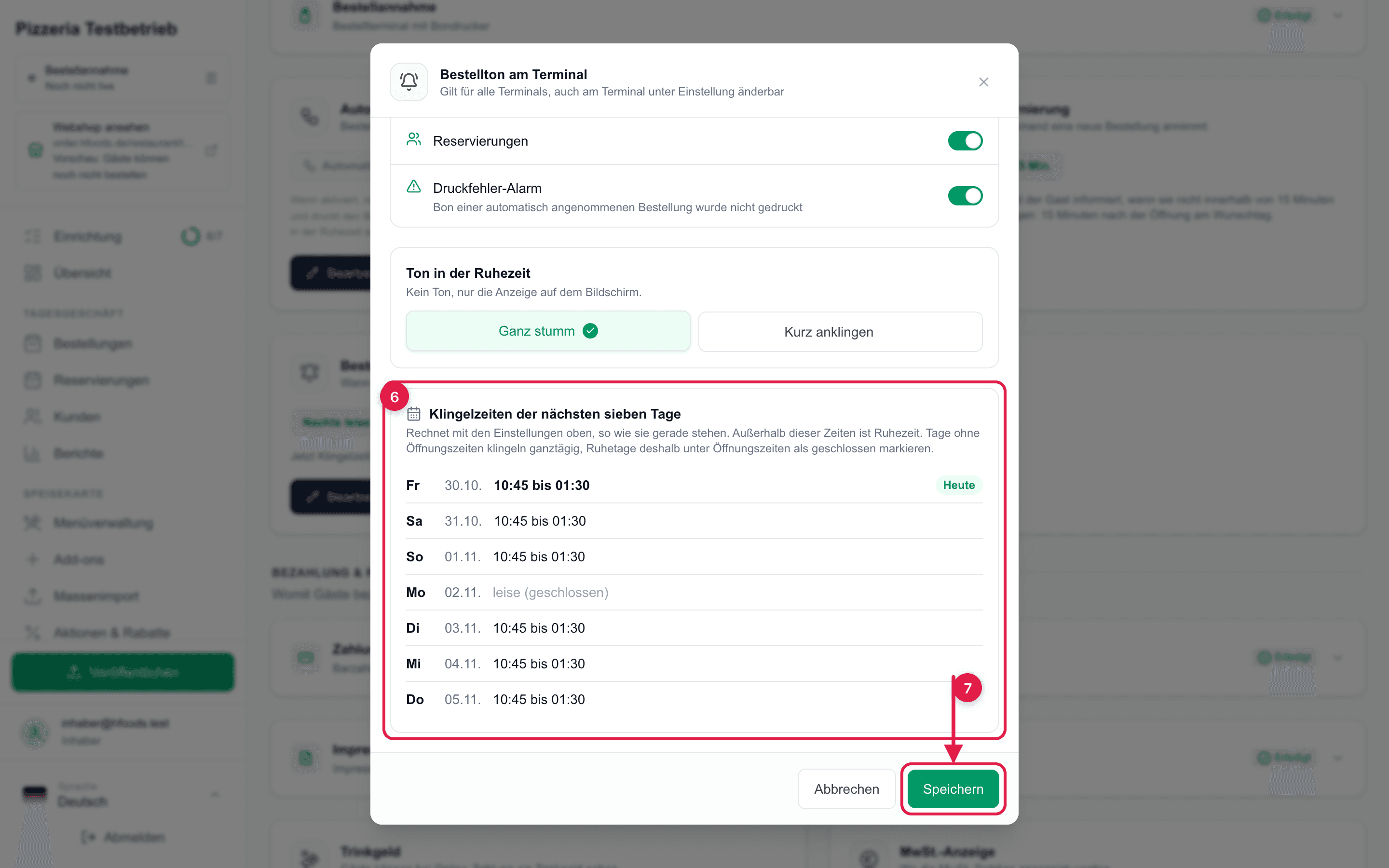
- At the bottom the preview shows the Klingelzeiten der nächsten sieben Tage (ringing times of the next seven days) and updates with your changes right away.
- If something open is silent on the terminal right now, it shows „Ton aus bis …“ (sound off until …) in the order list and at the top of the window of a new order or reservation. So everyone knows why it is not ringing right now.
- The setting applies to all terminals of the restaurant. On the terminal it is under Einstellung (settings), Bestellton (order sound). If you change it there, you see the change here, and the other way round.
- Older terminal versions do not know the setting yet and ring around the clock until they are updated.
Requirements
You are signed in to the admin area as the owner. Staff do not see the settings.
Step by step
Open the card
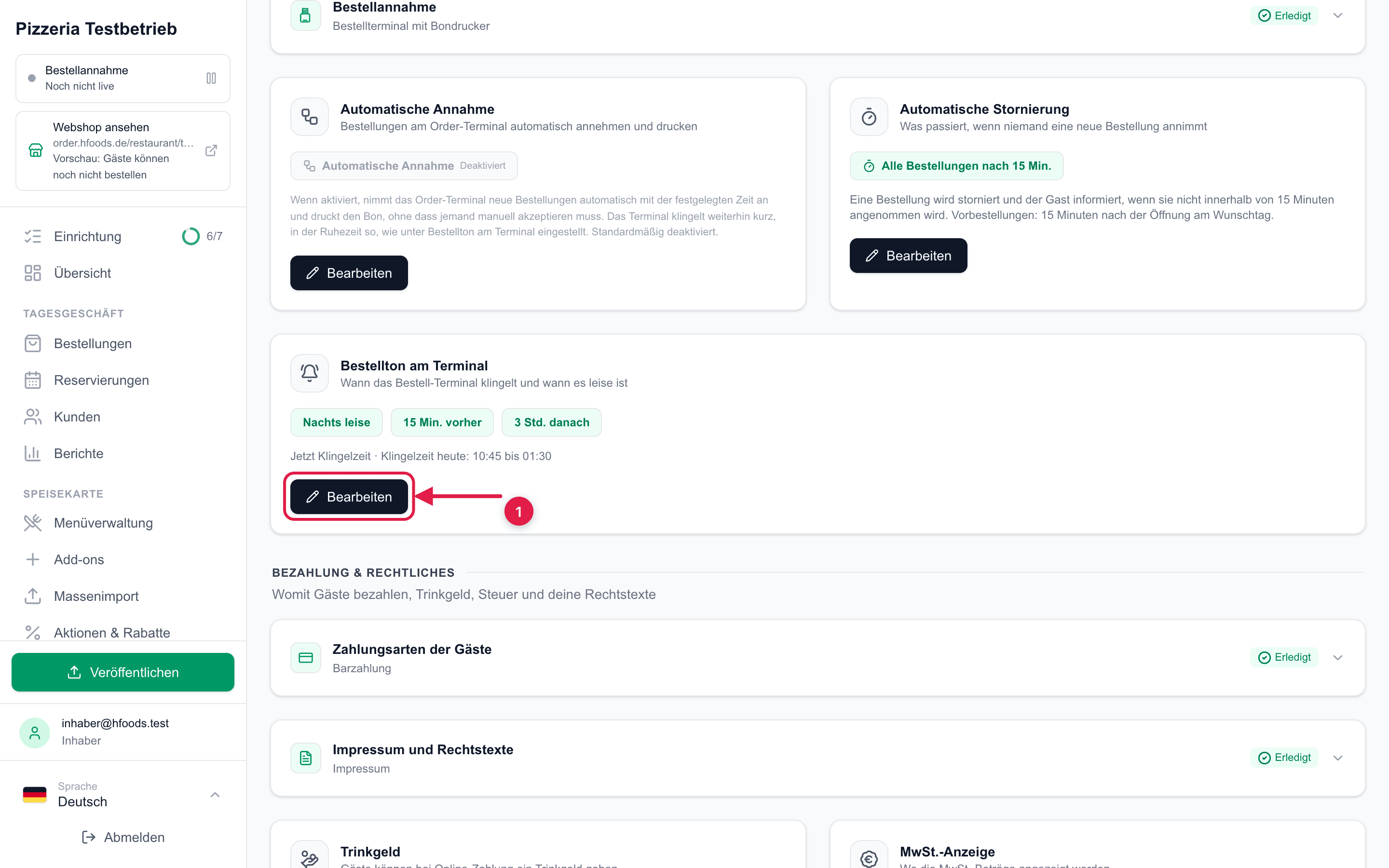
Click Einstellungen (settings) on the left. The card Bestellton am Terminal (order sound on the terminal) shows the current state, for example Nachts leise (quiet at night), 15 Min. vorher (15 min before), 3 Std. danach (3 h after), and today's ringing time below it. Click Bearbeiten (edit).
Set quiet time and ringing time
Leave Außerhalb der Öffnungszeiten leise switched on. Under Klingelzeit choose the basis, in the picture Öffnungszeiten. Below it set Vorlauf vor der Öffnung and Nachlauf nach der Schließung, with the choices or as your own value in minutes.
Choose own times (if you want)
Click Eigene Zeiten and enter Ton ab and Ton bis. If this time does not cover the whole opening, that is no problem by default: ASAP orders always ring, pre-orders at the latest 30 minutes before their cancellation. If you set ASAP orders to quiet, a yellow warning appears with the days on which they could be cancelled silently.
Choose what is quiet during quiet time
Under In der Ruhezeit leise you set single events to loud, for example Reservierungen. Schnellstmöglich-Bestellungen are already loud by default. Under Ton in der Ruhezeit you choose Ganz stumm or Kurz anklingen.
Check the preview and save
Check the ringing times of the next seven days in the preview. A day off appears as leise (geschlossen) (quiet, closed). Click Speichern (save). The message reads Bestellton gespeichert (order sound saved).
Result
The terminal only rings during the ringing time. Whatever comes in during quiet time is shown on the screen and rings at the start of the next ringing time, if it is still open then.
Tips
- Mark days off as closed under Öffnungszeiten. A day without any times rings all day to be safe, the preview then shows ganztägig (keine Zeiten gepflegt) (all day, no times set).
- The test order on the terminal always rings, even during quiet time. So you can check at any time whether the sound works.
- If you prepare early in the morning, choose a longer lead time. If you clean up late, a longer run-on.
Frequently asked questions
Is an order lost during quiet time?
No. It appears on the screen at once and rings at the start of the ringing time as long as it is still open. A pre-order also rings at the latest 30 minutes before its automatic cancellation, even if it is still quiet time then. ASAP orders always ring by default. Only if you set ASAP orders to quiet can one be cancelled silently, a yellow note points this out.
Why does it ring all day on one day?
No opening hours are set for this day, and it is not marked as closed. Then the terminal rings all day to be safe. Enter the times or mark the day as closed.
Does this also apply to automatic acceptance?
Yes, the sound follows the ringing time then too. Automatic acceptance itself still accepts right away and prints the receipt, even during quiet time.