Set where VAT is shown
Decide whether the web shop, the app and the order terminal show the included VAT.
What it is for
Under MwSt.-Anzeige (VAT display) you decide where the included VAT appears. There are two switches that work independently of each other: one for the web shop and the app, one for the order terminal. This way you can, for example, show VAT in the web shop and leave it off the receipt.
What changes
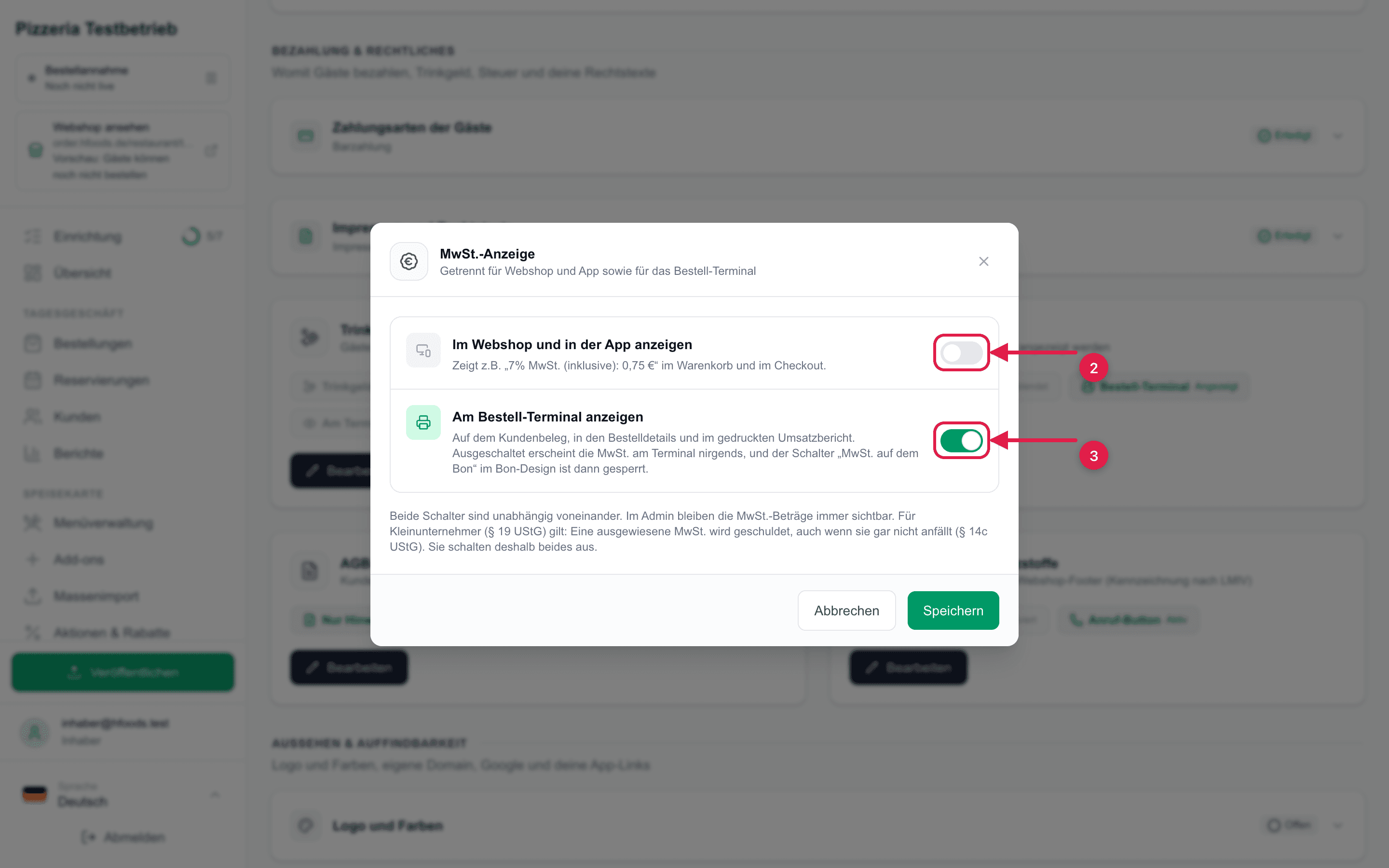
- Im Webshop und in der App anzeigen (show in the web shop and in the app): the cart and checkout show the included VAT per rate, for example "7% MwSt. (inklusive): 0,75 €". Off by default. Prices do not change.
- Am Bestell-Terminal anzeigen (show on the order terminal): VAT appears on the customer receipt, in the order details and in the printed revenue report. On by default. When switched off, it appears nowhere on the terminal.
- When the terminal switch is off, the switch MwSt. auf dem Bon (VAT on the receipt) in the receipt design is locked, see Set the receipt switches.
- In the admin area the VAT amounts always stay visible.
Requirements
You are signed in to the admin area as the owner. Staff do not see the settings. The terminal switch works on terminals with the current version of the terminal app.
Step by step
Open the window
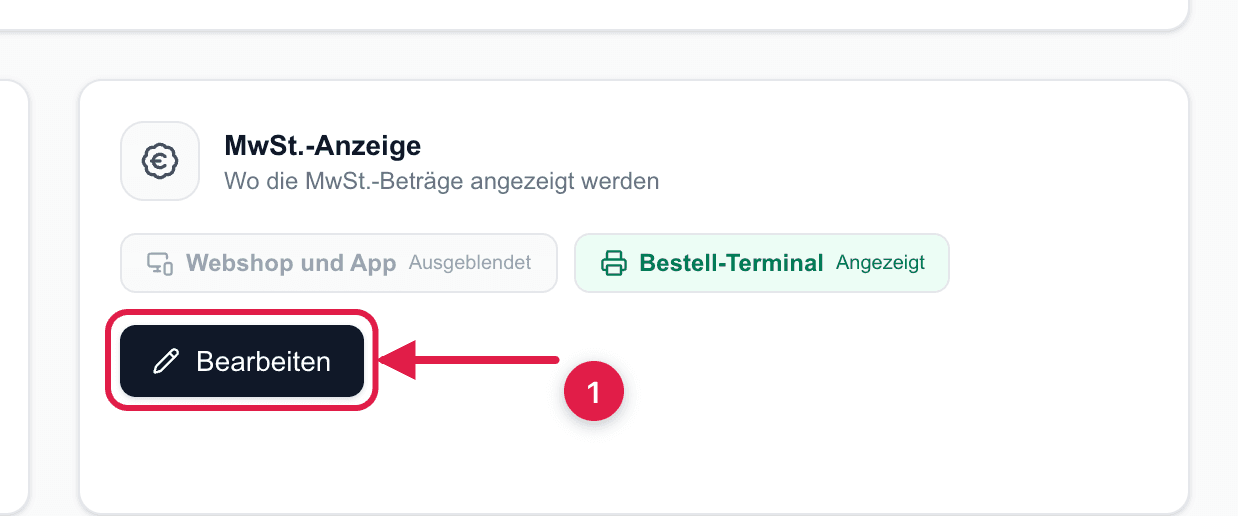
Click Einstellungen (settings) on the left. The card MwSt.-Anzeige already shows where VAT is currently Angezeigt (shown) or Ausgeblendet (hidden). Click Bearbeiten (edit) there.
Set the switches
Turn Im Webshop und in der App anzeigen and Am Bestell-Terminal anzeigen on or off as you need. Click Speichern (save).
Result
The terminals take over the setting as soon as they are online. For the web shop, then click Veröffentlichen (publish) on the left so it shows the new state.
Frequently asked questions
Do I have to hide VAT?
Whether you have to hide VAT, for example as a small business, is something to clarify with your tax advisor. Both switches can be turned off independently of each other.
The terminal shows VAT, but the receipt does not. Why?
The receipt design has an additional switch MwSt. auf dem Bon (VAT on the receipt). When it is off, VAT is missing only on the receipt. It stays in the order details and in the report, see Set the receipt switches.